
10 Best Free LinkedIn Phone Number Extractor Tools in 2026

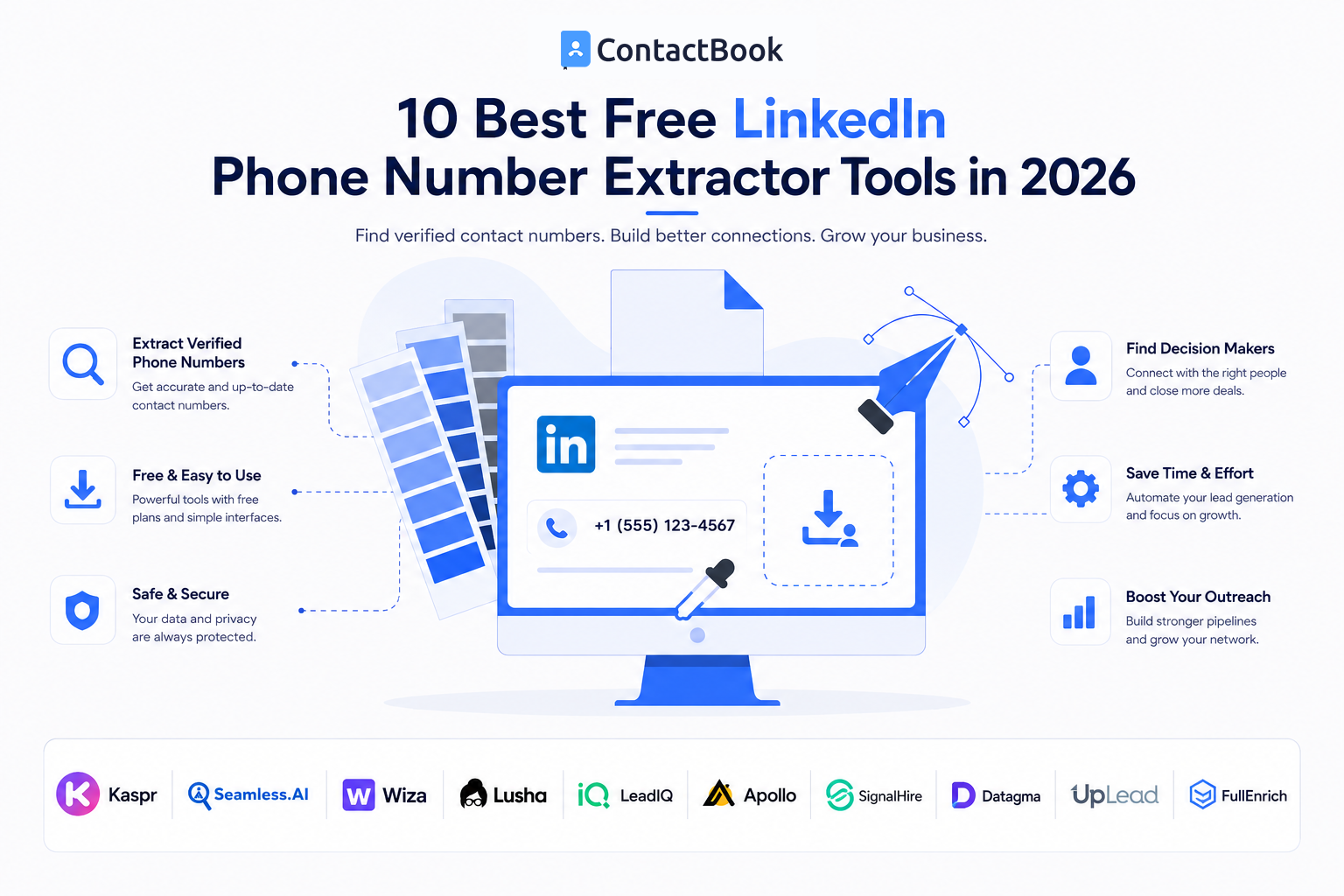
Finding the right prospect on LinkedIn is often easy.
Finding a reliable way to contact them is where things become more difficult.
You might identify the exact sales decision-maker, recruiter, founder, partner, or potential client you want to reach, only to discover that their phone number is not immediately available.
This is why searches for a free LinkedIn phone number extractor have become increasingly common among sales professionals, recruiters, founders, agencies, and business-development teams.
The good news is that several contact-discovery platforms let you test phone-number lookup without immediately purchasing a subscription.
The important word, however, is test.
Most legitimate free tools do not provide unlimited phone numbers. They usually offer a limited number of monthly credits, free lookups, or a short trial before requiring an upgrade.
In this guide, we compare 10 LinkedIn contact-finder tools that currently provide some form of free phone-number access in 2026.
Quick Comparison: Best Free LinkedIn Phone Number Extractors
Note: Free allowances and pricing can change. The figures above reflect publicly listed information checked in August 2026. Always confirm the current allowance before building a workflow around a particular tool.
What Is a Free LinkedIn Phone Number Extractor?
A free LinkedIn phone number extractor is generally a contact-discovery or data-enrichment tool that lets users identify available professional phone numbers associated with prospects they research through LinkedIn.
Depending on the platform, you may also receive:
- Business email addresses
- Mobile numbers
- Direct dials
- Job titles
- Company information
- LinkedIn profile URLs
- Locations
- Social profiles
However, these tools do not all work in exactly the same way.
Some are heavily focused on the LinkedIn workflow.
Others operate from their own B2B databases and simply use information such as a person's LinkedIn URL, name, company, or job title to identify matching contact data.
For a broader explanation of the process, read our LinkedIn Phone Number Extractor: Complete Guide to Finding Contact Numbers in 2026.
1. Kaspr
Best for: LinkedIn-focused sales and recruiting
Kaspr is one of the strongest options for users specifically looking for a LinkedIn contact number extractor.
Its Chrome extension is designed around LinkedIn prospecting and can help users retrieve contact information such as phone numbers and direct email addresses.
Kaspr's current free plan provides:
- 5 phone credits per month
- 5 direct email credits per month
- 10 export credits per month
- LinkedIn Chrome extension access
- Lead saving and editing
Kaspr also allows users to organize prospects and export information into other sales tools.
Pros
- Built heavily around LinkedIn prospecting
- Permanent free plan
- Monthly phone-number credits
- Simple Chrome extension workflow
- Lead-management features included
Limitations
Five phone credits per month will not be enough for active prospecting teams.
Kaspr is therefore better as a free tool for occasional research or for testing the platform before moving to a paid plan.
Best suited for
SDRs, recruiters, founders, and individual sales professionals who primarily discover prospects through LinkedIn.
2. Seamless.AI
Best for: Testing a larger number of prospects for free
Seamless.AI provides one of the more generous introductory free allowances among the tools on this list.
Its current free plan includes 50 credits and access to both email addresses and cell-phone information.
The platform also offers a Chrome extension that can be used while researching prospects online, including through LinkedIn workflows.
Pros
- 50 free credits
- Email and phone information
- Free Chrome extension
- Broader B2B prospect search
- Useful for testing more contacts before paying
Limitations
The free credits are limited, meaning Seamless.AI should not be treated as an unlimited free LinkedIn phone number extractor.
Teams performing ongoing prospecting will eventually need additional credits or a paid plan.
Best suited for
Sales professionals who want to test a larger contact database before deciding whether to invest in a paid prospecting platform.
3. Wiza
Best for: Simple LinkedIn prospecting
Wiza is another popular contact-discovery solution built closely around professional prospecting.
Its current free plan provides:
- 20 valid emails
- 5 phone numbers
Wiza also offers a Chrome extension that can be used within a LinkedIn-oriented prospecting workflow.
The straightforward allowance makes Wiza particularly easy to understand.
You know exactly how many free phone-number lookups you have rather than needing to convert several different types of credits.
Pros
- 5 free phone numbers
- 20 valid emails
- Easy-to-understand free allowance
- Browser extension
- Good option for occasional prospecting
Limitations
Five phone numbers are enough for testing but not for running a serious outbound operation.
Best suited for
Founders, freelancers, recruiters, and salespeople researching a small number of high-value prospects.
4. Lusha
Best for: An established B2B prospecting workflow
Lusha is a well-known B2B sales-intelligence platform that provides contact and company information through its database and browser extension.
Its extension can surface contact information while users research prospects through LinkedIn, Sales Navigator, CRMs, and supported company websites.
The current free plan provides up to 40 credits per month.
Lusha currently charges:
- 1 credit to reveal an email address
- 10 credits to reveal a phone number
This means that if all 40 free credits were used exclusively for phone lookups, they would represent up to four phone-number reveals.
Pros
- Free monthly credits
- LinkedIn and Sales Navigator support
- Phone numbers and emails
- CRM integrations
- Established B2B prospecting platform
Limitations
Phone numbers consume substantially more credits than emails, so the free allowance disappears quickly if your primary goal is calling prospects.
Best suited for
Sales professionals who want contact discovery integrated with a broader sales workflow.
5. LeadIQ
Best for: SDR and outbound-sales workflows
LeadIQ combines prospect data, browser-based prospecting, CRM workflows, and sales intelligence.
Its current free plan includes 50 credits for one user.
LeadIQ lists phone-number retrieval at 10 credits per number, meaning the free allocation can be used to test mobile-number discovery before upgrading. Its free tier also includes Chrome-extension prospecting and people search.
Pros
- 50 free credits
- Mobile phone discovery
- Chrome extension
- People search
- Useful integrations for sales teams
Limitations
Using the free allowance heavily for mobile numbers can consume credits quickly.
LeadIQ is also more than a basic LinkedIn number extractor, so users looking for nothing more than occasional phone discovery may not need its broader feature set.
Best suited for
SDRs and B2B sales teams that eventually want prospecting data to connect with their outbound workflow.
6. Apollo
Best for: All-in-one B2B prospecting
Apollo goes beyond contact finding.
It combines a large B2B database with:
- Contact discovery
- Phone numbers
- Email addresses
- Lead lists
- Sales sequences
- Calling
- Email outreach
- Sales workflow features
Apollo's Chrome extension can also help users find verified email addresses and phone numbers while working with LinkedIn and other business tools.
Apollo's current trial plans include 50 general credits and 5 mobile credits. After the trial, users can downgrade to its free Starter plan.
Pros
- 5 mobile credits during trial
- Large contact database
- LinkedIn-compatible extension
- Prospecting and outreach in one platform
- Free Starter plan after trial
Limitations
Apollo can be more complex than necessary if your only objective is finding a handful of phone numbers.
Mobile-data allowances and credit structures can also differ from standard email-contact credits.
Best suited for
Startups and sales teams looking for both contact discovery and a wider outbound-sales platform.
7. SignalHire
Best for: Finding contacts across multiple platforms
SignalHire is useful if your prospect research goes beyond LinkedIn.
Its browser extension can search for professional contact details from profiles across platforms including LinkedIn, GitHub, X, Facebook, and Meetup.
The tool can return information such as:
- Phone numbers
- Emails
- Professional details
- Social profiles
SignalHire's current pricing page says its free trial allows users to retrieve 5 contact details without requiring a credit card.
Pros
- Works beyond LinkedIn
- Phone and email discovery
- Browser extension
- No credit card required for the listed trial
- Useful for recruiters and cross-platform researchers
Limitations
The free allowance is designed primarily for testing.
It will not support ongoing high-volume prospecting.
Best suited for
Recruiters, sales professionals, and researchers who discover prospects across several professional and social platforms.
8. Datagma
Best for: Small-scale mobile-number enrichment
Datagma takes a data-enrichment approach rather than operating purely as a LinkedIn extraction extension.
Its current monthly free plan lists:
- 3 mobile phone numbers per month
- 90 verified emails per month
- Sales Navigator export
- API access
- Up to 10 seats
The platform states that it retrieves data in real time rather than relying exclusively on a static database.
Pros
- Permanent free option
- Mobile-number credits
- Large email allowance compared with some alternatives
- Sales Navigator workflow
- API access
Limitations
Only three free mobile numbers per month makes it unsuitable for phone-heavy prospecting.
Best suited for
Small teams that primarily need email enrichment but occasionally require mobile numbers as well.
9. UpLead
Best for: Testing verified B2B data
UpLead provides B2B contact information including verified emails and mobile direct dials.
Its current free trial lasts seven days and includes 5 credits.
One credit unlocks one contact and can provide access to both the contact's verified email and available mobile direct dial.
UpLead also provides a Chrome extension that can be used while browsing LinkedIn and other websites.
Pros
- 5 free contact credits
- Mobile direct dials
- Verified emails
- LinkedIn-compatible Chrome extension
- No immediate paid subscription required to test
Limitations
Unlike tools with permanently recurring free credits, UpLead's free access is a seven-day trial.
Best suited for
Businesses evaluating data quality before purchasing a B2B contact database.
10. FullEnrich
Best for: Multi-provider contact enrichment
FullEnrich uses a slightly different approach from traditional contact databases.
Instead of relying on one source, it runs contact searches through multiple data providers in sequence to attempt to locate verified contact information.
Users can provide information such as:
- Name
- Company
- Website
- LinkedIn profile URL
to enrich a contact with additional professional information.
The free trial currently provides 50 credits, while mobile-phone enrichment costs 10 credits per successful result.
Pros
- 50 free trial credits
- Mobile-phone enrichment
- Uses multiple data sources
- Accepts LinkedIn URLs for enrichment
- No credit card required for the listed trial
Limitations
FullEnrich is more accurately described as an enrichment platform than a simple LinkedIn Chrome phone-number extractor.
Best suited for
Sales operations, agencies, and businesses want to test multi-source enrichment instead of relying on a single database.
Which Free LinkedIn Phone Number Extractor Is Best?
There is no universal winner.
The best option depends on what you actually need.
Limitations of Free LinkedIn Phone Number Extractor Tools
Free sounds attractive, but there are trade-offs.
Limited Phone Credits
This is the biggest limitation.
Most free tools provide somewhere between a few phone-number lookups and a limited credit pool.
That may be fine if you research five high-value prospects every month.
It becomes a problem if your team needs 500.
Phone Numbers Cost More Than Emails
Many platforms treat mobile numbers as more valuable data.
As a result, retrieving one phone number may consume considerably more credits than retrieving an email address.
Not Every Prospect Has a Number
No tool can guarantee that it will return a phone number for every LinkedIn profile.
Availability depends on factors including:
- Data coverage
- Geographic region
- Prospect seniority
- Data freshness
- Matching quality
- Information available to the provider
Contact Information Changes
People change:
- Employers
- Roles
- Locations
- Email addresses
- Phone numbers
A number found today may eventually become outdated.
This is why contact verification and ongoing database maintenance matter.
Free vs. Paid LinkedIn Contact Finder Tools
Should you pay?
It depends on the volume of your prospecting.
Free Tools Make Sense When You:
- Prospect occasionally
- Are testing different platforms
- Target a small number of high-value leads
- Are a freelancer or solo founder
- Need only a few phone numbers each month
Paid Tools Make Sense When You:
- Have dedicated SDRs
- Recruit at scale
- Need hundreds of contacts
- Run ongoing outbound campaigns
- Require CRM integrations
- Need team workflows
- Use contact enrichment regularly
Do not upgrade simply because your free credits disappear.
First determine whether the contacts you found actually help generate conversations and opportunities.
The best contact database is not necessarily the one with the largest number of records.
It is the one that gives your team useful, relevant, accurate information for the people they genuinely need to reach.
Don't Let Extracted Contacts Become Another Spreadsheet
Finding someone's contact information is only the first step.
Imagine that five members of your sales team are independently prospecting on LinkedIn.
One employee stores numbers in Excel.
Another keeps them in Google Sheets.
Someone else saves contacts directly to their phone.
Another person bookmarks LinkedIn profiles.
Your manager has a completely different contact list.
You now have plenty of prospect data—but no reliable shared contact system.
This is where contact management becomes important.
How ContactBook Fits Into the Workflow
ContactBook focuses on what happens after you discover the right professional contacts.
Its Chrome-extension workflow is designed to help users capture available contact information and save it into ContactBook, while the platform provides features for organizing and managing those relationships.
Once a contact is saved, teams can add useful context instead of leaving the information as an isolated phone number.
For example:
LinkedIn prospect
↓
Contact information discovered
↓
Saved in ContactBook
↓
Tag: Enterprise Prospect
↓
Note: Interested in product demo
↓
Reminder: Follow up next Monday
That creates a much more useful workflow than simply extracting numbers into an unmanaged spreadsheet.
ContactBook also provides contact-management capabilities such as tags, shared access, notes, reminders, and centralized contact organization.
A Note About LinkedIn and Third-Party Tools
Before installing any LinkedIn contact finder, users should understand the platform's rules.
LinkedIn currently states that it does not permit third-party software, browser extensions, crawlers, or bots that scrape, copy, modify, or automate activity on its website without authorization. Using prohibited tools can result in account restrictions.
That does not mean every contact-data platform operates identically.
Some tools use their own databases or enrichment providers rather than extracting the underlying data directly from LinkedIn.
Before using any tool, check:
- How it gets its data
- Whether it automates LinkedIn activity
- Its privacy policy
- Its data sources
- Its compliance practices
- Your applicable outreach and privacy regulations
Finding a phone number does not automatically give you unrestricted permission to use it for any purpose.
Frequently Asked Questions
Is there a free LinkedIn phone number extractor?
Yes. Tools such as Kaspr, Wiza, Lusha, LeadIQ, Seamless.AI, Datagma, and others currently provide free credits or limited free access that can be used for phone-number discovery. However, free allowances are usually limited.
Can I get unlimited phone numbers from LinkedIn for free?
Legitimate B2B data providers generally do not offer unlimited verified mobile numbers completely free. Phone data is expensive to collect, maintain, validate, and refresh, so most providers use credits or paid subscriptions.
Which free LinkedIn phone number extractor is best?
Kaspr is particularly suited to LinkedIn-focused prospecting, while platforms such as Apollo and LeadIQ are stronger if you also need wider sales functionality. Wiza is useful for simple occasional lookups, while Seamless.AI provides a larger initial free credit allowance.
Can I extract phone numbers using a Chrome extension?
Several contact-finder platforms provide Chrome extensions that help users discover professional contact information while browsing. Capabilities differ between tools, and users should review LinkedIn's rules before installing extensions that interact with the platform.
Why can't a tool find a phone number?
The provider may not have a reliable match for the person, its database may not cover the relevant region, or the available contact information may be outdated or unavailable. No contact finder has complete coverage.
What should I do with contacts after finding them?
Store useful business contacts in an organized contact-management system rather than keeping them scattered across spreadsheets, personal devices, browser bookmarks, and individual employee accounts. Add context such as company, role, tags, notes, relationship history, source, and follow-up reminders.
Final Thoughts
A free LinkedIn phone number extractor can be useful for testing contact-discovery tools without committing to another monthly software subscription.
But free does not mean unlimited.
Kaspr, Wiza, Lusha, LeadIQ, Seamless.AI, Apollo, SignalHire, Datagma, UpLead, and FullEnrich all provide different ways to test professional contact discovery, with varying credit systems and limitations.
The right tool depends on your prospecting volume, target market, workflow, and whether you need only phone numbers or a complete sales-intelligence platform.
Most importantly, do not make phone-number extraction the end of your process.
A prospect only becomes valuable when your team can understand who they are, why the relationship matters, what happened previously, and when someone should follow up.
Use contact-discovery tools to identify the right people.
Then use a contact-management system such as ContactBook to turn those individual contact details into an organized professional network your team can actually use.

.png)


.svg)


.svg)



