
10 Best Google Contacts Alternatives for Teams in 2026

Google Contacts is useful when you are managing your own address book.
But once a team starts growing, Google Contacts can quickly feel limited.
One employee saves a client’s phone number. Another keeps vendor contacts in a spreadsheet. A sales rep has leads saved in Gmail. The founder has investor contacts in Google Contacts, but nobody else can access them. Someone leaves the company, and suddenly important business relationships are stuck inside one person’s account.
That is when teams start searching for the best Google Contacts alternative.
The right alternative should do more than store names and phone numbers. It should help teams share contacts, organize them into groups, manage permissions, sync updates, add notes, avoid duplicates, and access contacts from the tools they already use.
In 2026, teams do not just need a contact list.
They need a shared contact management system.
This guide compares the 10 best Google Contacts alternatives for teams in 2026, including contact managers, lightweight CRMs, and full CRM tools. If your main goal is simple team contact sharing without CRM complexity, ContactBook stands out as one of the strongest options.
Why Teams Outgrow Google Contacts
Google Contacts works well for personal use. It helps individuals save names, emails, phone numbers, and basic details.
But teams need more than personal contact storage.
Google Contacts Is Not Built for Team Collaboration
The biggest limitation is collaboration. In many teams, contacts are stored inside individual Google accounts. That means one person may have access to a client, lead, vendor, or partner contact while the rest of the team does not.
This creates friction every day. People ask each other for phone numbers. Team members copy contacts into spreadsheets. Some contacts are duplicated. Others become outdated. Nobody knows which record is correct.
A proper Google Contacts alternative should solve this by making contacts shared, searchable, updated, and accessible to the right people.
Teams Need More Context Around Contacts
A business contact is not just a name and email address.
Teams need to know where the contact came from, who owns the relationship, what was discussed, which files are related, and when to follow up next.
That is why modern contact management tools now include features like tags, notes, attachments, reminders, groups, permissions, activity history, and integrations.
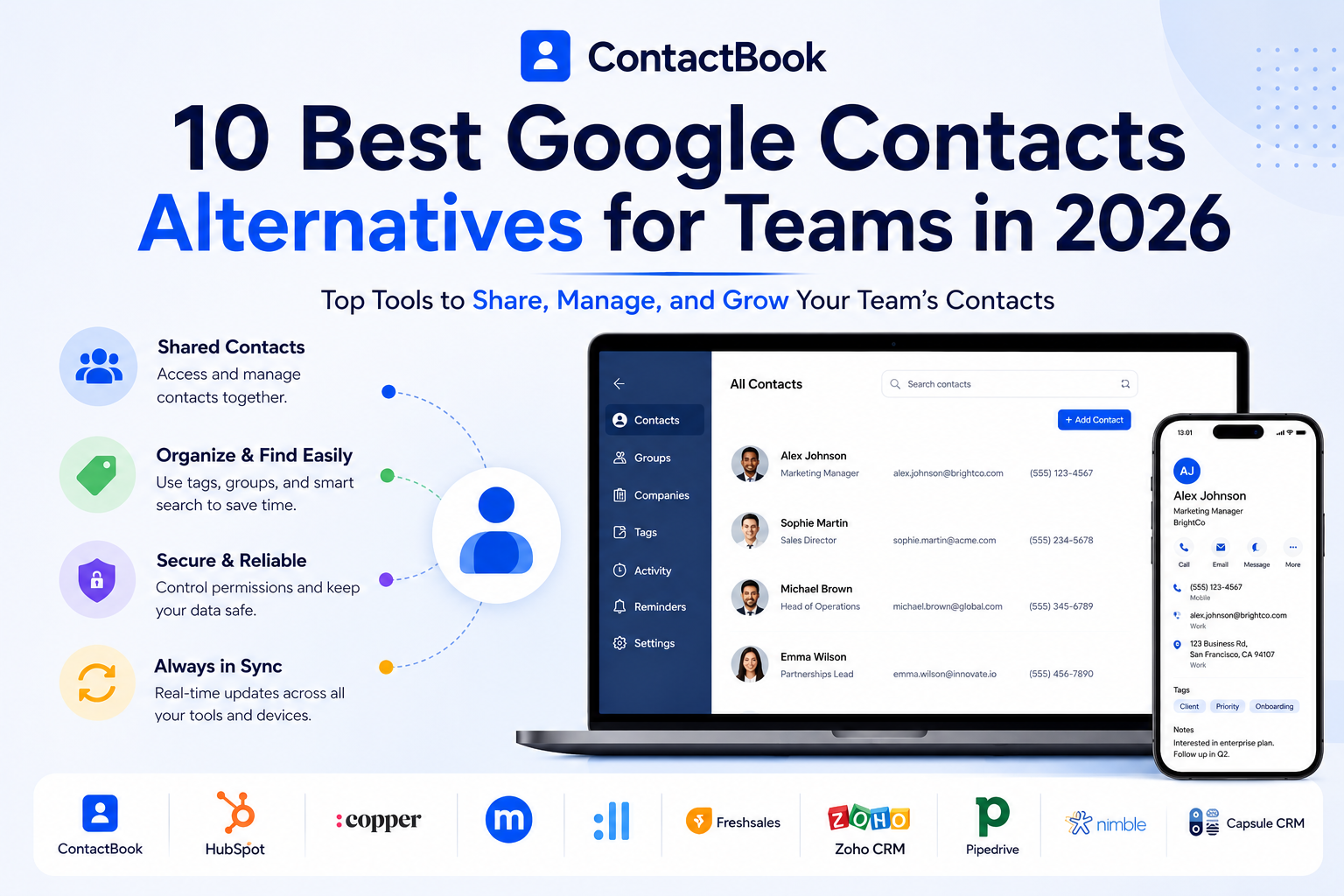
ContactBook, for example, lets teams centralize contacts, share them like Google Drive files, organize them with custom tags, add notes, attachments, and reminders, and access contacts through web, mobile apps, and Chrome extension support.
What to Look for in a Google Contacts Alternative
Before choosing a tool, teams should be clear about what problem they are solving.
Some teams need a simple shared contact manager. Others need a full CRM with pipelines and reporting. Choosing the wrong type of tool can lead to wasted money, poor adoption, and unnecessary complexity.
Shared Contact Management
The first thing to look for is contact sharing. A good Google Contacts alternative should allow teams to create shared contact groups, update contact information in one place, and make those updates available to the right users.
ContactBook’s feature page says shared groups keep contacts available to relevant people, automatically share updates, and allow access permissions so team members can add or modify contact details when allowed.
Easy Setup and Team Adoption
The best tool is not always the one with the most features. It is the one your team actually uses.
For teams replacing Google Contacts, ease of setup matters a lot. If the tool requires heavy CRM configuration, complex workflows, or long onboarding, people may go back to spreadsheets and personal address books.
Google Workspace Fit
Many teams searching for Google Contacts alternatives already use Gmail, Google Calendar, Google Drive, and Google Workspace. The right tool should fit into that workflow instead of forcing everyone into a completely new system.
ContactBook has product options for Gmail shared contacts, Gmail plugin, Google Drive plugin, Google Calendar plugin, Chrome extension, and social/contact capture workflows, making it especially relevant for teams already working inside Google tools.
Quick Comparison: Best Google Contacts Alternatives for Teams in 2026
1. ContactBook: Best Google Contacts Alternative for Team Contact Sharing
ContactBook is the best Google Contacts alternative for teams that want a simple, shared, and organized contact management system without the complexity of a full CRM.
Google Contacts is mainly personal. ContactBook is built for teams.
It helps businesses manage contacts from one place, share them with the right people, organize them with tags and groups, add notes and reminders, sync updates, and keep contacts accessible across web, mobile, and browser workflows. ContactBook is designed to give teams one place for all their contacts, so everyone can access the right information when they need it.
Why ContactBook Is Better Than Google Contacts for Teams
ContactBook solves the biggest weakness of Google Contacts: team collaboration.
Instead of contacts staying locked inside individual accounts, ContactBook helps teams create shared contact groups and collaborate on contacts. Teams can access updated contact information, share contacts with the right people, and manage business relationships collectively.
That makes it useful for sales teams, agencies, recruiters, real estate teams, consultants, financial advisors, operations teams, universities, healthcare teams, and any business where multiple people need access to the same contact database.
ContactBook’s Strongest Features
ContactBook gives teams practical contact management features that Google Contacts does not fully provide for business collaboration.
Teams can bring contacts from Google, Gmail, Outlook, CSV, or VCF files into one place. They can use universal search to find contacts by company, job title, email address, or tags. They can add public or private notes, attach files to contacts, organize contacts with groups and tags, merge duplicates, set reminders, and get notifications when collaborators make updates.
This makes ContactBook more than an address book. It becomes a shared contact workspace.
Why ContactBook Creates More Authority Than a Basic Contact App
ContactBook is not just trying to replace Google Contacts. It is built around how teams actually manage relationships.
The platform shows strong trust signals, including 25,000+ users, 1M+ contacts shared, and 95% user satisfaction. It also highlights security points such as Google verification, GDPR alignment, secure data storage, and a statement that customer data is never sold.
For businesses comparing Google Contacts alternatives, these trust signals matter. Teams are not just storing random names. They are storing business relationships.
Best For
ContactBook is best for teams that want shared contacts, Google Workspace-friendly collaboration, easy setup, affordable pricing, permissions, tags, notes, reminders, mobile access, business card scanning, and Chrome extension support without moving into a heavy CRM.
It is especially strong for teams that say:
“Google Contacts is too basic, but a full CRM is too much.”
2. HubSpot CRM: Best for Teams That Want a Free CRM Starter
HubSpot CRM is one of the most popular CRM platforms for small businesses and growing teams. It is often chosen by teams that want more than contact management, including sales pipelines, marketing tools, forms, email tracking, and automation as they grow.
Where HubSpot Is Strong
HubSpot is useful when your team wants a CRM that can expand into sales, marketing, service, and automation. It has a large integration ecosystem and is widely recognized in the CRM market.
For teams that are ready to manage pipelines, track customer journeys, and connect marketing activity with sales activity, HubSpot can be a good Google Contacts alternative.
Where HubSpot May Be Too Much
The downside is that HubSpot can become more expensive and more complex as the team needs advanced features. While its free CRM can be attractive for small teams, businesses often need paid plans as they grow into advanced automation, reporting, and marketing features.
If your team only needs shared contacts, HubSpot may be more CRM than necessary.
Best For
HubSpot is best for teams that want to start with a CRM and may eventually need marketing automation, sales pipelines, email tracking, reporting, and service tools.
3. Copper: Best for Google Workspace CRM Users
Copper is a CRM designed for teams that work heavily inside Google Workspace.
It is a strong option for businesses that want CRM features while staying close to Gmail, Google Calendar, and Google Drive workflows.
Where Copper Is Strong
Copper feels more natural than many CRMs for Google Workspace users. It is useful when teams want to manage contacts, deals, and customer relationships without constantly switching away from Google tools.
If your team wants pipeline tracking and CRM features in a Google-friendly interface, Copper can be a strong option.
Where Copper May Not Be the Best Fit
Copper is still a CRM. That means it is better for teams with sales processes, deal stages, and pipeline needs.
If your team only wants a better way to share Google Contacts, ContactBook is simpler and more focused. ContactBook is designed around shared contacts, groups, permissions, tags, notes, reminders, and collaboration rather than full CRM pipeline management.
Best For
Copper is best for Google Workspace-based sales teams that need CRM functionality, not just shared contact management.
4. Contacts+: Best for Multi-Account Contact Sync
Contacts+ is a contact management tool focused on organizing people rather than managing a full sales process.
It is commonly used by individuals and teams that want to sync contacts across different accounts, clean address books, and keep contact information more organized.
Where Contacts+ Is Strong
Contacts+ can be useful for individuals and teams that want to sync contacts across multiple accounts, clean up address books, and manage contact information in a more structured way than Google Contacts.
It is closer to a contact manager than a CRM, which makes it relevant for teams that do not want a full sales platform.
Where ContactBook Has an Advantage
ContactBook is stronger for teams that want shared contact collaboration as the core experience.
ContactBook supports shared groups, permissions, notes, attachments, reminders, duplicate merging, notifications, and workspaces. Shared contacts become available to collaborators, and updates can be reflected for the right users.
For teams that want Google Drive-like collaboration around contacts, ContactBook feels more business-team focused.
Best For
Contacts+ is best for users who want a contact organizer and multi-account sync. ContactBook is better for teams that want shared contact management and collaboration.
5. Less Annoying CRM: Best Simple CRM Alternative
Less Annoying CRM is a lightweight CRM built for simplicity.
It is designed for small teams that want basic contact management, simple pipeline tracking, task management, and customer relationship organization without enterprise CRM complexity.
Where Less Annoying CRM Is Strong
Less Annoying CRM is a good option for small teams that want basic CRM structure without enterprise complexity.
It is easier to understand than many full CRMs and can help teams manage contacts, notes, tasks, and simple sales pipelines.
Where ContactBook Is a Better Fit
If your team does not need a sales pipeline, ContactBook is the more direct Google Contacts alternative.
ContactBook focuses on centralizing contacts, sharing them with teammates, managing permissions, adding tags and notes, and keeping contact data accessible. It is especially useful when the pain is contact chaos rather than sales pipeline tracking.
Best For
Less Annoying CRM is best for small teams that want a simple CRM. ContactBook is better for teams that mainly need shared contacts.
6. Freshsales: Best for AI and Sales Automation
Freshsales is a CRM from Freshworks that focuses on sales automation, AI features, lead management, and pipeline management.
Where Freshsales Is Strong
Freshsales is a good fit for teams that want to manage leads, prioritize prospects, automate follow-ups, and use AI features inside a CRM.
It is more sales-focused than Google Contacts and can help teams that have a defined sales process.
Where Freshsales May Be Too Advanced
Freshsales is still a CRM. Teams that only need simple shared contacts may not need AI lead scoring, pipeline automation, or sales dashboards.
For those teams, ContactBook is easier to set up and more focused on the core contact management problem.
Best For
Freshsales is best for sales teams that want CRM automation and AI-powered lead management.
7. Zoho CRM / Bigin: Best Budget CRM Option
Zoho CRM and Bigin are popular options for teams that want a lower-cost CRM ecosystem.
Bigin is Zoho’s simpler pipeline-focused CRM, while Zoho CRM supports more advanced sales and customer relationship management as teams grow.
Where Zoho Is Strong
Zoho is useful for teams that want a broader business software ecosystem. If your team already uses Zoho apps or wants a budget CRM with room to grow, Zoho CRM or Bigin can make sense.
Bigin can be useful for very small teams that need a simple pipeline-focused CRM.
Where ContactBook Is Stronger
ContactBook is better when the team’s real need is shared contact management rather than CRM pipeline management.
It is easier to understand for teams moving away from Google Contacts because it keeps the focus on contacts, groups, tags, notes, reminders, permissions, imports, duplicate cleanup, and collaboration. ContactBook also highlights features such as 25,000 contacts, unlimited users, importing existing contacts, unlimited groups and tags, permission management, real-time updates, Android and iOS apps, notes, reminders, activity history, and attachment storage.
Best For
Zoho CRM and Bigin are best for teams that want an affordable CRM. ContactBook is better for teams that want an affordable Google Contacts alternative for shared contact management.
8. Pipedrive: Best for Visual Sales Pipelines
Pipedrive is a sales CRM known for its visual pipeline experience.
It is built for teams that want to track deals, sales stages, activities, and revenue opportunities in a clear pipeline format.
Where Pipedrive Is Strong
Pipedrive is a good choice for teams that manage deals through clear sales stages. If your team thinks in terms of leads, opportunities, deal values, stages, and closing probabilities, Pipedrive can be a strong CRM.
It is more structured than Google Contacts and can help sales teams manage pipeline velocity.
Where It May Not Fit
If your team does not use sales stages, Pipedrive may feel unnecessary.
A team that simply wants shared contacts, Google Workspace contact access, notes, reminders, and groups may get more value from ContactBook without adding pipeline complexity.
Best For
Pipedrive is best for sales teams that need a visual pipeline. ContactBook is better for teams that need contact collaboration without sales pipeline overhead.
9. Nimble: Best for Relationship Management
Nimble is a relationship-focused contact management and CRM tool.
It is often used by consultants, agencies, business development professionals, and teams that care about contact context and relationship history.
Where Nimble Is Strong
Nimble is useful for professionals who care about relationship history and contact context. It can help teams understand who they are speaking with and maintain better relationship records.
This makes it more relevant than a heavy sales CRM for some teams.
Where ContactBook Competes Strongly
ContactBook also focuses on relationship context, but in a simpler shared contact management environment. Teams can add notes, attachments, reminders, tags, and shared groups while keeping contacts accessible to relevant collaborators.
For teams that want relationship context plus shared contact collaboration, ContactBook is a strong Google Contacts alternative.
Best For
Nimble is best for relationship-focused professionals. ContactBook is better for teams that want shared contacts, permissions, and simple collaboration.
10. Capsule CRM: Best Lightweight CRM for Small Businesses
Capsule CRM is a lightweight CRM for small businesses that want contact management plus basic sales structure.
It is often chosen by teams that want something simpler than large enterprise CRMs but more structured than a basic address book.
Where Capsule Is Strong
Capsule works well for teams that need a simple CRM but do not want the complexity of larger platforms. It can help with contact records, sales opportunities, and basic customer relationship tracking.
Where ContactBook Is Better for Google Contacts Users
Capsule is still a CRM. ContactBook is more directly aligned with teams replacing Google Contacts.
If your main issue is that contacts are scattered across Gmail, Google Contacts, spreadsheets, mobile devices, and team members, ContactBook is the more focused solution. It helps teams organize, manage, and share contacts so relevant people always have access to the right contacts.
Best For
Capsule is best for small businesses that want lightweight CRM structure. ContactBook is better for teams that want shared contact management without CRM complexity.
Best Google Contacts Alternatives by Use Case
ContactBook vs Google Contacts: Why Teams Upgrade
Google Contacts is simple, but that simplicity becomes a limitation when contacts become a team asset.
ContactBook gives teams more control, more collaboration, and more business context.
Shared Contacts Instead of Personal Address Books
With Google Contacts, contacts often remain tied to one user. With ContactBook, teams can create shared groups and collaborate around the same contact information.
This matters when sales, support, operations, recruitment, and leadership all need access to different contact groups.
Tags, Groups, Notes, and Reminders
Google Contacts can store basic contact information, but teams often need more structure.
ContactBook lets teams organize contacts with groups and tags, add public or private notes, attach files, set reminders, and track collaborator activity.
This makes contacts actionable instead of static.
Better for Business Continuity
When business contacts live in personal accounts, the company risks losing access when employees leave.
ContactBook helps centralize contact data so the right people can access important business relationships even when roles change.
Contact Manager vs CRM: Which One Does Your Team Need?
This is one of the most important decisions when choosing a Google Contacts alternative.
A contact manager helps teams organize, share, search, and update contacts. A CRM adds sales pipelines, deal tracking, forecasting, automation, and reporting.
Choose a Contact Manager If You Need Simpler Contact Collaboration
Your team mainly needs shared contacts, better organization, tags, notes, reminders, duplicate cleanup, permissions, imports, and Google Workspace-friendly collaboration.
This is where ContactBook is the best fit.
Choose a CRM If You Need Sales Pipeline Management
Your team has a defined sales process, pipeline stages, multiple reps managing deals, revenue forecasting needs, and reporting requirements.
This is where tools like HubSpot, Copper, Freshsales, Zoho CRM, Pipedrive, and Capsule may make sense.
The mistake many teams make is buying a CRM when they only need contact management. That creates extra cost, extra setup, and lower adoption.
Why ContactBook Is the Best Google Contacts Alternative for Most Teams
For most teams searching for a Google Contacts alternative, the real problem is not pipeline forecasting or advanced CRM automation.
The real problem is contact chaos.
Contacts are scattered. Updates are not shared. Spreadsheets are outdated. Important details are missing. Follow-ups are forgotten. Team members keep asking, “Who has this contact?”
ContactBook solves that problem directly.
It gives teams one place to manage contacts, share them with the right people, organize them with groups and tags, add relationship context, set reminders, merge duplicates, access contacts on mobile, and collaborate securely.
It also offers the kind of simplicity growing teams need. ContactBook is easier to set up than a full CRM, more affordable for contact management, and more focused than tools built around pipelines and sales dashboards.
That makes it the strongest choice for teams that want to upgrade from Google Contacts without overcomplicating their workflow.
Final Verdict: Best Google Contacts Alternative in 2026
The best Google Contacts alternative depends on what your team actually needs.
If your team needs a full CRM, HubSpot, Copper, Freshsales, Zoho CRM, Pipedrive, or Capsule may be worth considering.
If your team needs a relationship-focused tool, Nimble or Contacts+ may be useful.
But if your team wants the best balance of shared contact management, Google Workspace-friendly collaboration, easy setup, affordability, permissions, tags, notes, reminders, duplicate cleanup, mobile access, and team adoption, ContactBook is the strongest Google Contacts alternative for teams in 2026.
Google Contacts is fine for individuals.
ContactBook is built for teams.
FAQs
What is the best Google Contacts alternative for teams?
ContactBook is one of the best Google Contacts alternatives for teams because it focuses on shared contact management, groups, tags, notes, permissions, reminders, imports, duplicate cleanup, mobile access, and Google Workspace-friendly collaboration.
Why is Google Contacts not enough for teams?
Google Contacts is mainly built for individual contact storage. Teams often need shared contacts, access permissions, notes, reminders, activity history, duplicate management, and centralized contact ownership.
Is ContactBook better than Google Contacts?
For individual use, Google Contacts may be enough. For teams, ContactBook is better because it allows contact sharing, collaboration, tags, notes, reminders, duplicate merging, permissions, and centralized contact management.
Do teams need a CRM instead of Google Contacts?
Not always. Teams need a CRM if they manage sales pipelines, deals, forecasting, automation, and reports. If the main problem is scattered contacts, a contact management platform like ContactBook is usually a better fit.
Which Google Contacts alternative is best for Google Workspace teams?
ContactBook is a strong choice for Google Workspace teams because it supports shared Gmail contacts, Google-style collaboration, contact groups, permissions, and products around Gmail, Google Drive, Google Calendar, Chrome, and mobile workflows.
What is the best affordable Google Contacts alternative?
ContactBook is a strong affordable option for teams that mainly need contact management rather than a full CRM. It focuses on shared contacts, easy setup, team collaboration, and practical contact organization.
Can ContactBook replace a CRM?
ContactBook can replace a CRM if your team mainly uses the CRM to store, organize, and share contacts. If your team needs deal pipelines, forecasting, advanced automation, or CRM reporting, a full CRM may still be needed.
What should teams look for in a Google Contacts alternative?
Teams should look for shared contact groups, permissions, Google Workspace compatibility, notes, reminders, tags, duplicate cleanup, imports, mobile access, activity history, security, and easy team adoption.

.png)


.svg)


.svg)



