
Best LinkedIn Phone Number Extractor Chrome Extensions

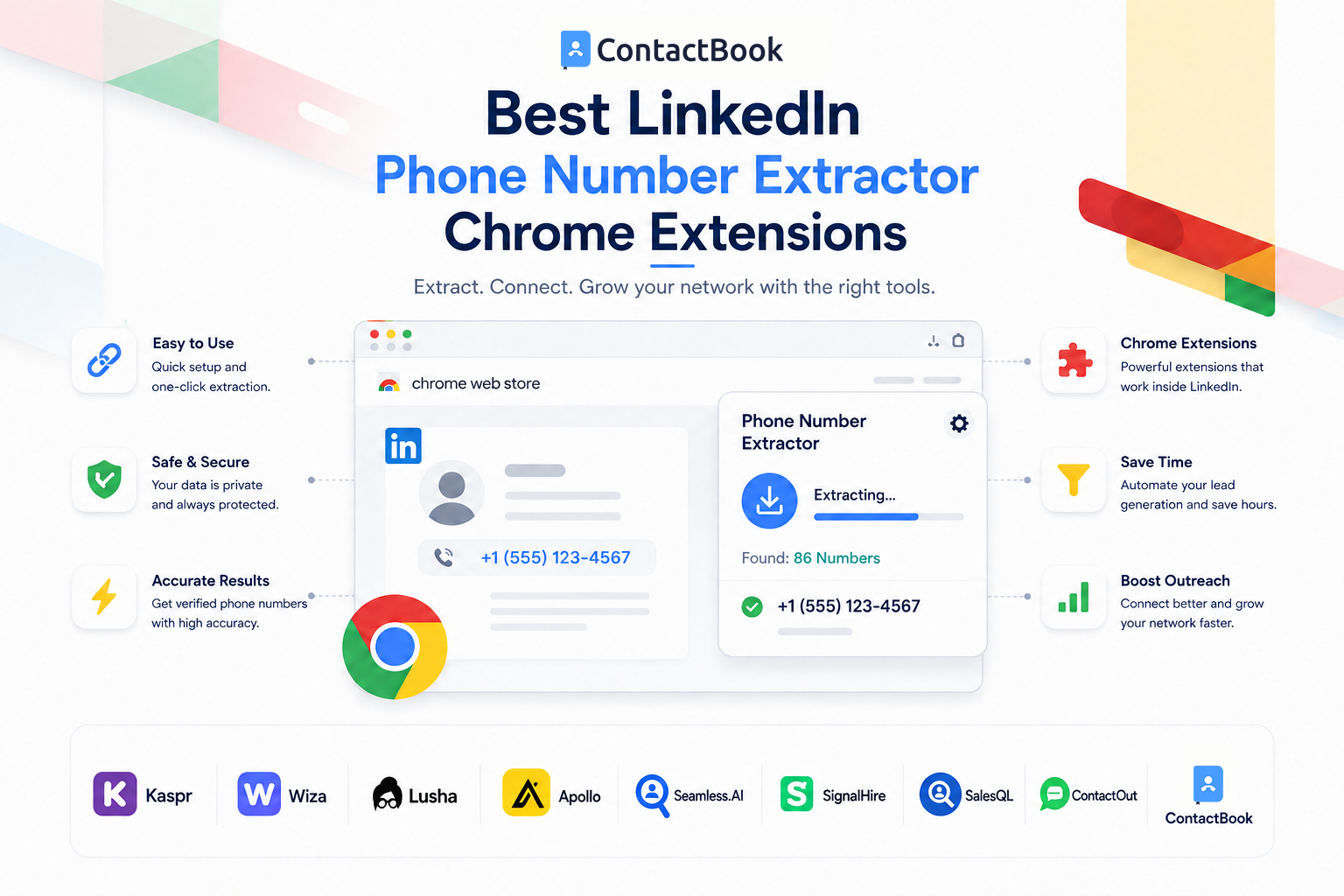
Finding the right prospect on LinkedIn can take seconds.
Finding their useful business contact information can take considerably longer.
You may identify a potential customer, hiring candidate, partner, founder, or decision-maker but still need a phone number or email address before you can continue the conversation outside LinkedIn.
That is where a LinkedIn phone number extractor Chrome extension can simplify the workflow.
Instead of switching between LinkedIn, spreadsheets, contact databases, CRMs, and other tools, browser extensions can bring contact discovery directly into the page you are already viewing.
But these extensions are not identical.
Some specialize in finding phone numbers. Others provide emails and company data. Some are designed for high-volume sales prospecting, while others are more useful for saving, organizing, and managing professional contacts.
Here are some of the best LinkedIn contact-finder Chrome extensions to consider in 2026.
Best LinkedIn Phone Number Extractor Chrome Extensions: Quick Comparison
The best choice depends on one important question:
Are you primarily trying to discover contact information—or manage the contacts once you find them?
That distinction will make choosing the right extension much easier.
What Is a LinkedIn Phone Number Extractor Chrome Extension?
A LinkedIn contact finder extension is a browser add-on that assists with professional contact discovery while you browse LinkedIn.
Depending on the extension, it may help you access information such as:
- Business phone numbers
- Mobile numbers
- Work email addresses
- Personal email addresses
- Job titles
- Company information
- Location
- LinkedIn profile information
Many extensions operate through a sidebar or small panel inside your browser.
Instead of this workflow:
LinkedIn → copy name → open contact database → search person → copy number → open spreadsheet → paste information
you may be able to use:
LinkedIn → open extension → find contact information → save
That difference can save considerable time for people who research prospects every day.
For a complete explanation of the broader process, read our LinkedIn Phone Number Extractor: Complete Guide to Finding Contact Numbers in 2026.
1. Kaspr
Best for LinkedIn-first phone-number prospecting
Kaspr is one of the most LinkedIn-focused extensions in this category.
Its Chrome extension works while users browse LinkedIn, Sales Navigator, and Recruiter Lite. Kaspr says users can access phone numbers, email addresses, and company information without leaving their normal prospecting workflow.
When viewing a prospect, the extension can display available contact information and allow the user to reveal it using credits.
Kaspr also supports sending enriched prospect information into CRM and sales tools.
Key Features
- Phone-number discovery
- Email discovery
- Company information
- LinkedIn integration
- Sales Navigator support
- Recruiter Lite support
- Lead lists
- CRM integrations
- Contact enrichment
Pros
- Highly focused on LinkedIn workflows
- Easy to use while viewing individual profiles
- Phone and email data in the same extension
- Suitable for SDRs and recruiters
- Free access available for testing
Cons
- Phone-number credits are limited on the free plan
- Heavy users will likely require a paid plan
- Mainly valuable for people already using LinkedIn actively
Best For
Sales representatives, recruiters, founders, and business-development professionals who do most of their prospect research directly on LinkedIn.
2. Wiza
Best for simple LinkedIn contact discovery
Wiza provides another straightforward way to find email addresses and phone numbers while researching professionals.
Its extension can operate while users browse LinkedIn profiles, allowing them to view available contact information and save prospects to lists. Wiza also supports exporting or syncing discovered prospects for later outreach.
One advantage is that Wiza is not limited strictly to Chrome. Its documentation also lists compatibility with Chromium-based browsers including Edge and Brave.
Key Features
- Phone-number finder
- Email finder
- LinkedIn profile workflow
- Lead lists
- Export options
- Prospect syncing
- Chrome, Edge, and Brave support
Pros
- Clean LinkedIn-focused workflow
- Easy for occasional prospecting
- Finds both phone numbers and emails
- Useful list-building functionality
- Does not require a complicated sales platform
Cons
- Free phone-number allowances are limited
- Larger prospecting teams may outgrow the basic workflow
- Advanced sales functionality may require other tools
Best For
Founders, freelancers, recruiters, and smaller sales teams wanting a straightforward contact finder.
3. Lusha
Best for established B2B sales teams
Lusha is a more comprehensive B2B sales-intelligence platform.
Its browser extension allows users to reveal professional contact and company information while researching people on LinkedIn, Sales Navigator, supported company websites, and CRM platforms.
This makes Lusha useful for teams that do not want their contact-discovery process restricted to LinkedIn alone.
The extension can also send discovered contact information into existing sales systems.
Key Features
- Phone numbers
- Email addresses
- Company information
- LinkedIn support
- Sales Navigator support
- CRM workflows
- Contact saving
- Data enrichment
Pros
- Mature B2B prospecting product
- Works across several sales environments
- Good for teams using CRMs
- Phone and email discovery together
- Useful beyond LinkedIn
Cons
- Phone-number reveals can consume credits quickly
- May be more than necessary for occasional prospecting
- Larger teams will generally need paid access
Best For
Established B2B sales teams that need contact information to integrate with an existing sales process.
4. Apollo
Best all-in-one option
Apollo is significantly more than a LinkedIn contact finder.
Its Chrome extension connects prospecting with a broader sales platform.
Apollo says its extension can help users find verified email addresses and phone numbers while working across LinkedIn, company websites, Gmail, Google Calendar, Salesforce, and HubSpot.
Users can also perform actions such as:
- Build lead lists
- View company information
- Add prospects to sequences
- Send emails
- Create tasks
- Log activity
- Call contacts
That makes Apollo useful for businesses that want to move from contact discovery directly into outreach.
Pros
- Phone and email discovery
- Large sales ecosystem
- LinkedIn workflow
- CRM integrations
- Lead lists and sales sequences
- Useful for larger outbound operations
Cons
- Can feel complicated if you only need a phone-number finder
- More features mean a bigger learning curve
- Users only needing contact organization may not need the full platform
Best For
Sales teams want prospect discovery and outbound engagement inside the same ecosystem.
5. Seamless.AI
Best for larger prospecting workflows
Seamless.AI's Chrome extension is designed to provide contact and company data directly inside the browser.
According to Seamless.AI, the extension can surface verified emails, phone numbers, company information, and buyer intelligence while users research prospects.
Its LinkedIn workflow also supports LinkedIn Sales Navigator, allowing users to research prospects and generate contact information from the browser sidebar.
Key Features
- Phone-number discovery
- Email discovery
- Company information
- LinkedIn support
- Sales Navigator support
- Lead lists
- CRM import
- Buyer intelligence
Pros
- Useful for active prospecting teams
- Combines contact and company information
- Works directly inside the browser
- Integrates discovery with sales workflows
- Suitable for more than occasional lookups
Cons
- Uses credits for contact searches
- Broader functionality may be unnecessary for small teams
- Users need to understand how credits are consumed
Best For
Sales teams researching a significant number of B2B prospects each month.
6. SignalHire
Best for cross-platform contact discovery
Not every business contact is discovered exclusively on LinkedIn.
SignalHire is useful for professionals who research prospects across multiple platforms.
Its browser extension supports contact discovery from LinkedIn as well as platforms such as GitHub, X, Facebook, and other websites. SignalHire says its extension can retrieve email addresses, phone numbers, and social-profile information.
Key Features
- Phone numbers
- Email addresses
- Social profiles
- LinkedIn lookup
- Cross-platform discovery
- CRM integrations
- CSV exports
- Real-time verification workflow
Pros
- Useful outside LinkedIn
- Particularly relevant for recruiters
- Phone and email discovery
- Works across several professional platforms
- Free testing option available
Cons
- Free contact credits are limited
- Broader interface may be unnecessary for LinkedIn-only prospecting
- Contact availability will vary by prospect
Best For
Recruiters, talent teams, researchers, and sales professionals who find prospects across several online platforms.
7. SalesQL
Best for LinkedIn lead generation
SalesQL is heavily focused on LinkedIn prospecting.
The extension can enrich LinkedIn profiles with available email addresses and phone numbers and then save contacts into SalesQL folders.
Its current help documentation says it supports contact discovery for first-, second-, and third-degree LinkedIn connections.
SalesQL also supports bulk contact workflows from LinkedIn search results.
Key Features
- Phone-number finder
- Email finder
- LinkedIn prospecting
- Lead folders
- Bulk contact workflows
- Contact exports
- Prospect organization
Pros
- Built specifically around LinkedIn
- Useful for lead-generation workflows
- Email and phone discovery together
- Supports individual and list-based research
Cons
- Primarily valuable to LinkedIn-heavy users
- Larger-scale usage may require a paid subscription
- Bulk workflows require additional care around platform rules
Best For
Salespeople and lead-generation professionals who build prospect lists primarily from LinkedIn.
8. ContactOut
Best for recruiters and talent sourcing
ContactOut has historically been popular with recruiters, although its tools also serve sales teams.
Its Chrome extension focuses on finding professional emails and phone numbers while users browse LinkedIn and company websites. ContactOut currently promotes direct LinkedIn-based contact discovery and one-click prospecting workflows.
Key Features
- Phone-number discovery
- Email finder
- LinkedIn prospecting
- Company website prospecting
- Contact saving
- Outreach workflows
Pros
- Strong recruitment use case
- Phone and email information
- Simple browser-based workflow
- Suitable for sourcing individual candidates
Cons
- Recruiter-oriented functionality may not suit every sales team
- Data availability varies
- High-volume users may require paid plans
Best For
Recruiters, hiring teams, headhunters, and salespeople who regularly source individual professionals.
9. ContactBook
Best for turning LinkedIn connections into organized contacts
ContactBook is different from most tools above.
Its main strength is not simply revealing another phone number from a large B2B data database.
It focuses on turning online connections into organized contacts that you and your team can continue managing.
The ContactBook Chrome Extension allows users to capture contact details while browsing and save them directly into ContactBook. Its product page specifically describes a workflow for capturing contact details from sources including LinkedIn and storing them in the ContactBook workspace.
Once a contact is stored, ContactBook adds the contact-management layer.
Users can:
- Organize contacts
- Add tags
- Add notes and context
- Set reminders
- Create groups
- Share contacts with teammates
- Maintain a centralized contact database
ContactBook's broader feature set also supports centralized contacts, tags, shared access, notes, permissions, and contact organization.
Pros
- Captures contacts directly from the browser
- Designed for long-term contact management
- Shared contact access for teams
- Notes and tags add relationship context
- Follow-up reminders
- Reduces dependence on scattered spreadsheets
Cons
- Not designed primarily as a massive B2B enrichment database
- Teams needing hundreds of enriched mobile numbers may still require a dedicated contact-data provider
- Its value becomes strongest after the contact has been identified
Best For
Teams that do not simply want to find contacts but also want to save, organize, share, and maintain those relationships in one place.
Which LinkedIn Chrome Extension Should You Choose?
The answer depends on your workflow.
If phone-number discovery is your priority:
Consider:
- Kaspr
- Wiza
- Lusha
- ContactOut
These tools put contact-data discovery close to the LinkedIn browsing experience.
If you want an entire sales platform:
Consider:
- Apollo
- Seamless.AI
These products extend beyond contact discovery into sales intelligence and outbound workflows.
If you are a recruiter:
Consider:
- SignalHire
- ContactOut
- Kaspr
Their workflows are particularly relevant to candidate and professional sourcing.
If you want LinkedIn-focused lead generation:
Consider:
- SalesQL
- Kaspr
- Wiza
If you already find the right contacts but struggle to organize them:
Consider:
Instead of creating another disconnected prospect list, ContactBook helps turn discovered contacts into a shared relationship database.
Free vs. Paid LinkedIn Phone Number Extractor Chrome Extensions
Many people specifically search for a way to get a phone number from LinkedIn with an extension for free.
Free options exist, but there is usually a limit.
A provider may offer:
- A small number of free phone credits
- Monthly free credits
- A free trial
- Limited contact reveals
- Free email lookups but restricted phone numbers
This makes free extensions useful for testing.
If you only research a handful of prospects each month, a free allowance may even be enough.
However, a dedicated outbound team searching for hundreds of phone numbers will usually need a paid data provider.
For a detailed comparison focused specifically on free options, see our guide to the 10 Best Free LinkedIn Phone Number Extractor Tools in 2026.
What to Look for Before Installing an Extension
Do not choose an extension only because it promises phone numbers.
Consider the complete workflow.
1. Phone-Number Accuracy
Finding a phone number is meaningless if the number belongs to the wrong person or is several years old.
Look at how the provider describes:
- Verification
- Data freshness
- Matching
- Coverage
2. Geographic Coverage
Some contact databases are stronger in particular markets than others.
If your target customers are in the US, India, UK, Europe, or multiple regions worldwide, check whether the provider has useful coverage there.
3. Email and Phone Availability
You may discover that you do not always need a mobile number.
For some prospects, a verified business email is the more appropriate contact channel.
A tool providing multiple contact methods gives your team more flexibility.
4. CRM or Contact Management Integration
Ask:
Where does the contact go after I find it?
If you still need to manually copy everything into another tool, much of the time-saving benefit disappears.
5. Team Collaboration
Individual prospecting is relatively simple.
Team prospecting is where things become messy.
Without a shared system, two salespeople can research the same person, store different versions of the contact, or lose important context about previous conversations.
This is one reason contact-management tools become increasingly important as teams grow.
Are LinkedIn Phone Number Extractor Chrome Extensions Allowed?
This deserves attention before using any browser extension.
LinkedIn states that it does not permit unauthorized third-party software—including browser extensions—that scrape or copy its services, modify the site, or automate activity on LinkedIn. It warns that prohibited tools can result in account restrictions.
That does not mean every tool listed in this article works in exactly the same way.
Different providers may use:
- Their own databases
- Publicly available information
- Data-enrichment providers
- Information supplied by users
- Other professional data sources
Before choosing an extension, understand how the provider works and review its terms, privacy practices, data sources, and applicable platform rules.
You should also ensure your use of discovered contact information follows the privacy and outreach requirements that apply to your business and location.
Phone Number Extraction Is Only One Part of Prospecting
Suppose your sales team finds 200 prospects this week.
The numbers end up in five different places:
Salesperson A → Excel
Salesperson B → Google Sheets
Salesperson C → personal phone contacts
Salesperson D → CRM
Salesperson E → LinkedIn bookmarks
You have successfully discovered contact information.
But you have created another problem.
Nobody has one reliable view of the company's relationships.
This is why the ideal workflow should be:
Find the right person
↓
Discover or capture useful contact information
↓
Save the contact centrally
↓
Add tags and context
↓
Share it with the right people
↓
Record notes
↓
Set the next follow-up
That last part is where contact management becomes just as important as contact extraction.
Frequently Asked Questions
What is the best LinkedIn phone number extractor Chrome extension?
There is no universal best extension. Kaspr and Wiza are strong LinkedIn-focused options, while Lusha, Apollo, and Seamless.AI provide broader B2B sales functionality. ContactBook is more suitable when your priority is capturing and managing professional contacts after discovery.
Is there a free LinkedIn phone number finder extension?
Yes. Several contact-finder extensions offer free credits, limited free accounts, or trials. However, free phone-number lookups are normally limited.
Can Chrome extensions find phone numbers that are not visible on a LinkedIn profile?
Some contact-data providers use their own databases or enrichment systems to associate professional profiles with available business contact information. They are therefore not necessarily limited to information displayed directly in a profile's Contact Info section.
Do LinkedIn contact finder extensions also provide email addresses?
Many do. Kaspr, Wiza, Lusha, Apollo, Seamless.AI, SignalHire, SalesQL, and ContactOut all offer workflows involving both email addresses and phone numbers.
Can I use a LinkedIn phone number extractor with Sales Navigator?
Several platforms advertise Sales Navigator-compatible workflows, including Kaspr, Lusha, and Seamless.AI. Always review both the tool's documentation and LinkedIn's rules before using third-party browser extensions.
What should I do after finding a prospect's phone number?
Save the contact in a centralized system with information such as company, job title, source, tags, notes, relationship history, and the next follow-up. A phone number on its own provides very little context to the rest of your team.
Final Thoughts
A LinkedIn phone number extractor Chrome extension can make prospect research much faster by reducing the constant switching between LinkedIn, contact databases, spreadsheets, and other sales tools.
But the right extension depends on what you are trying to achieve.
If your primary goal is finding phone numbers, tools such as Kaspr, Wiza, Lusha, ContactOut, and SalesQL are worth comparing.
If you need broader sales intelligence and outbound functionality, Apollo and Seamless.AI provide a more complete prospecting environment.
And if your biggest challenge begins after you find the contact, ContactBook addresses a different but equally important problem.
It helps you take the professional contacts you discover and turn them into an organized, shared network with notes, tags, reminders, and context.
Because ultimately, collecting another phone number is not the goal.
Building and maintaining valuable professional relationships is.

.png)


.svg)


.svg)



