
ContactBook vs ContactsFlow: Which Is Better for Teams?

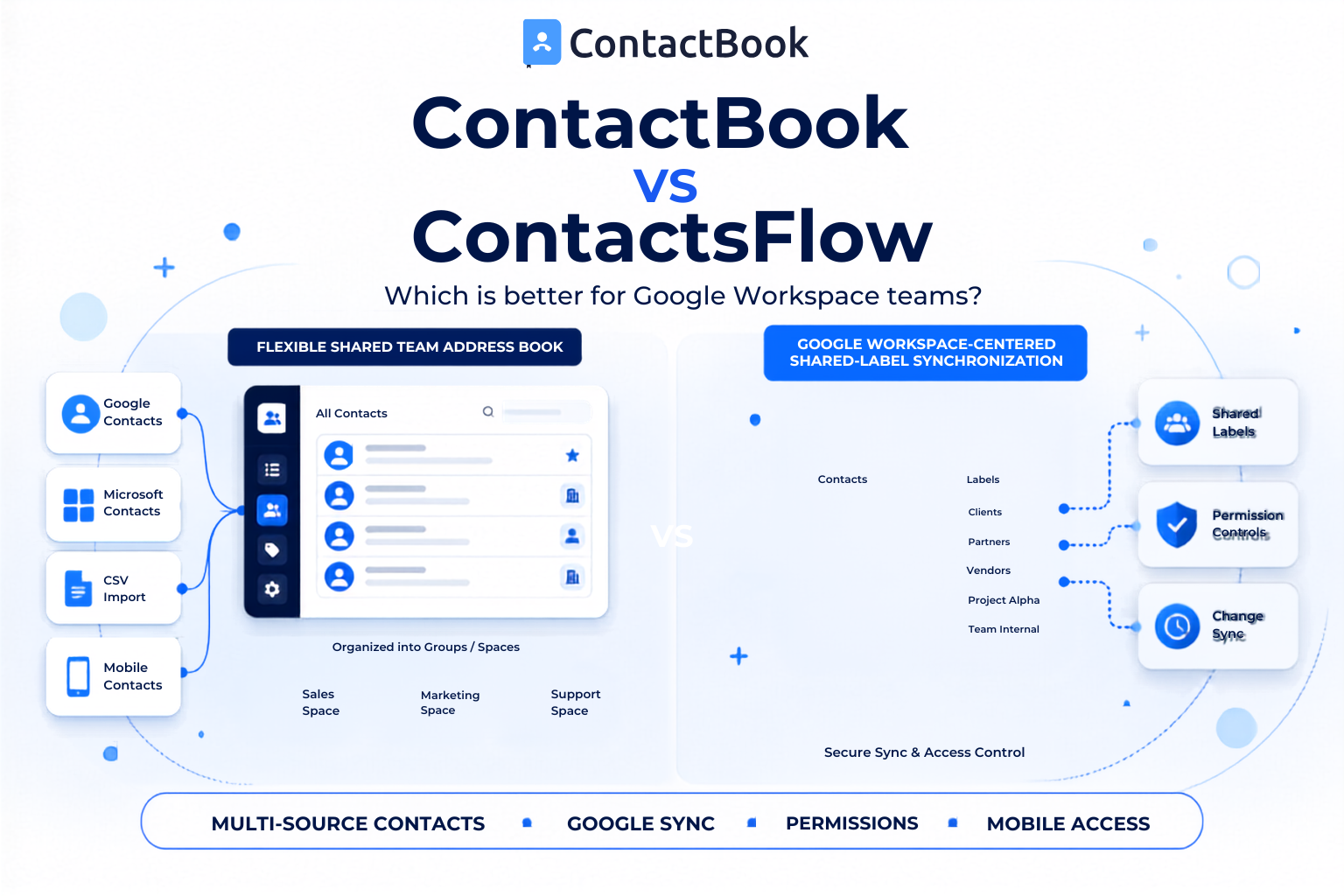
ContactBook and ContactsFlow, formerly Shared Contacts for Gmail, both help teams share and maintain Google Contacts. However, they are built around slightly different needs.
ContactBook is a broader contact management workspace for teams that want to collect, organize, share, and enrich contacts from multiple sources. ContactsFlow is more deeply centered on sharing and synchronizing contact labels throughout Google Workspace.
The better option depends on whether your team needs a flexible shared address book or a Google focused contact sharing system.
Quick Answer
Choose ContactBook if your team wants shared contacts, Spaces, tags, notes, reminders, multi-source imports, mobile apps, and a lighter alternative to a CRM. Choose ContactsFlow if your main priority is distributing and synchronizing Google contact labels across Google Workspace and connected business tools.
ContactBook vs ContactsFlow at a Glance
Features can change. Confirm current plan limits, sync behavior, integrations, and pricing on both product websites before making a purchase.
What Is ContactBook?
ContactBook is a shared contact management platform. It helps teams bring business contacts into one place and make them available to the right users.
Teams can connect Google and Microsoft accounts or import contacts through CSV and VCF files. Contacts can be organized into groups and Spaces, categorized with tags, and supported with notes, attachments, and reminders.
ContactBook also provides permission controls, browser access, a Chrome extension, and mobile apps for Android and iOS. It is designed for teams that need more collaboration than a personal address book but less complexity than a complete CRM.
What Is ContactsFlow?
ContactsFlow, previously known as Shared Contacts for Gmail, is a contact sharing and synchronization product for Google Workspace.
Its Google Workspace Marketplace listing says teams can create, share, manage, and synchronize Google Contacts. Shared contacts can be used across Gmail, Google Contacts, Calendar, mobile devices, and supported connected tools.
ContactsFlow is particularly relevant to Google Workspace administrators and teams that want shared Google contact labels to remain updated across an organization.
1. Contact Sources
ContactBook is the more flexible option when contact information comes from different systems. It supports Google and Microsoft account connections as well as CSV and VCF imports.
That can help teams consolidate contacts from spreadsheets, personal accounts, previous tools, and employee address books.
ContactsFlow is more focused on Google Contacts and Google Workspace. It also promotes connections with CRMs and other business applications, but its central experience is built around sharing Google contact data.
Better for multiple contact sources: ContactBook
Better for a Google centered setup: ContactsFlow
2. Google Workspace Contact Sharing
Both tools support Google contact sharing, but they approach it differently.
ContactBook allows users to connect Google Contacts, synchronize eligible contact data, and share selected labels or groups with other Google users. Its Google workflow supports Gmail users, Google Workspace users, and cross-domain sharing.
ContactsFlow is designed specifically to extend Google Contacts across teams. Its current listing emphasizes shared labels, organization-wide availability, real-time updates, and access through Google applications.
If deep Google Workspace distribution is the only requirement, ContactsFlow has a more specialized focus. If the team also needs non-Google sources and a separate contact workspace, ContactBook may be more suitable.
3. Contact Organization and Context
ContactBook lets teams use groups, Spaces, tags, public notes, private notes, reminders, and attachments. These features help users record why a contact matters and what should happen next.
This is useful for agencies, recruiters, healthcare teams, professional networks, real estate teams, and small businesses that need shared context without creating a sales pipeline.
ContactsFlow organizes shared information around Google contact labels. It is a strong fit when the team wants contact data to remain visible within familiar Google tools.
ContactBook offers the more complete lightweight relationship workspace. ContactsFlow offers the more native Google contact experience.
4. Permissions
ContactBook supports roles that control whether a user can view, edit, or manage shared contacts and groups. Teams can give people access only to the information relevant to their work.
ContactsFlow also provides access controls for shared labels. Its marketplace information highlights permissions and organization-wide contact management.
The correct choice depends on the way your teams are structured. Before rollout, test whether the available roles match the responsibilities of administrators, data owners, editors, and users who only need access.
5. Mobile and Browser Access
ContactBook provides Android and iOS apps. Its Chrome extension helps users create, find, and manage contacts from the browser. Google synchronization can also support access through Google Contacts, depending on the selected plan and configuration.
ContactsFlow is designed to make shared contacts available through Google applications and mobile address books. This may feel natural for users who already work mainly in Gmail and Google Contacts.
Mobile behavior can depend on user accounts, permissions, synchronization settings, and device configuration. Run a pilot on the actual devices your team uses.
6. CRM Requirements
Neither platform should automatically be treated as a complete replacement for every CRM.
ContactBook provides useful relationship context through notes, reminders, tags, attachments, activity history, and shared workspaces. It can replace a CRM when the team was using that CRM only as an expensive contact database.
A complete CRM is still more suitable for sales pipelines, deal stages, forecasting, marketing automation, and detailed revenue reporting.
ContactsFlow can connect shared Google contacts with broader business systems. It is best viewed as a Google contact management layer rather than a full sales platform.
Which Tool Should You Choose?
Choose ContactBook if you need:
- Contacts from Google, Microsoft, CSV, or VCF sources
- A centralized team address book
- Groups, Spaces, tags, notes, reminders, and attachments
- Simple view, edit, and management permissions
- Android, iOS, browser, and Google contact workflows
- A practical contact system without full CRM complexity
Choose ContactsFlow if you need:
- A product centered on Google Workspace contacts
- Shared Google contact labels across an organization
- Contact availability inside familiar Google applications
- Google directory and admin-oriented workflows
- Connections between Google Contacts and other business tools
Frequently Asked Questions
Is Shared Contacts for Gmail now called ContactsFlow?
Yes. Its current Google Workspace Marketplace listing identifies ContactsFlow as the product formerly known as Shared Contacts for Gmail.
Can ContactBook share Google Contacts?
Yes. ContactBook supports Google account connectivity, shared contact groups, permissions, and two-way Google synchronization on eligible plans.
Which tool is better for Microsoft contacts?
ContactBook is the clearer choice because it documents Microsoft account imports in addition to Google, CSV, and VCF sources.
Which tool is better for teams outside Google Workspace?
ContactBook is generally the more flexible option for teams using different account types and contact sources. ContactsFlow is primarily designed around Google Workspace.
Do both tools work on mobile devices?
Both products support mobile contact workflows. ContactBook provides dedicated Android and iOS apps, while ContactsFlow makes shared contacts available through Google and connected mobile experiences.
Should we test the software before moving every contact?
Yes. Import or share one contact group first. Check permissions, mobile access, update behavior, duplicate handling, and user adoption before a wider rollout.
Final Thoughts
ContactBook and ContactsFlow solve a similar problem, but their strengths are different. ContactsFlow is a strong option for organizations that want to extend Google Contacts throughout Google Workspace. ContactBook is better suited to teams that want an easy to use shared address book with wider imports, richer contact organization, and lightweight relationship management.
Next step: Start a ContactBook free trial and test it with one shared contact group.

.png)


.svg)


.svg)



