
ContactBook vs. Google Contacts: Which One Is Actually Built for Teams?

When businesses first start managing contacts, Google Contacts is often the default choice. It's free for personal users, included with Google Workspace, and integrates seamlessly with Gmail. For individuals, it's a convenient way to store phone numbers, email addresses, and personal contacts.
However, as a business grows, managing contacts becomes much more than maintaining an address book. Multiple employees need access to customer information, departments need shared contact lists, and businesses need a reliable way to keep contact data accurate and organized.
This is where the differences between ContactBook and Google Contacts become clear. While Google Contacts focuses on personal contact management, ContactBook is designed to help teams organize, share, and manage business contacts from one centralized platform.
In this article, we'll compare the two solutions to help you decide which one is the better fit for your business.
What Is Google Contacts?
Google Contacts is Google's built-in contact management application that works alongside Gmail and other Google services.
It allows users to save personal contacts, organize them with labels, and sync them across devices connected to the same Google account.
Strengths of Google Contacts
Google Contacts is simple, free for personal use, and easy to access from anywhere.
Its integration with Gmail makes saving and emailing personal contacts quick and convenient.
Where It Falls Short for Teams
Although Google Workspace includes a company directory for employee information, Google Contacts itself is primarily designed around individual Google accounts.
Businesses that need shared customer, vendor, or partner contact management often rely on manual workarounds or additional tools.
What Is ContactBook?
ContactBook is a dedicated contact management platform built specifically for businesses and teams.
Instead of storing contacts inside individual accounts, it provides a centralized place where authorized employees can organize, manage, and access shared business contacts.
Whether your team manages customers, vendors, suppliers, partners, or internal directories, ContactBook helps everyone work from the same up-to-date contact database.
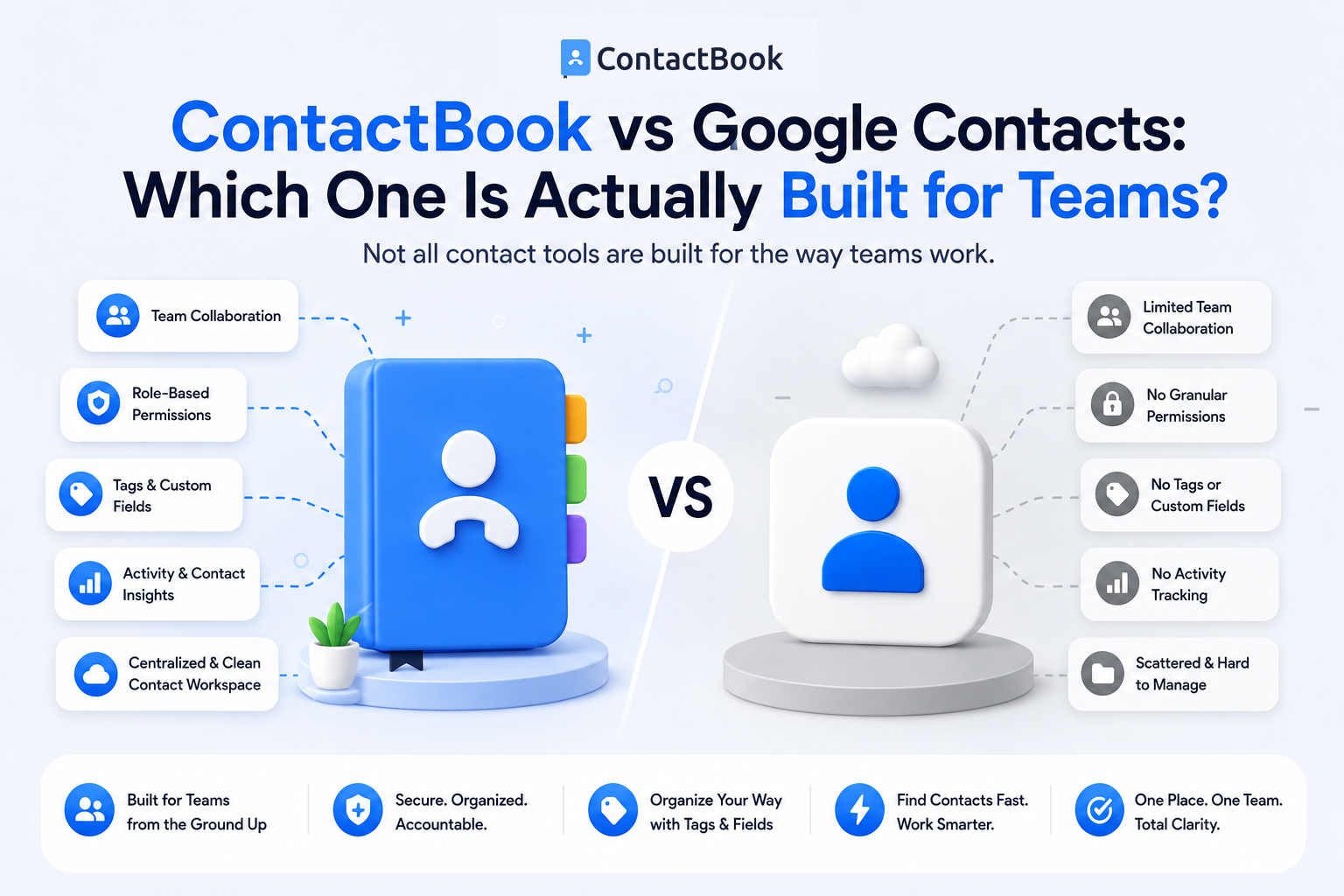
ContactBook vs. Google Contacts
While both platforms help store contact information, they are designed for different purposes.
Feature Comparison
For individual users, Google Contacts offers everything needed for everyday contact management. For businesses that rely on collaboration, ContactBook provides features designed specifically for team workflows.
Which Businesses Benefit Most from ContactBook?
Businesses that regularly share customer and business contacts across multiple employees benefit most from a centralized contact management platform.
Sales Teams
Sales representatives need quick access to shared customer information, ensuring prospects remain accessible even when team members change.
Digital Agencies
Agencies often manage hundreds of client contacts across different departments and projects. Centralized contact management improves collaboration and reduces duplicate records.
Healthcare Organizations
Healthcare administrators frequently coordinate communication with providers, staff, vendors, and external partners. Organized shared contact lists simplify day-to-day operations.
Small Businesses
Growing businesses often outgrow spreadsheets and personal contact lists before they need a full CRM.
ContactBook provides a simple way to organize shared contacts without unnecessary complexity.
Why Businesses Choose ContactBook
Many businesses don't need an enterprise CRM with sales pipelines, forecasting, and marketing automation. Instead, they simply need a reliable way to organize and share business contacts.
ContactBook focuses on exactly that. It provides centralized contact management, shared contact lists, customizable groups and tags, permission controls, and easy collaboration across teams.
Rather than replacing Gmail, ContactBook works alongside your existing communication tools by ensuring everyone has access to accurate contact information whenever they need it.
Common Mistakes
One common mistake is assuming Google Contacts automatically supports collaborative contact management. While it works well for individuals, growing businesses often require additional tools for shared contact organization.
Another mistake is storing customer contacts in individual employee accounts. This creates information silos and increases the risk of losing valuable business relationships during staff transitions.
Businesses should also avoid choosing a full CRM when their primary need is simply organizing and sharing business contacts. A dedicated contact management solution is often more affordable, easier to use, and quicker to implement.
Frequently Asked Questions
Is ContactBook better than Google Contacts for teams?
For businesses that need shared contact lists, centralized contact management, and team collaboration, ContactBook provides features specifically designed for those requirements. Google Contacts is better suited for personal contact management.
Can Google Contacts be shared across employees?
Google Contacts offers limited sharing options, and many businesses rely on manual workarounds or Google Workspace features for collaboration. Dedicated contact management software provides a more streamlined approach.
Should I use Google Contacts or ContactBook?
If you only need to manage your own personal contacts, Google Contacts is a good choice. If multiple employees need access to shared customer, vendor, or partner contacts, ContactBook is the more suitable solution.
Final Thoughts
Google Contacts remains an excellent tool for managing personal contacts, especially for individuals who use Gmail every day. However, business contact management requires more than storing names and email addresses in individual accounts.
As organizations grow, centralized contact management becomes essential for improving collaboration, maintaining accurate information, and protecting valuable business relationships. Shared contact lists, organized categories, and controlled access help teams work more efficiently while reducing duplicate records and communication gaps.
For businesses looking to move beyond personal address books, ContactBook offers a dedicated platform built specifically for team contact management. By giving every authorized employee access to one centralized source of business contacts, ContactBook helps organizations collaborate better, respond faster, and build stronger long-term relationships.

.png)


.svg)


.svg)



