
ContactBook vs SharedContacts.com: Better for Teams?

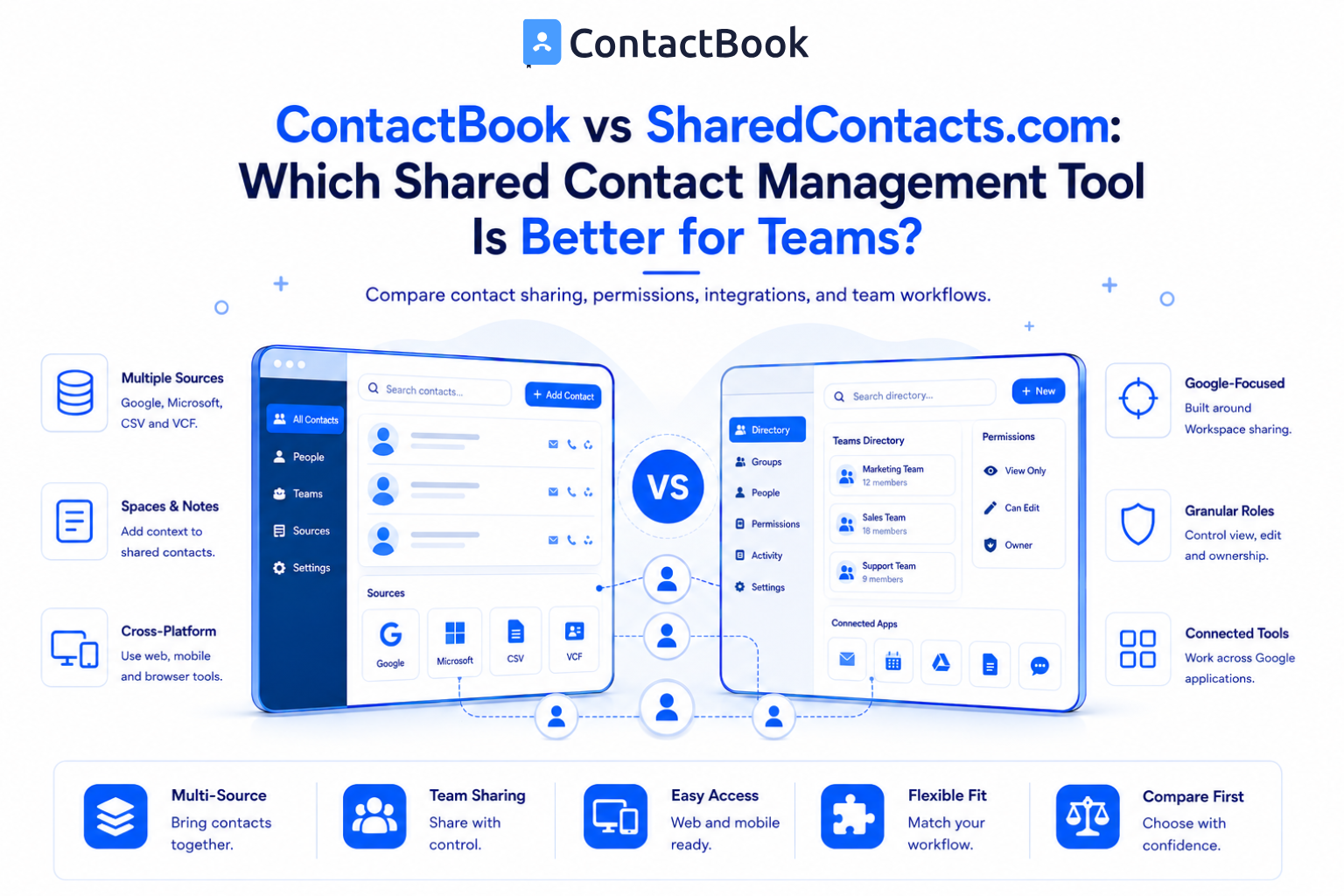
ContactBook and SharedContacts.com both help teams share contacts, control access, and keep contact information available across Google tools and mobile devices. The better choice depends on the type of contact system your team needs.
Choose ContactBook if you want a broader, easy to use contact workspace that can bring together contacts from Google, Microsoft, CSV, and VCF sources. Choose SharedContacts.com if your main requirement is a Google Workspace focused shared contacts solution with directory and CRM integrations.
ContactBook vs SharedContacts.com at a Glance
This comparison is based on publicly documented features available in August 2026. Features and pricing can change, so check both product websites before purchasing.
What Is ContactBook?
ContactBook is a shared contact management platform for teams. It is designed to bring business contacts into one central place and make them easier to organize, share, and update.
Teams can connect Google or Microsoft accounts or import CSV and VCF files. They can organize contacts with groups and tags, create separate Spaces, invite teammates, and control who can view, edit, or manage shared contacts.
ContactBook also supports public notes for collaboration and private notes for personal context. Its Chrome extension helps users create, find, and work with contacts while browsing. Mobile apps support access on Android and iPhone.
What Is SharedContacts.com?
SharedContacts.com focuses on turning Google Contacts into a shared team resource. Teams can share Google contact labels with individuals, Google Groups, users outside their domain, and personal Gmail accounts.
Its documented features include permission controls, Google Workspace directory sharing, cross domain sharing, mobile availability through synchronized contacts, and integrations with CRMs and other workplace applications.
This makes it a strong option for organizations that want most contact activity to remain inside the Google ecosystem.
1. Contact Sources and Centralization
ContactBook has the advantage when a team has contacts in several formats or account types. It supports Google and Microsoft connections as well as CSV and VCF imports. This can be useful when a team is replacing spreadsheets or combining address books from different employees.
SharedContacts.com is more Google centered. It is designed around Google Contacts labels and Google Workspace directories. This focus may be an advantage for an organization that already keeps nearly all contact data in Google.
Better choice for multiple contact sources: ContactBook
Better choice for a Google only environment: SharedContacts.com
2. Sharing and Permission Controls
Both tools allow teams to decide who can access shared contacts.
ContactBook documents Manager, Can Edit, and Can View roles for shared groups. Teams can share selected groups instead of exposing an entire address book. Separate Spaces can also help keep contacts organized for different teams or companies.
SharedContacts.com documents view, edit, reshare, and owner level access. It also supports sharing with Google Groups and external users.
SharedContacts.com provides more granular roles on paper. ContactBook keeps the permission model simple and covers the common needs of small and growing teams.
3. Google Contacts and Google Workspace
Both products support Google Contacts sharing and synchronization.
ContactBook can create a Google Space after a user authorizes their Google account. Google Contacts and labels can then appear in ContactBook, and selected labels can be shared with other Google users. ContactBook also supports sharing across domains and with regular Gmail accounts.
SharedContacts.com is built primarily for this use case. It emphasizes sharing labels directly from Google Contacts and making contacts available in Gmail, Calendar, Drive, and mobile contact apps.
If your buying decision is based only on the depth of Google Workspace contact sharing, SharedContacts.com deserves close consideration. If Google is one part of a wider contact management workflow, ContactBook may be the more flexible fit.
4. Team Organization and Collaboration
ContactBook goes beyond basic label sharing with Spaces, tags, universal search, and public or private notes. Users can search using details such as company, job title, or email address. These features help a team add useful context without adopting a full CRM.
SharedContacts.com supports collaborative contact lists and broader directory related use cases. Its strength is keeping a shared Google contact system available across the tools employees already use.
For teams that want a lightweight shared address book with simple relationship context, ContactBook has a clearer advantage.
5. Mobile and Browser Access
ContactBook offers Android and iOS apps, while its Google sync workflow can make shared contacts available in Google Contacts on supported devices. Its browser extension lets users find, create, and share contacts without repeatedly opening a separate dashboard.
SharedContacts.com makes shared Google contacts available through Google connected applications and device contact books. This can feel more native for users who want to stay within Gmail and Google Contacts.
Before rollout, test either product with a small group. Mobile behavior can depend on account settings, permissions, sync configuration, and the apps installed on each device.
6. Ease of Use
ContactBook is positioned as an easy to use and affordable shared contact manager. It is suitable for teams that want contact organization without building CRM pipelines, automations, or complex workflows.
SharedContacts.com also offers a straightforward sharing process, but its directory, integration, and Google Workspace capabilities may require more planning when deployed across a larger organization.
The simplest product is the one that matches your existing workflow. A Google only team may find SharedContacts.com natural. A team consolidating several sources may find ContactBook easier.
Which Tool Should Your Team Choose?
Choose ContactBook when your team needs:
- One shared place for contacts from multiple sources
- Google and Microsoft account imports
- CSV and VCF migration
- Shared Spaces, tags, and notes
- Android, iPhone, and browser access
- A lighter alternative to a full CRM
Choose SharedContacts.com when your team needs:
- A Google Workspace focused contact sharing tool
- Google directory and label sharing
- More granular sharing roles
- Strong availability across Google applications
- CRM and directory integration as a central requirement
Frequently Asked Questions
Is ContactBook the same as SharedContacts.com?
No. They solve a similar contact sharing problem, but ContactBook provides a broader multi-source contact workspace. SharedContacts.com focuses more deeply on Google Contacts and Google Workspace.
Can both tools share Google Contacts?
Yes. Both products document Google contact label sharing, permission controls, and cross domain use cases.
Which tool is better for Microsoft contacts?
ContactBook is the clearer option because it documents Microsoft account connectivity and contact imports alongside Google, CSV, and VCF sources.
Which tool is better for a team that does not need a CRM?
ContactBook is a strong fit for teams that need shared contacts, notes, tags, groups, and permissions without sales pipeline management.
Can shared contacts be accessed on Android and iPhone?
Both platforms document mobile availability. Test the selected setup on your devices because access and update behavior can depend on account and synchronization settings.
Does ContactBook replace every CRM feature?
No. ContactBook can provide shared contacts and lightweight context, but it is not designed to replace advanced pipelines, forecasting, deal automation, or full CRM reporting.
Final Thoughts
There is no universal winner in the ContactBook vs SharedContacts.com comparison. SharedContacts.com is stronger for teams seeking a deeply Google centered sharing system. ContactBook is better suited to teams that want a simple shared address book with broader imports, Spaces, tags, notes, and cross-platform access.
Next step: Start your ContactBook free trial and test the workflow with one shared contact group before inviting the full team.

.png)


.svg)


.svg)



