
ContactBook vs Zoho CRM: Which Is the Better Choice for Growing Teams?

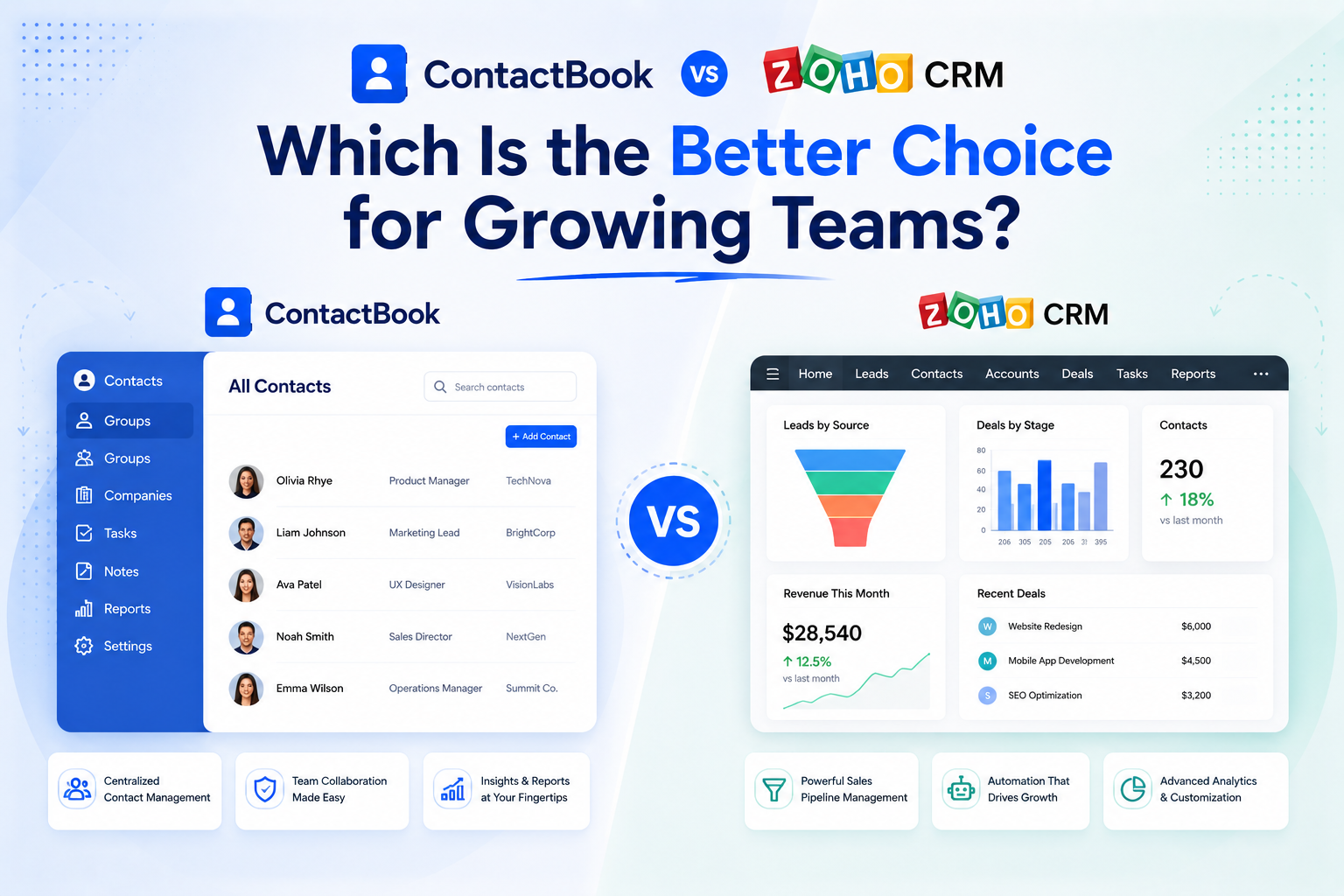
Growing teams need better contact management before they need more software complexity.
At first, managing contacts feels easy. A founder keeps important client numbers in Google Contacts. A salesperson stores leads in a spreadsheet. The operations team has vendor details in Gmail. Someone else keeps partner contacts on their phone.
But as the team grows, this scattered system starts creating problems. Contact details become outdated. Duplicate records appear. Follow-ups get missed. New team members cannot find the right client or vendor information. And when someone leaves the company, important business contacts may leave with them.
That is usually when teams start looking at tools like ContactBook and Zoho CRM.
Zoho CRM is a full CRM platform built for managing leads, deals, pipelines, sales automation, reports, and customer relationships. Zoho describes its free CRM edition as a starter kit for leads, deals, workflows, reports, and mobile access, while its paid editions support more advanced CRM needs.
ContactBook is different. It is built for teams that want a simple, affordable, and easy-to-set-up contact management system. It helps teams organize, sync, share, and manage contacts centrally, especially across Google Contacts, Gmail, Google Workspace, Outlook, CSV files, and other contact sources. ContactBook also highlights shared contact groups, cross-account sharing, activity history, contact backup, tags, and better collaboration.
So, when comparing ContactBook vs Zoho CRM, the real question is not just which tool has more features.
The better question is:
Does your growing team need a complete CRM, or does it need a simpler way to manage and share contacts?
ContactBook vs Zoho CRM: Quick Comparison
What Is ContactBook?
ContactBook is a contact management platform designed to help teams keep business contacts organized, shared, and updated in one central place.
Instead of letting contacts stay scattered across personal Gmail accounts, phones, spreadsheets, and different employee devices, ContactBook gives growing teams a shared contact system. This makes it easier for everyone to access the right client, vendor, partner, lead, or internal contact when they need it.
The biggest strength of ContactBook is that it does not try to make contact management complicated. Teams can organize contacts into groups, share contacts across accounts, manage access, sync contact data, import contacts, and keep important contact information backed up. ContactBook’s pricing page highlights features such as 5,000 contacts, up to 50 shared contact groups, cross-account sharing, space sharing, activity history, installation and setup, and contact backup.
For growing teams, this is useful because the contact problem is often very practical. The team does not always need deal forecasting, complex automation, or advanced CRM dashboards. It simply needs one reliable place where business contacts stay updated and accessible.
In simple terms, ContactBook is for teams that want to say goodbye to spreadsheet chaos without jumping into a heavy CRM.
What Is Zoho CRM?
Zoho CRM is a customer relationship management platform built for businesses that want to manage their sales process in a structured way.
It helps teams manage leads, deals, pipelines, workflows, reports, customer data, and sales activities. Zoho CRM’s pipeline management page describes it as an end-to-end sales pipeline management platform that helps businesses take control of their sales pipeline and customize it according to their needs.
Zoho CRM is a strong option for companies that need more than contact storage. A growing sales team can use it to track opportunities, automate follow-ups, assign tasks, analyze performance, forecast revenue, and connect sales activity with customer data.
That makes Zoho CRM powerful, but it also means it may be more than some growing teams need.
If your team is ready for a full CRM process, Zoho CRM can make sense. But if your biggest pain is that contacts are scattered, duplicated, outdated, or hard to share, ContactBook may be the simpler and more practical choice.
The Main Difference: Contact Management vs CRM
The main difference between ContactBook and Zoho CRM is the problem each tool is trying to solve.
ContactBook focuses on contact management. It helps teams centralize contacts, share them with the right people, sync them across accounts, organize them with groups and tags, and reduce confusion caused by scattered contact data.
Zoho CRM focuses on customer relationship management. It helps teams manage sales pipelines, track leads and deals, automate sales tasks, create reports, and monitor customer interactions across the sales process.
This difference matters because many growing teams mistake a contact problem for a CRM problem.
If your team cannot find the right phone number, does not know which spreadsheet is updated, or loses contacts when employees leave, you may not need a full CRM yet. You may need a better contact management system.
But if your team needs to track every lead, move deals through pipeline stages, forecast revenue, and automate sales workflows, then Zoho CRM is built for that kind of structure.
Ease of Setup: Why ContactBook Is Easier to Start With
One of ContactBook’s biggest advantages is how easy it is to set up.
Growing teams usually do not have time for a long software implementation. They want a tool that solves the problem quickly without needing weeks of training, admin setup, or complicated customization.
ContactBook is lightweight because its main job is contact management. Teams can start organizing and sharing contacts without building a full sales process around the tool. If your team already uses Google Contacts, Gmail, Google Workspace, or Outlook, ContactBook fits naturally into the tools your team already uses.
Zoho CRM, by comparison, is more advanced. That is not a bad thing. It simply means there is more to configure. A team may need to set up pipelines, fields, workflows, lead stages, user roles, reports, and integrations before the CRM feels fully useful.
For teams that need all of that, Zoho CRM is valuable. But for teams that mainly want shared contacts, this setup can feel heavier than necessary.
Winner for easy setup: ContactBook
Winner for advanced CRM configuration: Zoho CRM
Ease of Use: Which Tool Will Your Team Actually Use?
The best software is not always the one with the most features. It is the one your team actually uses every day.
ContactBook has a clear advantage for teams that want simplicity. It focuses on helping people access, update, and share contacts without forcing them into a complex CRM workflow. This makes adoption easier for founders, sales reps, admin teams, recruiters, consultants, agencies, and remote teams that simply need accurate contact information.
Zoho CRM gives teams more power, but that power can come with a learning curve. Users may need to understand lead modules, deal stages, dashboards, automations, reports, and CRM rules. For a sales-driven company, this structure can be useful. But for a team that only wants better contact visibility, it may slow adoption.
This is where many growing teams should be honest with themselves. If the team is not ready to maintain CRM records every day, a simpler contact management system may deliver better results.
Pricing: ContactBook Is More Affordable for Contact Management
Pricing is one of the strongest reasons growing teams may choose ContactBook.
ContactBook is built for teams that want affordable contact management. Its pricing page lists the Basic plan at $2.49 per user/month on monthly billing, with a lower annual billed price shown on the site. The plan includes contact management features such as shared contact groups, cross-account sharing, activity history, setup, and contact backup.
Zoho CRM offers a free edition for up to 3 users and paid CRM plans for teams that need more sales features. Zoho positions its free edition as a starter CRM with leads, deals, workflows, reports, and a mobile app.
The important point is not that one tool is always cheaper in every situation. The point is that you should not pay for CRM features your team does not need.
If your team needs a complete CRM, Zoho CRM can be a cost-effective CRM option. But if your team mainly needs contact sharing, syncing, and organization, ContactBook is the more affordable and focused choice.
For growing teams watching their software budget, this difference matters. Paying for a full CRM when you only need shared contacts can become expensive over time, especially as more team members are added.
Winner for affordable contact management: ContactBook
Winner for full CRM value: Zoho CRM
Contact Sharing: Where ContactBook Stands Out
Contact sharing is one of the clearest areas where ContactBook is stronger for growing teams.
In many companies, contacts are not truly owned by the business. They are stored inside individual Gmail accounts, phones, spreadsheets, or personal address books. This creates a serious problem when teams need to collaborate.
For example, a sales rep may have client contacts, the founder may have investor contacts, the operations team may have vendor contacts, and the hiring team may have candidate contacts. If these contacts are not shared properly, the company becomes dependent on individuals instead of a central system.
ContactBook helps solve this by making contact sharing a core part of the platform. Teams can create shared contact groups, sync contacts, and give the right people access to the right information. ContactBook’s product messaging focuses on collaboration, centralized data management, automatic syncing, and keeping contact information updated across multiple accounts and devices.
Zoho CRM can also store contact and customer records, but contact sharing is part of a larger CRM system. That makes sense for sales teams, but it may be unnecessary for teams that simply need a shared company address book.
If contact sharing is your main problem, ContactBook is the more direct solution.
CRM Features: Where Zoho CRM Is Stronger
Zoho CRM is the stronger choice when a growing team needs full CRM functionality.
If your team wants to manage leads, track deals, build sales pipelines, automate tasks, forecast sales, and generate reports, Zoho CRM is designed for that. Its feature pages highlight areas such as lead management, forecasting, pipeline management, territory management, workflows, and automation.
ContactBook is not trying to replace every CRM feature. It is not built for advanced sales forecasting, complex pipeline automation, or enterprise-level CRM customization.
That is not a weakness. It is a positioning difference.
ContactBook is better for teams that want simple, organized, shared contacts. Zoho CRM is better for teams that want a complete sales and customer relationship management system.
Google Contacts and Google Workspace Teams
Many growing teams already work inside Google Workspace. Their daily workflow happens in Gmail, Google Contacts, Google Calendar, Google Drive, Google Docs, and Google Sheets.
For these teams, ContactBook is a natural fit because it supports contact management around the tools they already use. Instead of forcing everyone into a CRM for simple contact access, ContactBook helps teams keep contacts organized and shared in a more familiar workflow.
Zoho CRM also supports Google-related functionality. Zoho’s feature comparison page mentions Google Contacts synchronization for Google users. But Zoho CRM is still a CRM-first platform, which means Google Contacts syncing is part of a broader sales system.
If your team wants a CRM with Google integration, Zoho CRM can work well. But if your team mainly wants shared Google Contacts and simpler access across accounts, ContactBook is easier to understand and adopt.
Data Ownership and Employee Offboarding
Growing teams often do not think about contact ownership until it becomes a problem.
When employees store business contacts in personal accounts, the company may lose access to important relationships when someone leaves. This can affect sales follow-ups, client communication, vendor coordination, recruiting, partnerships, and customer support.
Zoho CRM can solve this by centralizing customer records inside a CRM. But that only works if your team is ready to maintain the CRM properly.
ContactBook gives teams a simpler way to protect contact ownership. By keeping contacts organized and shared centrally, businesses can make sure important contact information is not trapped inside one employee’s account or device.
For growing teams, this is a major advantage. It helps maintain relationship continuity without forcing the company into a complex CRM setup too early.
Team Adoption: Simple Tools Often Win
Growing teams are busy. They do not want tools that create more admin work than value.
This is why ContactBook’s simplicity is important. When a tool is easy to understand, easy to set up, and directly solves a daily problem, teams are more likely to use it consistently.
Zoho CRM can be extremely useful for teams with a defined sales process. But if a team does not have clear CRM habits yet, it may become another tool that people forget to update.
ContactBook fits teams that want contact management to feel practical, not heavy. It helps people find and share contact information without turning every contact into a CRM record that needs constant maintenance.
For teams that want quick adoption, ContactBook has the advantage.
When Should a Growing Team Choose ContactBook?
A growing team should choose ContactBook when its main challenge is contact organization, sharing, syncing, and access.
ContactBook is the better fit when contacts are scattered across Google Contacts, Gmail accounts, spreadsheets, phones, and different employee devices. It is also a strong choice when the team wants affordable pricing, easy setup, simple onboarding, shared contact groups, contact backup, and a central place to manage business contacts.
It works especially well for startups, agencies, consultants, recruiters, freelancers, remote teams, small sales teams, real estate teams, financial advisors, event planners, and Google Workspace-based businesses.
ContactBook is also a smart choice for teams that are not ready for a full CRM but have clearly outgrown spreadsheets.
When Should a Growing Team Choose Zoho CRM?
A growing team should choose Zoho CRM when it needs a structured sales and customer relationship management system.
Zoho CRM is the better fit when the team has a real sales pipeline, manages many leads and deals, needs sales forecasting, wants workflow automation, requires detailed reports, and wants to connect sales activity with broader customer data.
It is also a good choice for companies that already use other Zoho products or want to build a larger business software ecosystem around CRM.
Zoho CRM is powerful, but it works best when the team is ready to use CRM features fully. If the team only needs shared contacts, it may be more system than required.
Common Mistake: Choosing a CRM Too Early
Many growing teams move from spreadsheets directly to a CRM because they assume that is the natural next step.
But this is not always the right move.
If your contact database is messy, a CRM will not automatically fix it. It may simply move messy data into a more complicated system.
Before choosing Zoho CRM, ask whether your team truly needs pipelines, deal tracking, forecasting, dashboards, workflows, and daily CRM updates. If the real problem is that contacts are scattered, duplicated, or hard to share, ContactBook may be the better first step.
A CRM is useful when your sales process needs structure. A contact management system is useful when your contact data needs structure.
Growing teams should choose based on the problem they actually have.
ContactBook vs Zoho CRM: Final Verdict
Zoho CRM is a strong choice for growing teams that need a full CRM platform.
ContactBook is a better choice for growing teams that need a simple, affordable, and easy-to-use contact management system.
If your team needs lead tracking, deal pipelines, sales automation, forecasting, and detailed CRM reports, Zoho CRM is likely the better fit.
But if your team is struggling with scattered contacts, outdated details, duplicate records, spreadsheet chaos, poor contact sharing, and contacts locked inside personal accounts, ContactBook gives you a faster and simpler way to fix the problem.
For many growing teams, the best choice is not the tool with the most features.
It is the tool your team can set up quickly, afford easily, use consistently, and benefit from immediately.
That is where ContactBook stands out.
FAQs
Is ContactBook a CRM?
ContactBook is not a traditional CRM like Zoho CRM. It is a contact management and contact sharing platform that helps teams organize, sync, share, and manage contacts centrally.
Is Zoho CRM better than ContactBook?
Zoho CRM is better if your team needs full CRM features such as pipelines, lead management, sales automation, forecasting, and reports. ContactBook is better if your team mainly needs affordable and easy-to-use contact management.
Can ContactBook replace Zoho CRM?
ContactBook can replace Zoho CRM only if your team does not need full CRM functionality. If your main need is shared contacts, contact syncing, and contact organization, ContactBook may be a simpler alternative.
Which tool is easier to set up?
ContactBook is easier to set up because it focuses on contact management rather than full CRM configuration. Zoho CRM may require more setup for pipelines, workflows, fields, reports, and sales processes.
Which tool is more affordable for growing teams?
ContactBook is generally more affordable for teams that only need contact management. Zoho CRM can offer strong value when a team needs complete CRM features, but it may be more than necessary for simple contact sharing.
Which is better for Google Contacts sharing?
ContactBook is better suited for teams that want simple Google Contacts sharing and centralized contact access. Zoho CRM supports Google Contacts synchronization, but it is part of a broader CRM system.
Should a growing team start with ContactBook or Zoho CRM?
If your team mainly has contact chaos, start with ContactBook. If your team has a structured sales process and needs CRM workflows, start with Zoho CRM.
What is the best Zoho CRM alternative for contact management?
For teams that want a simpler and more affordable way to organize and share contacts, ContactBook is a strong Zoho CRM alternative for contact management.

.png)


.svg)


.svg)



