
Gmail Contacts Are a Mess — Here's How to Clean Them Up in 10 Minutes

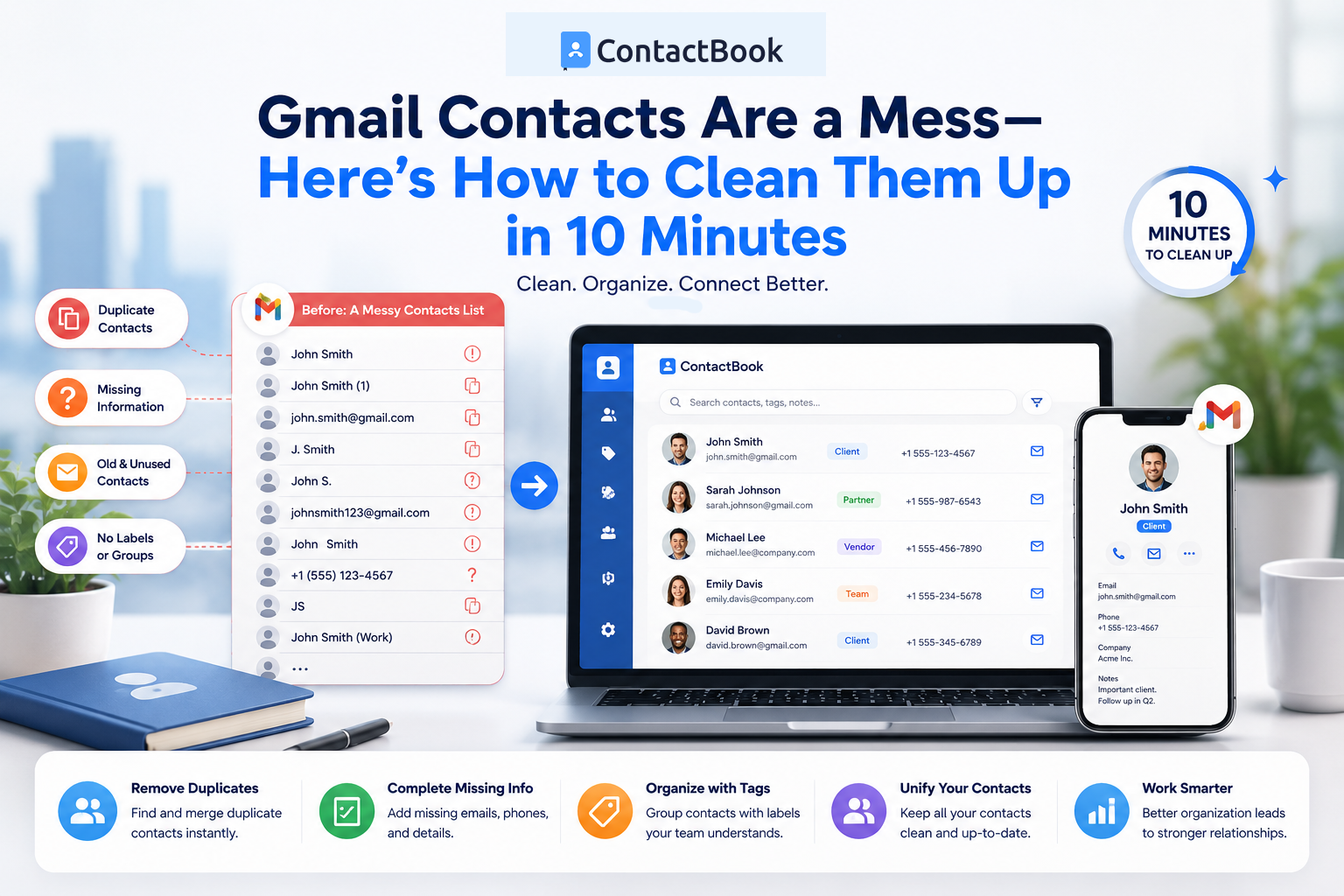
If you've been using Gmail for years, there's a good chance your contact list is a complete mess.
Thousands of professionals rely on Gmail every day for communication, networking, sales, recruiting, customer support, and business development. Over time, Gmail quietly accumulates contacts from every email you send, every lead you meet, every newsletter you subscribe to, and every form you complete.
The result?
A contact database filled with duplicates, outdated information, irrelevant email addresses, and contacts you don't even remember adding.
Most people don't notice the problem until they need to find an important contact quickly.
Suddenly, search results become cluttered, duplicate records appear everywhere, and finding the right person becomes frustrating.
The good news is that cleaning up Gmail Contacts doesn't have to take hours.
With the right approach, you can organize your contacts in about 10 minutes and create a system that remains manageable going forward.
Let's walk through the process.
Why Gmail Contacts Become Messy
Before fixing the problem, it's important to understand why it happens.
Gmail contacts grow automatically over time.
You may have accumulated contacts from:
- Email conversations
- Networking events
- Form submissions
- Team collaboration
- Client communications
- Vendor interactions
- Marketing campaigns
Many users never actively manage their contacts, which causes the database to grow without structure.
Common issues include:
- Duplicate contacts
- Outdated phone numbers
- Old email addresses
- Missing information
- No organization system
- Irrelevant contacts from years ago
What starts as a useful address book eventually becomes difficult to navigate.
Signs Your Gmail Contacts Need Cleaning
You probably need a cleanup if you experience any of the following:
You See Multiple Versions of the Same Person
A contact appears three or four times with different email addresses or phone numbers.
Search Results Are Cluttered
Finding one person requires scrolling through dozens of unrelated contacts.
Contact Information Is Outdated
Phone numbers, companies, and job titles are no longer accurate.
You Can't Tell Which Contacts Matter
Clients, prospects, vendors, and personal contacts are all mixed together.
Team Members Can't Access Important Contacts
Critical business relationships exist only in your personal Gmail account.
If any of these situations sound familiar, a cleanup is overdue.
Step 1: Remove Duplicate Contacts
The fastest way to improve your Gmail contacts is by eliminating duplicates.
Duplicate records often occur when:
- A person changes jobs
- Multiple email addresses are stored separately
- Contacts are imported multiple times
- Information is synced from different sources
Duplicates create confusion and make searches less effective.
Start by reviewing duplicate entries and consolidating information into a single contact record whenever possible.
Benefits include:
- Cleaner search results
- Better organization
- More accurate information
- Faster access to important contacts
Even removing a handful of duplicates can significantly improve your contact list.
Step 2: Delete Contacts You No Longer Need
Many Gmail users store contacts indefinitely.
As a result, contact lists become filled with people they no longer communicate with.
Ask yourself:
- Is this contact still relevant?
- Do I recognize this person?
- Have I communicated with them recently?
- Does this relationship still matter?
Examples of contacts that may no longer be necessary include:
- Expired vendor relationships
- Old job inquiries
- Temporary project contacts
- Irrelevant marketing submissions
- Outdated personal connections
Removing unnecessary contacts reduces clutter and makes important relationships easier to find.
Step 3: Update Outdated Information
Business relationships evolve constantly.
People change:
- Jobs
- Phone numbers
- Email addresses
- Companies
- Locations
Unfortunately, contact databases rarely update themselves.
Take a few minutes to review your most important contacts and ensure information remains current.
Prioritize:
- Clients
- Prospects
- Partners
- Vendors
- Team members
Accurate contact information improves communication and reduces the risk of missed opportunities.
Step 4: Create Meaningful Contact Groups
One of the biggest mistakes Gmail users make is storing every contact in a single list.
Organization becomes much easier when contacts are grouped by purpose.
Examples include:
Clients - Current customers and accounts.
Prospects - Potential future customers.
Vendors - Suppliers and service providers.
Partners - Strategic business relationships.
Team Members - Internal employees and collaborators.
Personal Contacts - Friends and family members.
Grouping contacts makes searching, filtering, and communication far more efficient.
Instead of managing thousands of records individually, you can organize them into manageable categories.
Step 5: Add Notes and Context
Contact information alone is often not enough.
The most valuable contacts usually require context.
Consider adding information such as:
- Where you met
- Shared interests
- Previous conversations
- Follow-up commitments
- Important dates
- Relationship history
This additional context becomes extremely valuable months later when reconnecting with someone.
Without notes, many contacts become little more than names and email addresses.
With context, they become meaningful relationships.
Step 6: Back Up Your Contacts
Many people don't think about contact backups until something goes wrong.
Unfortunately, accidental deletions, synchronization issues, and device failures can happen.
Your contacts represent years of networking, relationship building, and business development.
Protect them.
Maintaining a backup ensures important relationships are never lost due to technical issues.
A simple backup strategy can prevent significant headaches in the future.
Step 7: Stop Storing Business Contacts in Personal Silos
This is where many professionals encounter a bigger problem.
Even after cleaning Gmail Contacts, important business relationships often remain trapped inside individual accounts.
This creates risks such as:
- Lost contacts when employees leave
- Poor team collaboration
- Duplicate databases
- Limited visibility
- Inconsistent customer experiences
For teams and growing businesses, personal contact lists eventually become a bottleneck.
The solution is to move beyond individual contact management and adopt a shared contact system.
Why Gmail Contacts Alone Aren't Enough for Teams
Gmail Contacts works well for personal use.
However, most teams require additional capabilities.
Challenges include:
Limited Sharing
Business contacts are often tied to individual accounts.
No Centralized Ownership
Relationships belong to employees instead of the organization.
Collaboration Difficulties
Teams cannot easily view, update, or organize shared contacts.
Duplicate Records Across Employees
Multiple team members maintain separate versions of the same contact.
As businesses grow, these limitations become more apparent.
That's why many organizations move toward centralized contact management solutions.
A Better Approach: Centralized Contact Management
Instead of maintaining separate contact databases across employees, businesses can create a single source of truth.
Centralized contact management provides:
- Shared access to contacts
- Real-time updates
- Better collaboration
- Improved organization
- Reduced duplicates
- Greater visibility
When everyone works from the same database, contact information becomes more accurate and easier to manage.
More importantly, business relationships remain with the company rather than individual employees.
How to Keep Gmail Contacts Organized Going Forward
Cleaning up contacts once is helpful.
Preventing future clutter is even more important.
Follow these simple habits:
Review Contacts Monthly
Spend a few minutes removing outdated entries.
Merge Duplicates Regularly
Address duplicates before they accumulate.
Use Consistent Categories
Organize contacts using a clear structure.
Add Notes Immediately
Capture context while conversations are still fresh.
Centralize Important Business Relationships
Avoid storing critical contacts in isolated personal accounts.
Small habits create significant long-term improvements.
Conclusion
A messy Gmail contact list is more than an inconvenience.
It slows down communication, creates confusion, and makes relationship management harder than it needs to be.
Fortunately, cleaning up your contacts doesn't require a massive effort.
By removing duplicates, deleting outdated records, organizing contacts into groups, adding context, and centralizing important relationships, you can dramatically improve how you manage your network.
In just 10 minutes, you can transform a cluttered contact database into an organized system that helps you find the right people when you need them most.
And for businesses that rely heavily on relationships, moving beyond individual Gmail Contacts to a shared contact management platform can unlock even greater efficiency, collaboration, and visibility.
Because managing contacts isn't just about storing information.
It's about building stronger relationships.

.png)


.svg)


.svg)



