
How Recruiters Organize Candidate Networks Without a Full ATS

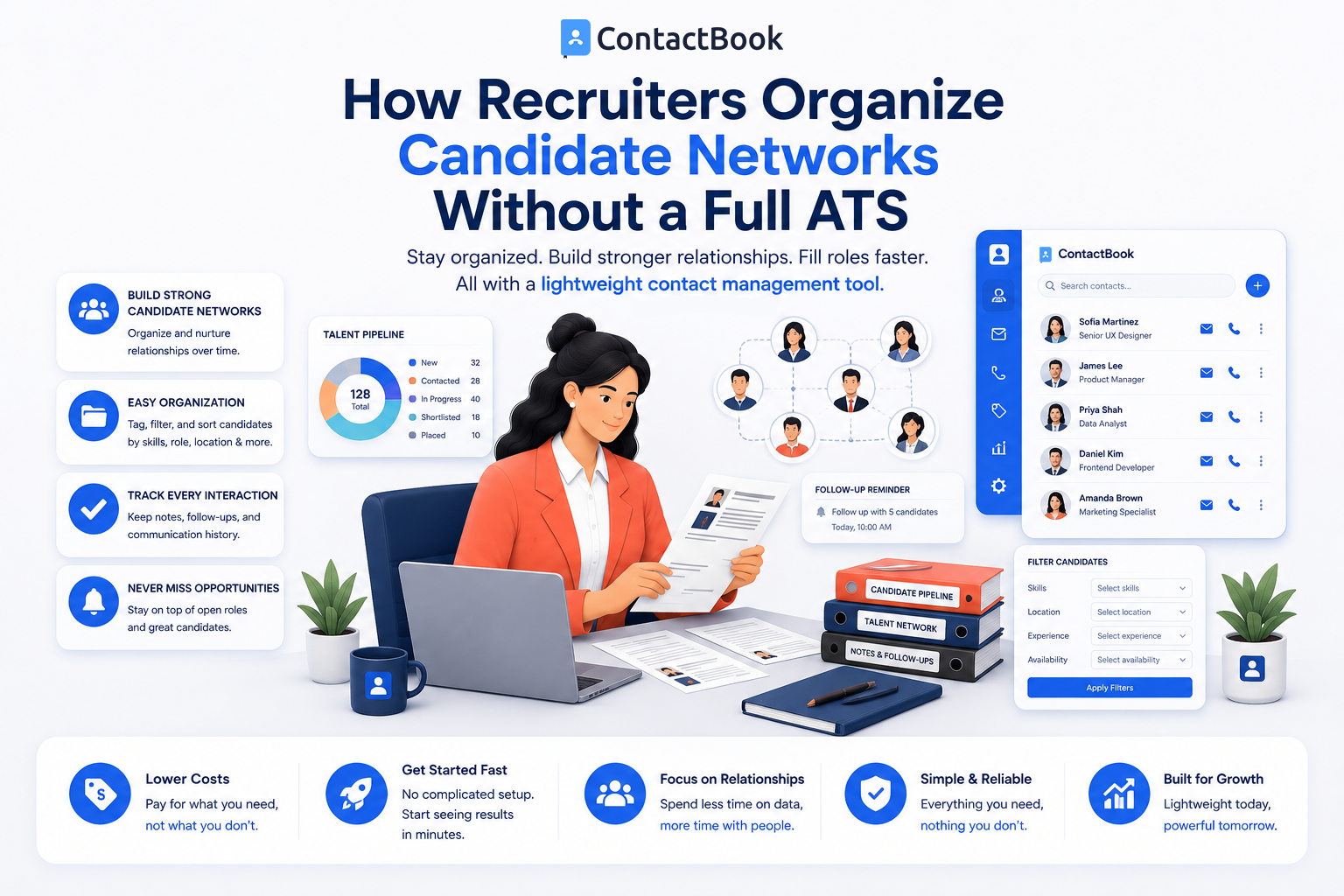
Hiring the right people starts with building strong relationships. Recruiters interact with job seekers, hiring managers, interviewers, referrals, staffing partners, and former candidates every day. As these networks grow, keeping contact information organized becomes increasingly important.
While many organizations invest in an Applicant Tracking System (ATS), not every recruiter or business needs one. Small businesses, recruiting agencies, startups, and independent recruiters often need a simpler way to organize candidate contacts without the complexity and cost of a full ATS.
In this article, we'll explore how recruiters manage candidate networks without an Applicant Tracking System, why centralized contact management matters, and how a dedicated solution like ContactBook helps organize professional relationships more efficiently.
What Is an Applicant Tracking System (ATS)?
An Applicant Tracking System (ATS) is software designed to manage the hiring process from job posting to candidate selection. It typically includes features such as resume parsing, interview scheduling, application tracking, hiring workflows, and reporting.
For organizations hiring at scale, an ATS can be an excellent investment. However, recruiters who focus primarily on relationship building and maintaining candidate networks may not need all of these advanced capabilities.
When an ATS Makes Sense
A full ATS is often the right choice for companies that receive hundreds or thousands of applications, manage multiple hiring pipelines, or require structured recruitment workflows.
If your hiring process is simpler, a dedicated contact management tool may provide everything you need to stay organized.
Why Recruiters Need Better Contact Organization
Recruiting is built on relationships, not just resumes.
Candidates who are not the right fit today may become excellent hires in the future. Keeping their contact information organized makes it easier to reconnect when new opportunities arise.
Maintain Long-Term Candidate Relationships
Every conversation with a candidate has future value.
A centralized contact database allows recruiters to maintain relationships with past applicants, referrals, contractors, freelancers, and industry professionals instead of losing valuable connections over time.
Organize Different Types of Contacts
Recruiters communicate with far more than candidates.
They also manage hiring managers, interview panel members, recruitment agencies, educational institutions, vendors, and referral partners. Keeping all these contacts organized in one place improves communication throughout the hiring process.
Find Contacts Quickly
Searching through emails, spreadsheets, or personal phone contacts wastes valuable time.
Dedicated contact management software allows recruiters to locate candidates and business contacts quickly using categories, groups, tags, or custom fields.
How Recruiters Manage Candidate Networks Without an ATS
Many recruiters don't require advanced hiring software to maintain strong professional relationships.
Instead, they focus on organizing contacts efficiently using dedicated contact management tools.
Create Contact Groups
Candidates can be grouped based on skills, industries, experience levels, locations, or hiring status.
This makes it easier to identify suitable contacts when new opportunities become available.
Add Notes and Context
Recruiters benefit from storing professional notes alongside contact information.
For example, they can record where they met a candidate, summarize previous conversations, or note specific areas of expertise. This context supports more personalized communication in the future.
Share Contacts Across the Team
Recruiting often involves collaboration between recruiters, hiring managers, and HR professionals.
Shared contact lists ensure everyone works from the same updated information, reducing duplicate records and improving coordination.
Why Spreadsheets Eventually Become a Limitation
Many recruiters begin with spreadsheets because they are simple and familiar. As candidate networks expand, however, spreadsheets become increasingly difficult to manage.
Manual Updates Take Time
Every phone number, email address, or job title change requires manual editing.
Over time, this creates additional administrative work and increases the likelihood of outdated information.
Collaboration Becomes Difficult
Sharing spreadsheets across multiple recruiters often leads to duplicate files and inconsistent records.
A centralized contact management system keeps everyone working from one trusted database.
Searching Is Less Efficient
Large spreadsheets become harder to navigate as candidate lists grow.
Dedicated contact management platforms provide advanced search and filtering options that help recruiters quickly locate the right contacts.
Why ContactBook Is a Smart Alternative for Recruiters
Not every recruiting team needs a full Applicant Tracking System. Many simply need an efficient way to organize and access professional contacts.
ContactBook helps recruiters centralize candidate networks, organize contacts into custom groups, create shared contact lists, and securely manage business relationships. Whether you're working independently or as part of a hiring team, ContactBook makes it easier to keep candidate information organized and accessible.
Instead of managing disconnected spreadsheets or personal address books, recruiters can build a searchable contact database that supports long-term relationship management and faster hiring decisions.
Common Mistakes
One common mistake is treating every candidate interaction as a one-time conversation. Many successful hires come from reconnecting with candidates months or even years later.
Another mistake is storing candidate contact information across multiple spreadsheets, email folders, and personal devices. This creates duplicate records and makes future communication more difficult.
Recruiters should also avoid waiting until their network becomes too large before organizing it. Building a structured contact database early saves time and supports better hiring outcomes as the business grows.
Frequently Asked Questions
Can recruiters work without an ATS?
Yes. Many recruiters, especially independent recruiters, startups, and small businesses, can effectively organize candidate networks using dedicated contact management software if they don't require advanced applicant tracking features.
What is the difference between a contact management tool and an ATS?
A contact management tool focuses on organizing, updating, and sharing contact information. An ATS manages the entire recruitment process, including job applications, interview scheduling, hiring workflows, and applicant tracking.
How can recruiters organize candidate contacts more efficiently?
Recruiters can improve organization by centralizing contact information, creating groups based on skills or industries, adding notes to contact records, and using shared contact lists to collaborate with hiring teams.
Final Thoughts
Recruiting is about building relationships that extend beyond a single job opening. While Applicant Tracking Systems are valuable for organizations with complex hiring workflows, many recruiters simply need an organized way to maintain candidate networks and business contacts.
Dedicated contact management tools provide a practical solution by making candidate information searchable, centralized, and easy to share across teams. This helps recruiters reconnect with qualified candidates, improve collaboration, and reduce time spent searching for contact details.
For recruiters looking for a simpler alternative to a full ATS, ContactBook offers an efficient way to organize professional relationships, maintain shared contact lists, and keep candidate networks accessible as hiring needs evolve. By focusing on contact management first, recruiters can build stronger talent pipelines without the complexity of enterprise recruitment software.

.png)


.svg)


.svg)



