
How Sales Teams Use LinkedIn Contact Finders for Lead Generation in 2026

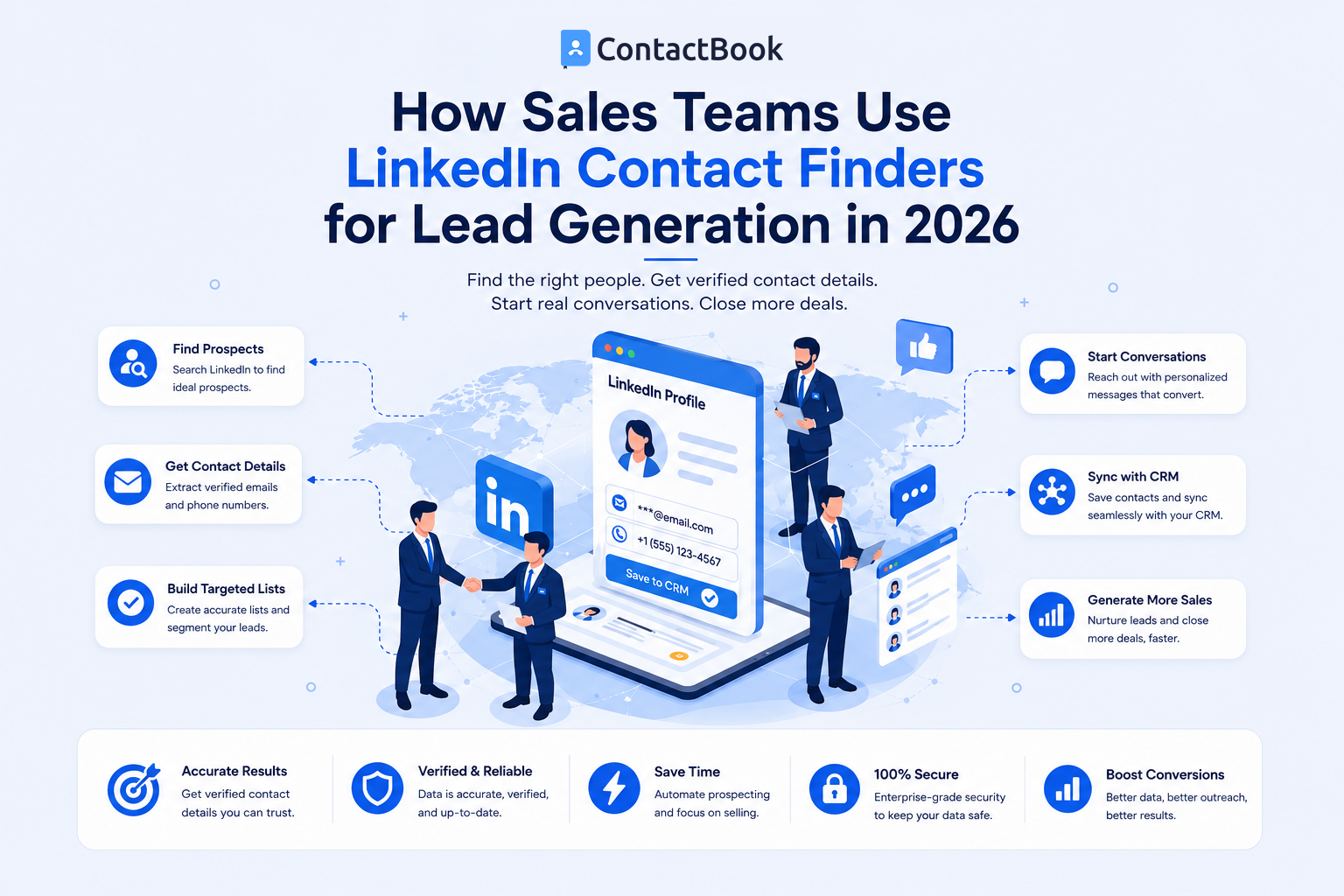
LinkedIn gives sales teams access to millions of professionals, companies, decision-makers, and potential customers.
But finding people on LinkedIn is not the same as generating leads.
A salesperson may find hundreds of professionals who look interesting. Only a small portion may actually fit the company's target audience, have a genuine need for the product, and be worth contacting.
That is why effective LinkedIn lead generation requires more than searching for names and collecting phone numbers.
A better process looks like this:
Define the right customer
↓
Find relevant people
↓
Qualify the prospect
↓
Find an appropriate contact method
↓
Save and organize the lead
↓
Add context
↓
Follow up
LinkedIn contact finders can support one part of this process, but they become much more valuable when they are combined with good qualification and contact management.
Here is how sales teams can build that workflow.
What Is LinkedIn Lead Generation?
LinkedIn lead generation is the process of using LinkedIn to identify potential customers and move relevant professional connections into a sales process.
That might include:
- Finding target companies
- Identifying decision-makers
- Researching job roles
- Understanding professional backgrounds
- Identifying mutual connections
- Saving potential prospects
- Starting conversations
- Finding appropriate business contact information
- Managing follow-ups
The objective should not simply be:
Find as many people as possible.
It should be:
Find people who are genuinely relevant to what you sell.
This difference is what separates random contact collection from useful B2B lead generation.
Where Do LinkedIn Contact Finders Fit?
A LinkedIn contact finder generally enters the workflow after a salesperson has identified someone worth researching.
Imagine you find:
Name: Sarah Miller
Position: Head of Sales
Company: Example SaaS
Location: United States
You now know that Sarah appears relevant.
But you may still need an appropriate way to reach her.
A professional contact finder or enrichment service may help identify available information such as:
- Business email
- Business phone
- Mobile number
- Company information
- Company domain
- Other professional data
This creates a simple distinction:
LinkedIn helps you identify the person.
Contact discovery helps you identify an appropriate way to reach them.
Contact management helps your team maintain the relationship.
All three parts matter.
Step 1: Define Your Ideal Customer Before Searching
One of the biggest mistakes in sales prospecting is opening LinkedIn first and deciding what to search for afterward.
Start with your ideal customer profile.
For example:
Target Company
Industry: SaaS
Location: United States
Company size: 50–500 employees
Target Person
Department: Sales
Seniority: Director or above
Possible titles:
- VP of Sales
- Head of Sales
- Sales Director
- Chief Revenue Officer
Now your salesperson knows exactly who they are trying to find.
This dramatically improves the value of every later step.
A contact finder cannot fix poor targeting.
If the wrong person enters the process, even a perfectly accurate phone number is still a bad lead.
Step 2: Use LinkedIn to Identify Relevant Prospects
Sales teams can start with standard LinkedIn search or use LinkedIn Sales Navigator for more advanced prospecting.
Sales Navigator currently provides lead filters including current company, company headcount, function, current job title, seniority, geography, industry, years of experience, account lists, lead lists, and other criteria.
LinkedIn itself recommends beginning with a small number of relevant filters such as company, job title, and location, then refining the search further where necessary.
For example, instead of searching:
Marketing Director
a sales representative might narrow the audience to:
Role: Marketing Director
Industry: SaaS
Location: UK
Company headcount: 50–500
Now the results are much closer to the actual target market.
That is the first major improvement in the lead-generation process:
Qualification happens before contact discovery.
Step 3: Review the Person Before Looking for Their Contact Details
Do not immediately send every search result into a phone-number finder.
Open the profile.
Check:
- Current company
- Current role
- Seniority
- Location
- Industry
- Professional experience
- Whether their responsibilities appear relevant
Ask:
Does this person genuinely make sense for our product?
Suppose your company sells software for finance teams.
You identify two employees at the same company:
Person A: VP Finance
Person B: Senior Developer
Finding Person A's contact information probably makes much more sense.
This sounds obvious, but it is easy for sales teams to become focused on lead volume.
Contact-finder credits should ideally be spent on prospects that have already passed a basic qualification check.
Step 4: Check the Contact Information Already Available
Before using an external contact finder, check whether an appropriate communication method is already available.
You may already have:
- A first-degree LinkedIn connection
- An existing conversation
- An introduction through a mutual contact
- A business email from another legitimate source
- Company contact information
- LinkedIn messaging access
A phone number is not always required.
Sometimes LinkedIn itself is the better starting point for the conversation.
The goal of contact discovery should be to find the right communication channel, not simply every possible piece of data.
Step 5: Use a Contact Finder When Additional Information Is Needed
If a qualified prospect does not have an obvious business contact method, a sales team may use an appropriate B2B contact finder or enrichment service.
This is where tools commonly referred to as:
- LinkedIn contact finders
- LinkedIn email finders
- LinkedIn phone finders
- B2B contact databases
- Lead enrichment platforms
can help.
The salesperson may start with:
Name + Company + LinkedIn profile
and the provider may attempt to return:
Business email + phone + company information
Different tools use different databases, matching systems, and enrichment methods.
This means results can vary between providers.
For a wider comparison, see our guide to the Best LinkedIn Contact Finder Tools in 2026.
Step 6: Verify Valuable Leads
Contact discovery should not automatically mean:
Found → Call immediately
Business information changes frequently.
People change companies.
Job titles change.
Numbers become outdated.
Email addresses stop working.
Before relying on an important lead, verify the basic professional information.
Check:
Current Company
Does the person still work there?
Current Role
Are they still responsible for the area you are targeting?
Company Fit
Does the business still match your target customer?
Contact Information
Does the information appear consistent with the person's current professional situation?
This reduces wasted prospecting effort.
Step 7: Save Qualified Contacts Centrally
This is where many sales prospecting workflows begin to break.
Imagine five sales representatives researching LinkedIn independently.
Salesperson A stores leads in Excel.
Salesperson B has a Google Sheet.
Salesperson C keeps numbers on their phone.
Salesperson D saves profiles inside LinkedIn.
Salesperson E has another list inside a contact finder.
The company may have hundreds of leads.
But it does not have one reliable view of its professional relationships.
A better workflow moves valuable prospects into a shared system.
Step 8: Add Context to Every Important Lead
A contact should not be reduced to:
John Smith
+1 555...
Your sales team needs context.
A better contact record might look like:
Name: John Smith
Company: Example Technologies
Position: VP Sales
Source: LinkedIn
Tag: Enterprise Prospect
Industry: SaaS
Owner: Rahul
Note: Expanding sales team; relevant to our target market
Last interaction: LinkedIn conversation
Next action: Follow up next Thursday
Now another employee can understand the relationship immediately.
This is especially important when multiple salespeople collaborate on the same accounts.
Step 9: Assign Ownership
Every qualified lead should have a clear owner.
Without ownership, two common problems appear.
Problem 1: Nobody Follows Up
Everyone assumes someone else is handling the lead.
Problem 2: Multiple People Contact the Same Prospect
Two salespeople independently approach the same person.
That creates a poor experience for the prospect and makes the company look disorganized.
A structured contact-management process helps the team understand:
Who owns this relationship?
Step 10: Create a Follow-Up Process
Finding the lead is only the beginning.
A prospect may:
- Not respond immediately
- Ask you to contact them later
- Change roles
- Have interest but no current budget
- Become relevant several months later
- Introduce you to someone else
Good B2B relationships often develop over time.
That makes reminders and relationship history important.
Instead of relying on memory:
“I think someone spoke to Sarah a few months ago.”
your team should know:
Last conversation: June 12
Outcome: Interested, timing not right
Next follow-up: September
Owner: Priya
This turns lead generation into relationship management.
How ContactBook Fits Into LinkedIn Lead Generation
ContactBook is most useful once the sales team identifies a professional relationship worth maintaining.
Its Chrome extension is designed to capture available contact information while browsing and save it directly into ContactBook. ContactBook also supports reminders and adding context around saved contacts.
Once contacts are stored, ContactBook provides capabilities such as:
- Centralized contacts
- Groups
- Tags
- Shared groups
- Public and private notes
- Permissions
- Reminders
- Workspaces
- Duplicate detection
- Team collaboration
This means the lead-generation workflow can continue after the initial discovery.
Example
A salesperson finds a potential customer on LinkedIn.
Step 1: Review profile
↓
Step 2: Confirm prospect fits the target audience
↓
Step 3: Identify an appropriate contact method
↓
Step 4: Save relevant contact information
↓
Step 5: Add the person to ContactBook
↓
Step 6: Tag as “Qualified Prospect”
↓
Step 7: Add relationship notes
↓
Step 8: Share with the relevant team
↓
Step 9: Set a reminder
Now LinkedIn has helped create a professional relationship rather than simply another browser bookmark.
How Sales Teams Can Organize LinkedIn Leads
Tags and groups can make a large contact database much easier to use.
Organize by Lead Status
Examples:
- New Prospect
- Qualified
- Contacted
- Follow-Up
- Customer
- Partner
Organize by Industry
Examples:
- SaaS
- Real Estate
- Healthcare
- Financial Services
- Recruitment
Organize by Geography
Examples:
- US
- UK
- India
- Europe
- APAC
Organize by Campaign
Examples:
- LinkedIn August Campaign
- SaaS Founders
- Agency Outreach
- Conference Leads
The important thing is consistency.
If every salesperson uses completely different tags, the database will eventually become difficult to search.
LinkedIn Lead Generation With Sales Navigator
For sales teams doing regular prospecting, Sales Navigator can make targeting much more precise.
Its current search capabilities allow teams to filter prospects based on criteria including company, title, seniority, geography, function, industry, company headcount, relationship signals, and certain recent activity.
Sales Navigator also allows searches to be saved. LinkedIn says saved searches can alert users when new leads or accounts match their criteria and can be shared with colleagues.
This creates a more repeatable workflow:
Define ICP
↓
Create Sales Navigator search
↓
Save search
↓
Review new relevant prospects
↓
Qualify
↓
Find appropriate contact information
↓
Save valuable leads
↓
Follow up
Instead of starting from zero every day, salespeople have a repeatable prospecting process.
Where Prospecting Automation Helps
Prospecting automation can be useful when it removes repetitive administrative work.
Examples include:
- Contact organization
- Duplicate detection
- Reminders
- Data synchronization
- Lead assignment
- Contact enrichment through appropriate providers
- Updating structured records
Automation is most useful when it reduces low-value manual work while keeping important decisions with the salesperson.
The salesperson should still decide:
- Is this person relevant?
- Why would they care?
- What relationship already exists?
- Is this the right time to contact them?
- Which communication channel makes sense?
Automation should support judgment, not replace it.
Be Careful With LinkedIn Automation
Sales teams should distinguish between workflow automation and unauthorized LinkedIn automation.
LinkedIn currently says it does not permit third-party software, including certain crawlers, bots, plug-ins, or browser extensions, that scrape, copy, modify, or automate activity on LinkedIn. The company warns that use of prohibited tools can lead to account restrictions.
Before adopting a LinkedIn sales tool, understand:
- What the tool actually does
- Where its contact data comes from
- Whether it automates LinkedIn actions
- How it interacts with LinkedIn
- Its privacy practices
- Relevant outreach and privacy requirements
The objective should be a sustainable sales process, not maximum automation at any cost.
Common LinkedIn Lead Generation Mistakes
1. Prioritizing Quantity Over Relevance
Finding 5,000 contacts does not automatically create 5,000 good leads.
Start with targeting.
2. Finding Contact Data Too Early
Qualify the person before spending time or credits enriching them.
3. Treating Every LinkedIn User as a Lead
A professional fitting a keyword search does not necessarily mean they need your product.
4. Storing Leads in Separate Spreadsheets
This causes duplicates, lost context, unclear ownership, and missed follow-ups.
5. Keeping Relationships With Individual Employees
Business contacts should not disappear when an employee leaves.
Important relationships should become organizational knowledge.
6. Forgetting Follow-Ups
Many potential opportunities will not convert during the first interaction.
Maintaining context matters.
7. Automating Too Much
Automating repetitive administration can help.
Automating relationship-building without judgment can damage the quality of prospecting.
A Simple LinkedIn Lead Generation Workflow
For most sales teams, the process can remain simple:
1. Define the ICP
Know exactly who you want.
2. Find Relevant People
Use LinkedIn or Sales Navigator.
3. Qualify the Prospect
Check role, company, industry, geography, and relevance.
4. Identify the Best Contact Method
Use LinkedIn, existing connections, publicly available business information, or an appropriate contact-discovery provider.
5. Verify Important Information
Make sure the lead is still relevant.
6. Save the Contact Centrally
Do not leave qualified leads inside browser tabs or personal spreadsheets.
7. Add Context
Use notes, tags, source information, and ownership.
8. Follow Up
Set the next action.
9. Maintain the Relationship
Update the contact as conversations progress.
That is a repeatable lead-generation process.
FAQs
How do sales teams use LinkedIn for lead generation?
Sales teams use LinkedIn to identify relevant companies and professionals, research decision-makers, qualify prospects, build relationships, and determine appropriate ways to contact potential customers.
What is a LinkedIn contact finder?
A LinkedIn contact finder generally refers to a professional contact-discovery or enrichment tool that helps users identify available business information associated with prospects they discover through LinkedIn.
Do I need Sales Navigator for LinkedIn lead generation?
No. Sales teams can use standard LinkedIn search, but Sales Navigator provides more advanced lead and account filters and saved-search functionality designed specifically for professional prospecting.
Should I find a phone number for every LinkedIn prospect?
No. First determine whether the person is relevant and which communication method is appropriate. LinkedIn messaging, an introduction, business email, or another legitimate channel may make more sense depending on the relationship.
How should sales teams organize LinkedIn leads?
Qualified leads should be stored centrally with relevant information such as company, role, source, tags, notes, owner, previous interactions, and next follow-up.
Can LinkedIn prospecting be automated?
Administrative parts of prospecting can often be streamlined, but teams should be careful with software that automates activity directly on LinkedIn. LinkedIn prohibits unauthorized tools that scrape or automate activity on its service.
Final Thoughts
Successful LinkedIn lead generation is not about collecting the maximum number of phone numbers or email addresses.
The process starts much earlier.
First, decide exactly who your company wants to reach.
Then use LinkedIn or Sales Navigator to find professionals who match that audience.
Qualify them before searching for additional information.
Use contact finders when an appropriate external contact method is genuinely needed.
Verify important details.
Then make sure valuable leads move into a shared contact system where the team can add notes, assign ownership, organize contacts, and remember future follow-ups.
The strongest workflow is:
Target → Find → Qualify → Discover → Verify → Organize → Follow Up → Build Relationship
Contact finders help with one important part of that process.
But the real value comes from what your sales team does with the relationship afterward.

.png)


.svg)


.svg)



