
How to Organize Your Business Contacts (The Right Way)

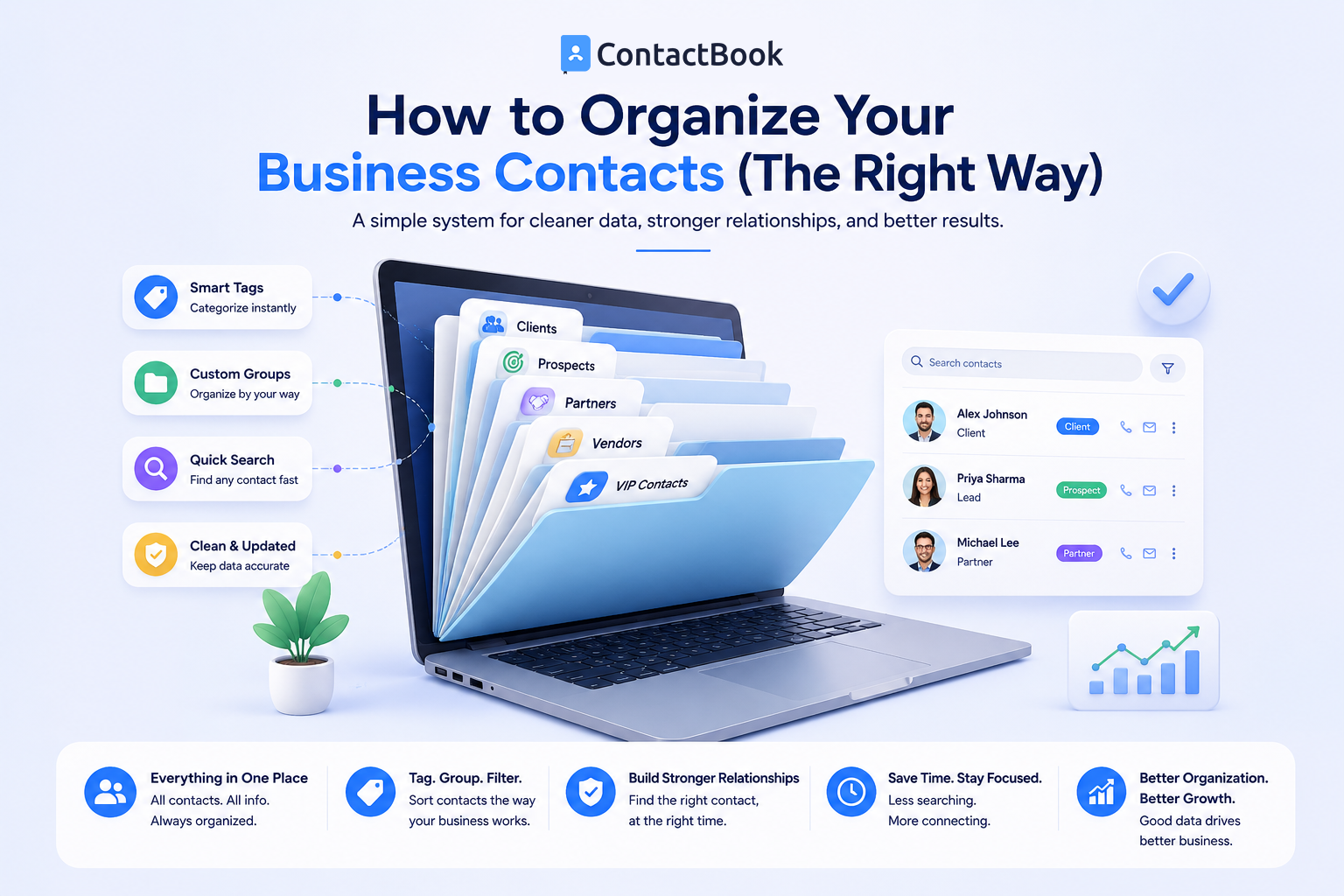
Every business relies on strong relationships. Whether you're communicating with customers, vendors, suppliers, partners, job candidates, or employees, having quick access to accurate contact information helps your team work more efficiently. However, as your business grows, keeping contacts organized becomes increasingly challenging.
Many companies begin by storing contacts in spreadsheets, personal phones, email address books, or handwritten notes. While these methods may work for a small team, they often create duplicate records, outdated information, and confusion as more employees need access to the same contacts.
The good news is that organizing your business contacts doesn't have to be complicated. With the right structure and tools, you can create a contact database that is easy to search, maintain, and share across your organization.
In this guide, you'll learn the best way to organize business contacts, common mistakes to avoid, and how ContactBook helps businesses manage contacts more effectively.
Why Organized Business Contacts Matter
An organized contact database does more than keep names and phone numbers in one place. It improves productivity, strengthens collaboration, and helps your business maintain professional relationships.
When employees can quickly find the right contact, they spend less time searching and more time serving customers or completing important work.
Faster Access to Information
Searching through spreadsheets, email conversations, or personal phones wastes valuable time.
A well-organized contact database allows employees to locate the right contact within seconds.
Better Team Collaboration
When everyone uses the same contact information, communication becomes more consistent.
Shared contact management reduces duplicate records and ensures every department works from accurate business data.
Stronger Business Continuity
Business relationships should remain with the organization, not individual employees.
A centralized contact database ensures important customer and vendor information remains accessible even when team members change roles or leave the company.
Step 1: Centralize All Business Contacts
The first step is bringing all business contacts together in one place.
Many organizations store contacts across spreadsheets, mobile phones, email accounts, and notebooks. Consolidating this information into one centralized system creates a single source of truth for your team.
Eliminate Duplicate Records
Before importing contacts into a central database, review your existing records.
Remove duplicate entries and merge information where necessary to create one accurate record for each contact.
Keep Business and Personal Contacts Separate
Employees often mix personal and work contacts in the same address book.
Keeping business contacts in a dedicated system makes them easier to manage and protects important company relationships.
Step 2: Create Clear Categories
Categories help organize contacts into broad business groups.
A simple structure makes your database easier to browse and maintain.
Common Contact Categories
Most businesses benefit from categories such as:
- Customers
- Prospects
- Vendors
- Suppliers
- Partners
- Employees
- Contractors
- Recruiters
Choose categories that reflect how your business operates without creating unnecessary complexity.
Keep Categories Consistent
Everyone on the team should use the same category names.
Consistency prevents confusion and makes searching much more effective.
Step 3: Use Tags for Better Organization
While categories group contacts broadly, tags provide additional detail.
A contact can have multiple tags that describe important characteristics.
Useful Tag Examples
Tags might include:
- VIP Customer
- Enterprise
- Small Business
- Renewal Due
- Referral Partner
- North Region
- South Region
- High Priority
Using meaningful tags allows employees to filter contacts quickly without creating dozens of categories.
Review Tags Regularly
As your business evolves, some tags may become outdated.
Periodically review your tagging system to remove duplicates and keep it relevant.
Step 4: Keep Contact Information Updated
Even the best organization system loses value if the information is inaccurate.
Phone numbers, email addresses, company names, and job titles change regularly.
Update Contacts Promptly
Whenever new information becomes available, update the contact immediately.
Regular maintenance prevents employees from working with outdated information.
Schedule Database Reviews
Set aside time monthly or quarterly to review your contact database.
Removing inactive contacts and correcting outdated information helps maintain good contact hygiene.
Step 5: Make Contacts Easy to Share
Business contacts are most valuable when the right employees can access them.
Instead of maintaining separate contact lists, create a centralized system that supports collaboration.
Share Contacts Across Teams
Sales, customer support, HR, marketing, and management often work with many of the same contacts.
Shared contact management ensures everyone uses the same accurate information.
Control User Permissions
While collaboration is important, not every employee needs access to every contact.
Permission settings help businesses share information responsibly while protecting sensitive business data.
How ContactBook Helps Businesses Stay Organized
ContactBook is built specifically to help businesses organize and manage shared contacts. It provides a centralized platform where teams can store customer, vendor, partner, supplier, and employee information in one place.
Businesses can create custom groups, assign tags, organize contacts into categories, and manage user permissions to ensure the right people have access to the right information. Instead of relying on spreadsheets or personal address books, ContactBook gives every authorized employee access to one reliable source of contact information.
This centralized approach improves collaboration, reduces duplicate records, and makes it much easier to keep business contacts organized as your company grows.
Common Mistakes
One common mistake is storing business contacts in multiple places. When information exists across spreadsheets, phones, and email accounts, employees often struggle to determine which version is correct.
Another mistake is creating too many categories and tags. An overly complex organization system becomes difficult to maintain and discourages employees from using it consistently.
Businesses also overlook the importance of regular maintenance. Even a well-organized database needs periodic reviews to remove outdated information and keep contact records accurate.
Frequently Asked Questions
What is the best way to organize business contacts?
The best approach is to centralize all contacts, organize them into clear categories, use meaningful tags, remove duplicate records, and regularly update information using dedicated contact management software.
Should I organize contacts with categories or tags?
Both serve different purposes. Categories create broad groups such as customers or vendors, while tags add detailed information that makes searching and filtering easier.
Why shouldn't businesses use spreadsheets for contact management?
Spreadsheets become difficult to maintain as businesses grow. They often lead to duplicate records, outdated information, version control issues, and limited collaboration compared to dedicated contact management software.
Final Thoughts
Organizing business contacts is about more than keeping an address book tidy. It creates a strong foundation for better communication, smoother collaboration, and stronger customer relationships. A structured contact database saves time, reduces errors, and ensures important business information remains accessible to the entire team.
The right approach starts with centralizing contacts, creating clear categories, using consistent tags, and keeping information up to date. As your business grows, these simple habits make a significant difference in day-to-day operations.
For businesses looking to simplify contact organization, ContactBook provides a centralized platform built specifically for shared contact management. By replacing scattered spreadsheets and personal contact lists with one organized database, ContactBook helps teams stay connected, work more efficiently, and build stronger business relationships.

.png)


.svg)


.svg)



