
How University Admissions Teams Manage Thousands of Student Contacts Without Chaos

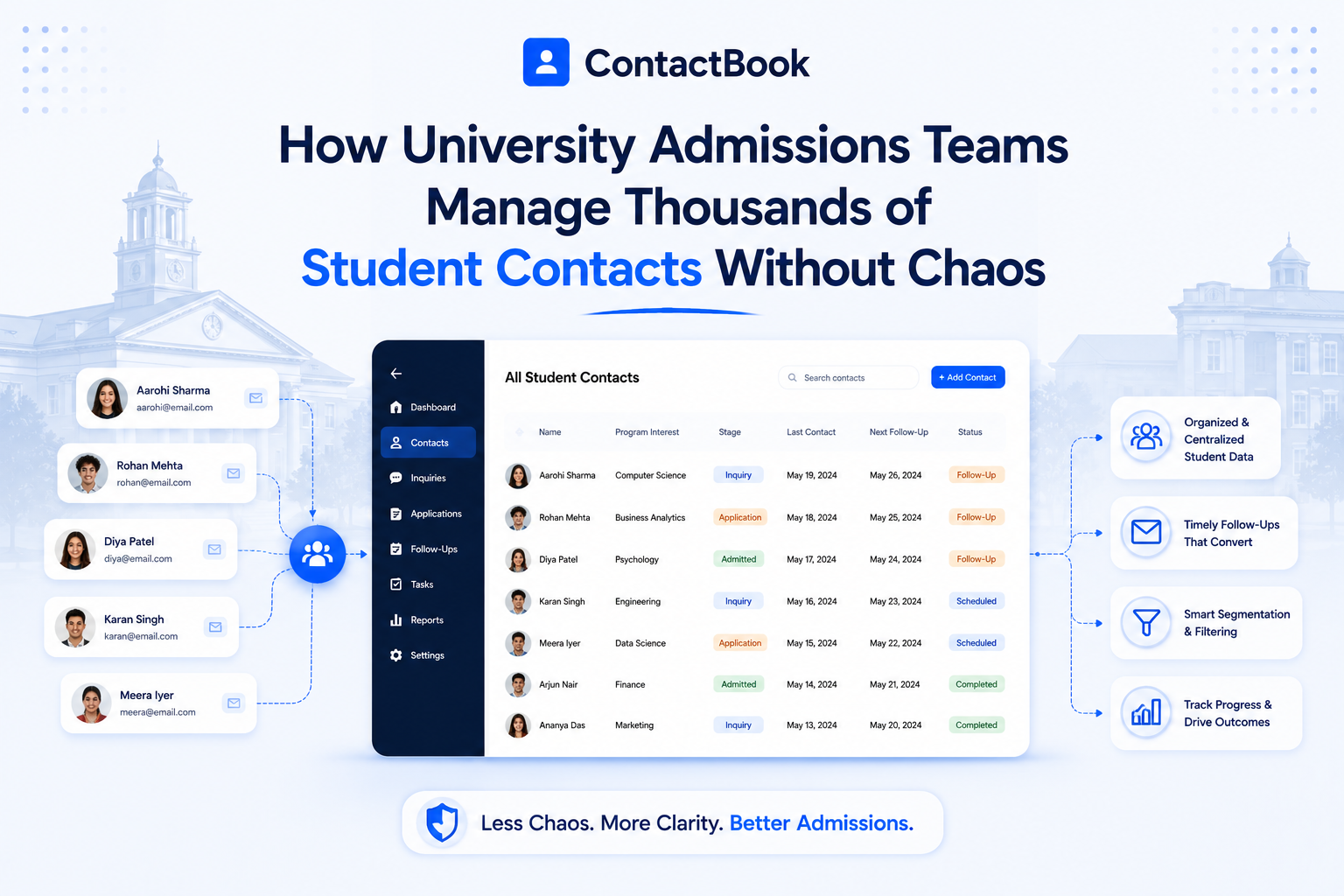
University admissions teams do not just manage applications.
They manage relationships.
Every student inquiry, campus tour registration, education fair conversation, parent phone call, counselor email, scholarship question, alumni referral, and WhatsApp message can become part of the enrollment journey.
That sounds exciting until the contact data starts spreading everywhere.
One admissions officer has student details in Gmail. Another has school counselor contacts in a spreadsheet. A regional recruiter has event leads saved on their phone. Parent contact details are buried in email threads. A scholarship team has its own list. The international admissions team tracks prospects separately.
At first, everyone finds a way to manage.
Then the season gets busy.
A student asks for an update, but nobody knows who last spoke to them. A parent calls with a question, but the contact record is incomplete. A counselor refers three students, but their details are saved in different places. An admissions rep leaves, and suddenly hundreds of important contacts are locked inside personal accounts.
That is how admissions contact chaos begins.
In 2026, university admissions teams need more than spreadsheets and personal address books. They need a shared, organized, and reliable way to manage thousands of student contacts without losing context.
That is exactly where a contact management system like ContactBook becomes valuable.
Why Student Contact Management Is Now a Serious Admissions Challenge
Admissions teams are working in a more competitive and data-heavy environment than ever.
In the U.S., postsecondary enrollment reached over 19.4 million students in fall 2025, according to the National Student Clearinghouse Research Center. That included 16.2 million undergraduate and 3.2 million graduate enrollments, showing how large and complex the student recruitment environment has become.
For universities, that means admissions teams are not only processing students. They are managing thousands of relationships across different stages, programs, regions, and communication channels.
Admissions Is No Longer a One-Step Process
A prospective student may first connect with a university at a school fair. Then they might download a brochure, attend a webinar, email the admissions office, speak with a counselor, visit campus, ask about financial aid, and finally submit an application months later.
During that journey, multiple people may interact with the same student.
If the contact record is scattered, the experience breaks.
The student has to repeat the same information. The admissions team misses context. Follow-ups become inconsistent. Important details disappear in inboxes and spreadsheets.
Every Contact Carries Enrollment Value
A student contact is not just a name and email address.
It may include program interest, graduation year, location, source, parent details, counselor name, scholarship interest, event history, follow-up notes, application status, and communication preferences.
When that information is organized, the admissions team can personalize outreach and move faster.
When it is scattered, the team loses opportunities.
The Real Problem: Admissions Teams Have Too Many Contact Sources
The biggest challenge is not the number of students. It is the number of places where student contact data gets stored.
A typical admissions team may collect contacts from inquiry forms, school visits, education fairs, webinars, campus tours, emails, phone calls, WhatsApp messages, spreadsheets, counselors, parent conversations, alumni referrals, social media, and business cards.
Each channel creates useful data. But if those contacts do not come together in one place, the team never gets a complete picture.
Spreadsheets Work Until They Don’t
Spreadsheets are often the first tool admissions teams use because they are simple and familiar.
But spreadsheets become risky as contact volume grows.
Someone downloads an old version. Someone adds a duplicate student. Someone forgets to update the phone number. Someone changes the program interest but does not tell the rest of the team. Another staff member adds notes in a separate file.
Eventually, the team has five versions of the truth.
That is when spreadsheet-based admissions contact management starts slowing everyone down.
Personal Accounts Create Hidden Risk
Another common problem is contacts stored in personal Gmail accounts, mobile phones, or individual address books.
This creates a serious continuity issue.
If an admissions officer leaves, changes regions, or moves to another department, their student contacts may not be available to the rest of the team. That can hurt follow-ups, relationships with schools, parent communication, and student conversion.
A university cannot afford to lose relationship data because it was stored in the wrong place.
What Admissions Teams Actually Need From a Contact System
Admissions teams do not always need a heavy CRM on day one.
Many teams first need a better way to centralize, organize, share, and act on contact data.
A good admissions contact system should make it easy to find the right student, understand where they came from, see who owns the relationship, add context, and know the next follow-up.
One Central Place for Every Student Contact
The first requirement is a single source of truth.
Instead of student contacts being scattered across spreadsheets, phones, inboxes, and individual Google Contacts, the team needs one central contact database.
ContactBook positions itself as “one place for all your contacts” and helps teams manage contacts from a single place and access them everywhere together. It also supports importing contacts from Gmail, LinkedIn, and other platforms, which is useful when teams are collecting contacts from multiple sources.
For admissions teams, this means every student, parent, counselor, school representative, alumni contact, and vendor can be managed in one organized system.
Shared Access Without Losing Control
Admissions is a team effort. But not everyone needs access to everything.
A regional recruiter may need contacts from a specific territory. A financial aid advisor may need scholarship-related students. An international admissions team may need country-specific contacts. A counselor relations manager may need school and counselor contacts.
ContactBook helps teams organize contacts into groups and share them with relevant users. Its Google Play listing also describes contact grouping, tags, filters, collaborative management, and permission-based sharing so teams can control who can view or edit shared contacts.
That helps universities collaborate without turning the contact database into an uncontrolled mess.
Context Beyond Name and Email
Admissions teams need more than basic contact details.
They need notes from calls, event details, application interest, parent context, counselor referrals, follow-up reminders, and sometimes documents or attachments.
ContactBook’s contact management category page highlights centralized contacts, groups, tags, notes, reminders, secure sharing, and relationship management without the complexity of a full CRM.
That makes it easier for admissions teams to understand the full relationship, not just the contact record.
How ContactBook Helps Admissions Teams Manage Thousands of Contacts
ContactBook is especially useful for admissions teams that want a simple, affordable, and collaborative contact management system without jumping into a complex CRM setup too early.
It gives teams the structure they need to manage contact chaos while staying easy to use.
Centralize Student, Parent, and Counselor Contacts
The first step is bringing all admissions contacts into one shared system.
Admissions teams can use ContactBook to organize students, parents, school counselors, education agents, scholarship contacts, alumni referrers, event vendors, and internal team contacts.
This helps stop the daily “Who has this contact?” problem.
Instead of searching through inboxes or asking around, team members can find the right contact quickly.
Organize Contacts With Tags and Groups
Admissions contacts need smart organization.
A student may be tagged by program interest, location, application stage, event source, scholarship interest, graduation year, or priority level.
For example, an admissions team might use tags like “Fall 2026,” “Engineering,” “International Lead,” “Campus Tour,” “Scholarship Inquiry,” “High Intent,” “Parent Follow-Up,” or “School Fair.”
Groups can help separate contacts by region, campus, department, program, counselor network, or event.
ContactBook supports groups, tags, and filtering, making it easier to organize contacts by the criteria that matter to each team.
This creates structure without forcing admissions teams into a complicated CRM workflow.
Add Notes So Context Never Gets Lost
A student contact without context is not very useful.
The admissions team needs to know what the student asked, which program they prefer, whether their parent joined the call, whether they are waiting for scholarship information, or whether they requested a campus visit.
With ContactBook, teams can add notes to contacts so the next person who opens the record understands the relationship.
This matters because admissions conversations often involve multiple team members. If one counselor speaks with the student today and another follows up next week, notes help keep the experience consistent.
The student feels remembered.
The team feels aligned.
Set Reminders for Follow-Ups
Admissions is full of follow-up moments.
A student asks to be contacted after exams. A parent wants a fee breakdown next week. A counselor wants updated brochures before a school visit. A scholarship inquiry needs a reminder before the deadline. A campus tour attendee needs a follow-up email after the visit.
Without reminders, these moments disappear.
ContactBook supports reminders as part of its contact management workflow, helping teams avoid missing important follow-ups.
For admissions teams, this can directly improve responsiveness and relationship quality.
Scan Business Cards at Education Fairs
University admissions teams still collect business cards at fairs, school visits, conferences, and partner meetings.
But paper cards are easy to lose.
ContactBook’s homepage highlights mobile business card scanning, allowing users to scan business cards, store them as contacts, and instantly add key information, tags, notes, or shared groups for others to access.
That is useful for admissions officers who meet counselors, agents, parents, school principals, alumni, and prospective students at events.
Instead of returning from a fair with a pile of cards, the team can return with organized, shareable contacts.
Use Mobile Access During Travel and Events
Admissions work often happens outside the office.
Recruiters travel to schools. Counselors attend fairs. Staff members host campus tours. Teams visit partner institutions. International admissions officers travel across regions.
ContactBook’s Google Play listing describes mobile contact organization, grouping, tagging, filtering, sharing, and collaborative management, which makes it useful for admissions teams working on the go.
When a contact can be saved, tagged, and shared immediately, fewer details are lost.
Why ContactBook Is Better Than Spreadsheets for Admissions Teams
Spreadsheets are easy to start with, but hard to scale.
ContactBook is better for admissions teams because it is built for living contact data, not static lists.
Spreadsheets Store Data. ContactBook Manages Relationships.
A spreadsheet can tell you a student’s name and email address.
ContactBook can help your team organize that student by group, add tags, include notes, set reminders, share access, and keep the contact updated across collaborators.
That is the difference between storing a list and managing a relationship.
Spreadsheets Create Version Problems
When admissions teams use spreadsheets, there is always a risk that someone is working from the wrong version.
ContactBook helps teams work from shared, updated contact records so everyone can access the latest information.
Spreadsheets Do Not Handle Team Permissions Well
A spreadsheet is usually either shared or not shared.
ContactBook gives teams more control over contact sharing and collaboration, including permission-based access.
For universities, that matters because student contact data should be accessible, but not uncontrolled.
ContactBook vs Admissions CRM: Which One Does Your Team Need?
Many universities consider admissions CRM software when their contact volume grows.
That can be the right choice for some institutions.
Admissions CRM systems are often built to manage inquiry pipelines, applications, communication workflows, dashboards, and admissions funnels. Salesforce’s education recruitment page, for example, describes tracking prospective student inquiries, alerts, tasks, and application status from a single dashboard.
But not every team needs that level of complexity immediately.
Choose an Admissions CRM If You Need Full Enrollment Pipelines
A full admissions CRM makes sense when your university needs pipeline automation, application tracking, multi-channel campaigns, scoring, reporting, and deep integration with student information systems.
Those tools can be powerful, but they often require setup, training, and ongoing administration.
Choose ContactBook If You Need Better Contact Management First
ContactBook is a better fit when the real problem is scattered contact data.
If contacts are spread across Google Contacts, Gmail, spreadsheets, phones, CSV files, and staff accounts, ContactBook helps solve that problem faster and more simply.
It is especially useful for teams that want shared contacts, tags, groups, notes, reminders, mobile access, business card scanning, and permissions without the complexity of a full CRM.
For many admissions teams, this is the smarter first step.
Common Admissions Contact Management Mistakes
Admissions teams are busy, so contact chaos often builds slowly.
The good news is that most problems are avoidable.
Mistake 1: Treating Student Contacts Like Simple Address Book Entries
A student contact is not just an email address.
It represents a potential enrollment relationship. That record should include source, interest, notes, follow-up timing, and team ownership.
Mistake 2: Keeping Event Leads Separate From Main Contacts
Education fair and campus tour contacts often end up in temporary spreadsheets.
That creates follow-up delays.
Event contacts should be added to the main contact system quickly, tagged by event, and assigned to the right team.
Mistake 3: Letting Every Counselor Use Their Own System
When every admissions officer manages contacts differently, the team cannot scale.
Universities need a shared contact structure so contacts are organized consistently across regions and departments.
Mistake 4: Forgetting Parent and Counselor Relationships
Admissions teams often focus only on students, but parents and school counselors influence decisions too.
Managing those relationships in the same contact system helps teams communicate better.
Mistake 5: Waiting Until Application Season to Clean Data
Admissions contact cleanup should not happen at the busiest time of year.
The best teams keep contacts organized continuously with tags, groups, notes, and reminders.
A Better Contact System for the Student Journey
The student journey has many stages, and each stage needs different contact context.
Inquiry Stage
At this stage, admissions teams need to capture the student’s name, email, phone number, program interest, location, source, and preferred communication channel.
A centralized system prevents new inquiries from getting lost.
Engagement Stage
During webinars, campus tours, school visits, and email conversations, the team needs to add notes and tags.
This helps personalize communication and avoid repeated questions.
Application Stage
As students move toward applying, the contact record should include reminders for deadlines, documents, scholarship questions, and parent follow-ups.
Decision Stage
After acceptance, admissions teams may need to track enrollment intent, deposit reminders, housing questions, and orientation communication.
Counselor and Parent Relationship Stage
Beyond individual students, universities also manage long-term relationships with high school counselors, parents, alumni referrers, and education partners.
These contacts should be organized too, because they often influence future student inquiries.
Benefits of Better Contact Management for Admissions Teams
When admissions contacts are organized, everything becomes easier.
Faster Follow-Ups
Students expect quick responses.
A centralized contact system helps admissions teams find details faster and follow up with more confidence.
Better Personalization
When notes, tags, and context are easy to access, messages feel more personal.
A student who attended a webinar should receive different communication than a student who met the team at a school fair.
Stronger Team Collaboration
Shared contacts reduce dependency on individual staff members.
Everyone works from the same contact system, which makes handoffs smoother.
Fewer Lost Opportunities
When contacts are tagged, shared, and connected to reminders, fewer students fall through the cracks.
Better Relationship Continuity
If an admissions officer leaves, the relationship history stays with the institution.
That protects the university’s long-term recruitment efforts.
Why ContactBook Creates Authority for Admissions Teams
Admissions teams need tools that are powerful enough to support real workflows but simple enough for busy staff to use every day.
That is where ContactBook stands out.
It is not a heavy enrollment CRM. It is a focused contact management platform built around the practical problems teams face: scattered contacts, poor sharing, duplicate records, missing context, and forgotten follow-ups.
ContactBook already supports the features admissions teams need most: centralized contacts, shared groups, tags, notes, reminders, mobile access, business card scanning, Google Contacts sharing, and permission-based collaboration.
For universities that have outgrown spreadsheets but do not want to overcomplicate the admissions process, ContactBook gives teams a cleaner, faster, and more collaborative way to manage student relationships.
Final Thoughts
University admissions is a relationship-driven process.
Every student contact matters. Every counselor relationship matters. Every parent conversation matters. Every follow-up matters.
But when contact data is scattered across spreadsheets, phones, personal Gmail accounts, inboxes, and event lists, even the best admissions team can lose track.
The solution is not always a complicated CRM.
Sometimes, the smarter first step is a centralized contact management system that helps teams organize, share, update, and act on contacts without chaos.
ContactBook helps admissions teams manage thousands of student contacts with structure, visibility, and collaboration.
So instead of asking, “Who has this student’s details?”
Your team can focus on the question that really matters:
How do we help this student take the next step?
FAQs
What is student contact management?
Student contact management is the process of organizing, updating, sharing, and tracking student, parent, counselor, and admissions-related contacts across the enrollment journey.
Why do university admissions teams need contact management software?
Admissions teams need contact management software because student contacts often come from many sources, including forms, fairs, emails, calls, webinars, school visits, and spreadsheets. A contact management system helps keep everything centralized and easier to act on.
Is ContactBook useful for university admissions teams?
Yes. ContactBook helps admissions teams centralize student contacts, organize them with tags and groups, add notes, set follow-up reminders, share contacts with the right team members, and manage contacts across mobile and Google-based workflows.
Can ContactBook replace an admissions CRM?
ContactBook can replace an admissions CRM if the team mainly needs contact organization, sharing, notes, reminders, permissions, and follow-up management. If the university needs full application tracking, enrollment automation, and SIS integration, a dedicated admissions CRM may still be needed.
How can admissions teams organize student contacts?
Admissions teams can organize student contacts by program interest, application year, location, event source, counselor, school, priority level, scholarship interest, or application stage using tags and groups.
How does ContactBook help with education fair contacts?
ContactBook’s mobile app supports business card scanning, allowing admissions teams to scan cards, save contacts, add tags and notes, and place contacts into shared groups for team follow-up.
Why are shared contacts important for admissions teams?
Shared contacts help admissions teams avoid information silos. They ensure student, parent, counselor, and partner contacts are accessible to the right people, even when staff members change roles or leave.
What is the best way to avoid student contact chaos?
The best way is to centralize student contacts, use consistent tags and groups, add notes after conversations, set follow-up reminders, share contacts with the right team members, and keep contact data updated continuously.

.png)


.svg)


.svg)



