
The Problem with Google Contacts for Teams — And How to Fix It

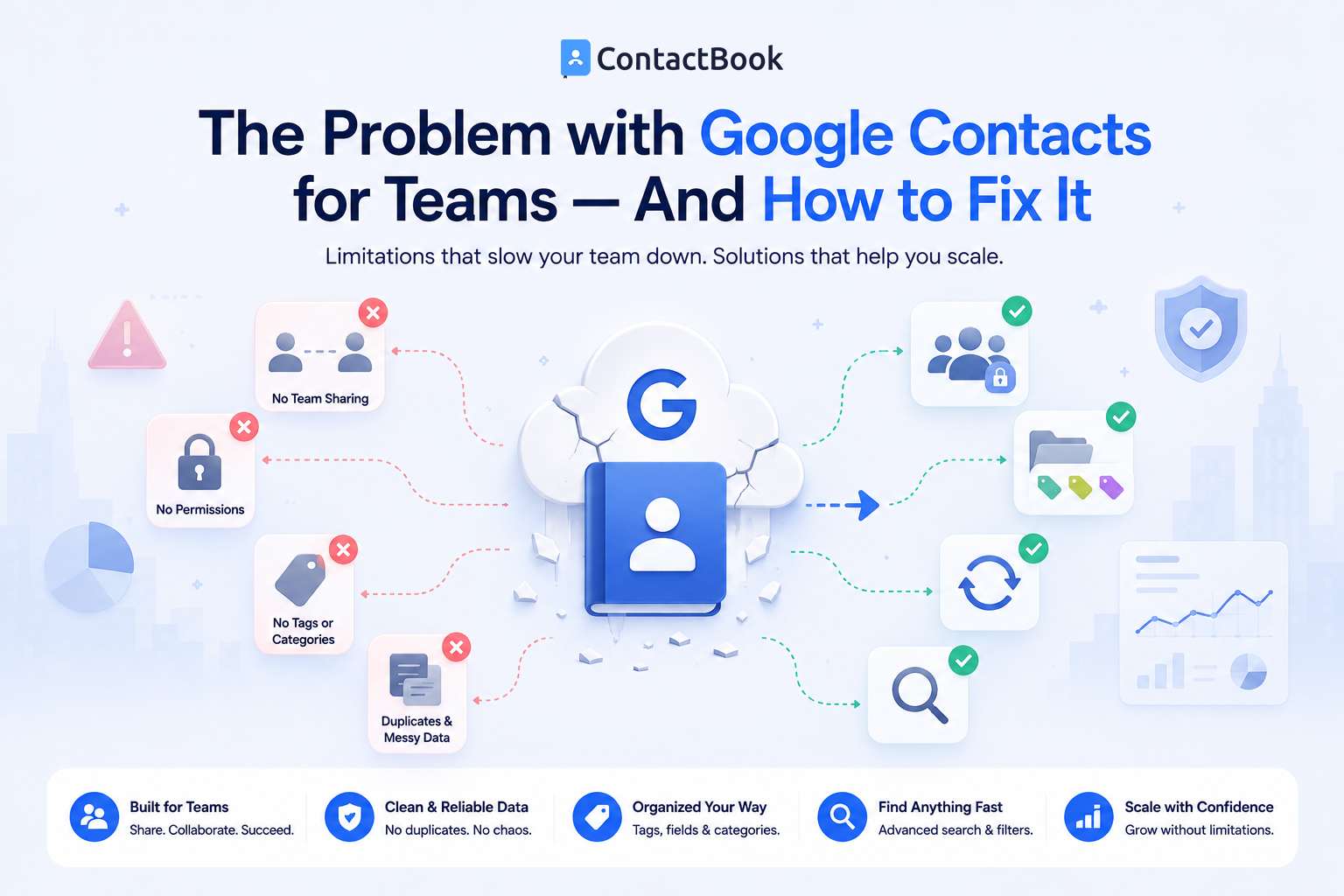
Google Contacts is one of the most widely used contact management tools in the world. Since it's included with every Google account and integrates seamlessly with Gmail, many businesses naturally start using it to store customer, vendor, and employee contact information.
For individual users, Google Contacts works extremely well. But when multiple people need access to the same business contacts, its limitations become much more apparent. Teams often end up with duplicate contacts, outdated information, and separate address books that make collaboration difficult.
If your business relies on shared customer relationships, Google Contacts alone may no longer be enough. In this article, we'll explore the biggest challenges teams face with Google Contacts, explain why they happen, and show how a dedicated contact management solution like ContactBook can solve them.
Why Teams Start with Google Contacts
Google Contacts is easy to use, free for personal accounts, and available anywhere you can access your Google account.
For startups and small businesses, it feels like the simplest way to begin organizing business contacts.
Easy Integration with Gmail
Because Google Contacts is built into Gmail, employees can quickly save email addresses and communicate without switching between different applications.
This makes it convenient for managing personal contacts and one-to-one communication.
No Additional Software Required
Many businesses already use Google Workspace, so Google Contacts is immediately available without installing new software or paying for another subscription.
For small teams with basic needs, this may be enough in the beginning.
The Biggest Problems with Google Contacts for Teams
As your business grows, managing contacts across multiple employees becomes more complicated. Google Contacts was designed primarily as a personal contact manager, which can create challenges for collaborative teams.
Contacts Are Tied to Individual Accounts
One of the biggest limitations is that contacts are generally stored within individual Google accounts.
If one employee saves an important client or vendor contact, other team members may not automatically have access to it. This creates information silos and slows collaboration.
Shared Contact Management Is Limited
Google Workspace includes a company directory for internal employee information, but it is not intended to function as a collaborative database for customer, supplier, or partner contacts.
Teams often resort to manual workarounds such as exporting contacts or maintaining shared spreadsheets, both of which require ongoing effort.
Duplicate and Outdated Records
When multiple employees maintain their own contact lists, it's common for the same customer to appear multiple times with different information.
Without one centralized database, keeping every contact updated becomes difficult.
Employee Turnover Can Create Gaps
If an employee stores valuable business contacts only in their personal Google account, those contacts may become difficult to access when they change roles or leave the company.
This can disrupt client communication and affect business continuity.
How These Challenges Affect Your Business
Poor contact management impacts much more than organization. It can influence productivity, customer satisfaction, and team efficiency.
Slower Customer Responses
Employees spend unnecessary time searching through personal address books, spreadsheets, or email conversations to locate contact information.
This delays responses and can reduce the overall customer experience.
Reduced Team Collaboration
Sales, support, marketing, and management teams often need access to the same business contacts.
Without shared contact lists, departments work in isolation and duplicate effort becomes more common.
Missed Business Opportunities
When contact information is incomplete or difficult to find, follow-ups may be delayed and valuable relationships can weaken over time.
An organized contact database helps ensure important opportunities are never overlooked.
How to Fix the Problem
Instead of relying solely on personal address books, businesses can adopt a centralized approach to contact management.
Create One Shared Contact Database
Maintain all business contacts in one central location that authorized employees can access.
This ensures everyone works from the same accurate and up-to-date information.
Organize Contacts Clearly
Group contacts by customers, prospects, vendors, partners, departments, or projects.
Adding tags and categories makes searching much faster as your contact database grows.
Control User Access
Not every employee needs access to every contact.
Choose a contact management solution that allows administrators to assign permissions based on job roles and responsibilities.
Keep Information Updated
Encourage employees to update contact information whenever changes occur.
With a centralized system, updates become available to everyone immediately, reducing duplicate work and outdated records.
Why ContactBook Is a Better Solution for Teams
ContactBook is built specifically for businesses that need to organize and share contacts across teams. Instead of storing business relationships in individual Google accounts, ContactBook provides a centralized contact database where authorized employees can access accurate and up-to-date information.
Teams can create shared contact lists, organize contacts using custom groups and tags, manage permissions, and maintain one reliable source of business contacts. Rather than replacing Gmail, ContactBook complements it by handling what Google Contacts was not designed to do—collaborative business contact management.
This allows employees to continue using Gmail for communication while relying on ContactBook for organized, shared contact management.
Common Mistakes
One common mistake is assuming Google Contacts automatically works as a team contact management system. While it is excellent for personal contacts, businesses often need additional tools to support collaboration.
Another mistake is allowing employees to maintain separate customer contact lists. This frequently leads to duplicate records, outdated information, and inconsistent communication.
Businesses should also avoid waiting until contact databases become unmanageable before implementing a centralized solution. Organizing contacts early makes future growth much easier.
Frequently Asked Questions
Is Google Contacts designed for teams?
Google Contacts is primarily designed for personal contact management. While Google Workspace includes a company directory for internal contacts, businesses often need dedicated contact management software for sharing customer and business contacts across teams.
Can multiple employees share Google Contacts?
There are limited ways to share contacts using Google Workspace or manual export and import methods. However, these approaches are not as efficient as using a centralized shared contact management platform.
What is the best way to manage shared business contacts?
A dedicated contact management solution allows teams to maintain one centralized contact database, create shared contact lists, organize contacts with tags and groups, and ensure authorized employees always have access to accurate business information.
Final Thoughts
Google Contacts is an excellent tool for managing personal contacts, and it integrates seamlessly with Gmail. However, as businesses grow and collaboration becomes more important, its limitations become increasingly noticeable.
A centralized contact management system helps eliminate duplicate records, improve collaboration, protect valuable business relationships, and ensure every team member has access to accurate contact information. Instead of relying on disconnected personal address books, businesses can build one trusted source of contact data that supports long-term growth.
For organizations looking to move beyond the limitations of Google Contacts, ContactBook offers an easy-to-use platform for organizing, sharing, and managing business contacts. By combining Gmail for communication with ContactBook for centralized contact management, teams can work more efficiently, respond faster, and build stronger business relationships.

.png)


.svg)


.svg)



