
What Is LinkedIn Data Enrichment? A Complete Guide for 2026

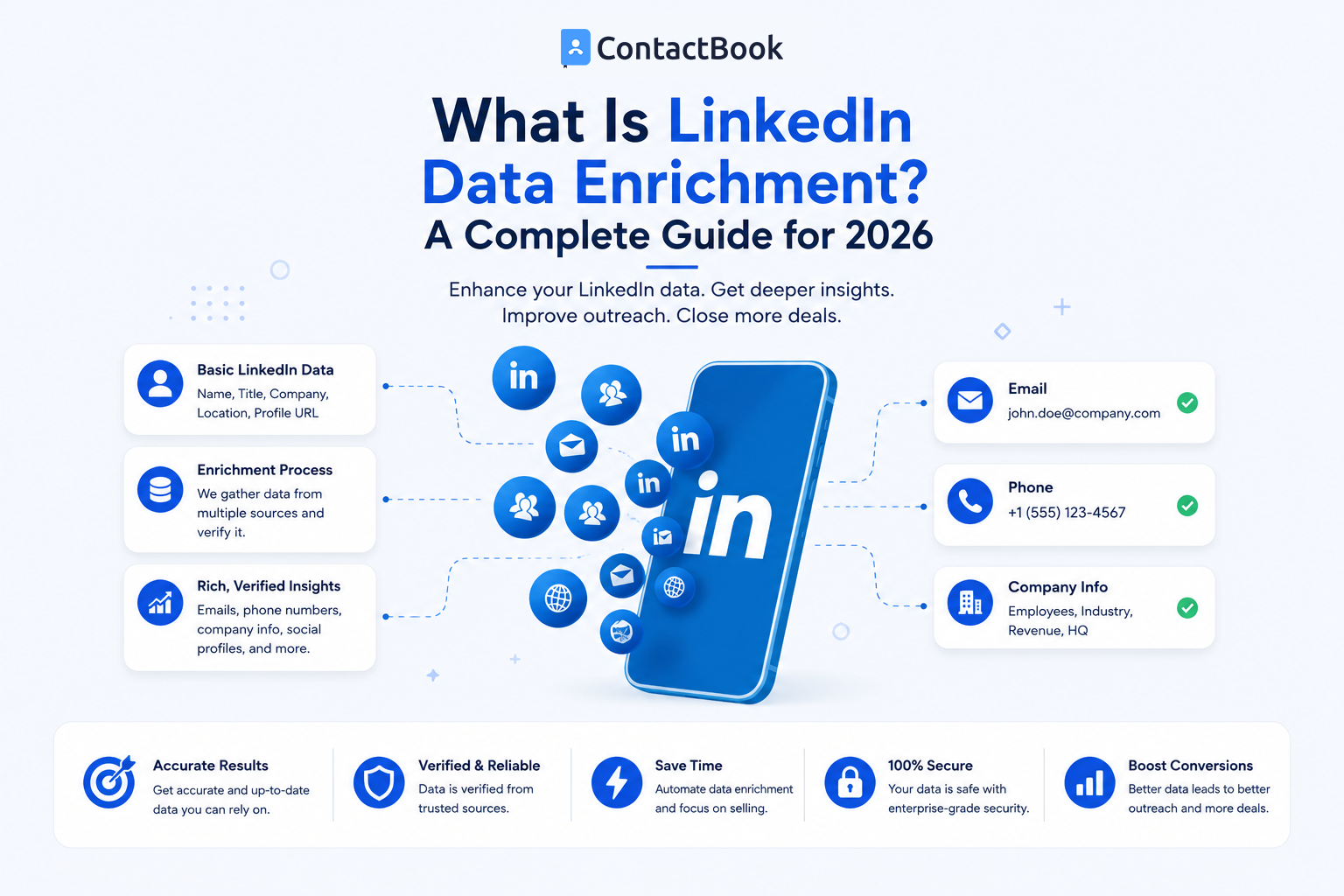
Finding someone on LinkedIn can give you a useful starting point.
You may know their:
- Name
- Job title
- Company
- Location
- Professional experience
But that information may not be enough for your sales, recruiting, partnership, or business-development workflow.
You may also need an appropriate business email, phone number, company information, industry details, or other professional context.
This is where LinkedIn data enrichment enters the picture.
Data enrichment takes the information you already have about a professional contact and adds relevant information from other appropriate data sources.
For example:
Before enrichment
Name: Sarah Miller
Company: XYZ Software
LinkedIn profile: Available
After enrichment
Name: Sarah Miller
Company: XYZ Software
Position: VP of Sales
Business email: Available
Business phone: Available
Location: London
Company domain: xyzsoftware.com
Industry: SaaS
Instead of treating a LinkedIn profile as the final contact record, enrichment helps turn basic professional information into a more complete business contact.
Let's look at how it works.
What Is LinkedIn Data Enrichment?
LinkedIn data enrichment is the process of using information associated with a professional profile as a starting point and adding additional relevant business or contact information from other sources.
The starting information might include:
- Full name
- LinkedIn profile URL
- Company
- Job title
- Location
A contact-data or enrichment provider may then attempt to add information such as:
- Business email
- Phone number
- Mobile number
- Company website
- Industry
- Company size
- Seniority
- Location
- Other professional details
It is important to understand that enrichment does not necessarily mean simply copying everything from LinkedIn.
LinkedIn members control the contact information they add to their profiles and its visibility. For example, LinkedIn's current help documentation says the Contact Info section can contain details such as an email address, phone number, website, and profile URL, while visibility depends on the information and the member's settings.
Third-party enrichment providers may instead use their own professional databases and other permitted data sources to complete a business contact record.
What Is Contact Enrichment?
Contact enrichment is the broader process of adding missing or useful information to an existing contact.
Imagine your database contains:
Michael Brown
ABC Technologies
This record has very little value on its own.
After enrichment, it might contain:
Name: Michael Brown
Company: ABC Technologies
Role: Head of Operations
Business email: Available
Business phone: Available
Location: New York
Company website: abctechnologies.com
Source: Professional research
Now the contact is much easier to identify, categorize, and manage.
Contact enrichment is not limited to LinkedIn.
A company might enrich contacts imported from:
- Event registrations
- Existing databases
- Business cards
- Website forms
- CSV files
- Networking events
- Professional directories
- Sales prospect lists
LinkedIn is simply one common place where businesses first identify professional contacts.
What Is Lead Enrichment?
Lead enrichment is closely related to contact enrichment but usually has a stronger sales focus.
A lead may enter a sales process with only limited information.
For example:
Name: Jessica Wilson
Company: Example Corp
Lead enrichment may add:
Role: Marketing Director
Industry: Technology
Company size: 200–500 employees
Business email: Available
Phone: Available
Location: United States
This gives a sales team more information to decide:
- Is this person relevant?
- Does the company fit our target market?
- Is this person likely to influence the buying decision?
- Which team member should own the relationship?
- What is an appropriate communication channel?
That is why enrichment can be useful before outreach begins.
The objective is not simply to add more fields.
The objective is to add useful context.
LinkedIn Data Enrichment vs. Contact Extraction
These terms are sometimes treated as if they mean the same thing.
They don't.
Contact Extraction
Extraction generally means capturing information from an existing source.
For example:
A person's LinkedIn profile shows:
Name: Robert Smith
Company: Example Ltd.
Job Title: Sales Director
A contact-capture workflow might save those existing details into another system.
Data Enrichment
Enrichment starts with that basic information and attempts to add additional information.
For example:
LinkedIn profile
↓
Name + Company + Position
↓
Enrichment
↓
Business email + phone + company data
So:
Extraction = Capture what you already have access to
Enrichment = Add relevant information from additional sources
Understanding this difference is important when choosing a LinkedIn contact finder.
Why Do Businesses Use LinkedIn Data Enrichment?
The biggest benefit is not simply having more data.
It is having enough information to make contacts useful.
1. Complete Incomplete Contact Records
Many business databases contain records such as:
John Smith — XYZ Ltd.
or:
Priya Shah — LinkedIn profile
Without additional context, these contacts become difficult to use.
Enrichment can help fill appropriate missing fields.
2. Identify the Right Prospects
A person's role can significantly affect whether they are relevant to your business.
Suppose you sell software for HR teams.
These two contacts work at the same company:
Person A: Software Engineer
Person B: Head of Human Resources
The second person may be much more relevant to your campaign.
Adding job title, department, seniority, and company information helps teams focus on the right people.
3. Improve Lead Qualification
Not every contact should become a sales lead.
Lead enrichment can help teams compare prospects against their ideal customer profile.
For example:
Target customer:
Company size: 50–500 employees
Industry: SaaS
Location: United States
Target role: Head of Sales
Enrichment can help determine whether a prospect matches those criteria before significant sales effort is spent.
4. Reduce Manual Research
Without enrichment, employees may manually search for:
- Company websites
- Job titles
- Business emails
- Company size
- Phone numbers
- Locations
Doing that for ten contacts may be manageable.
Doing it for hundreds becomes inefficient.
A structured enrichment process can reduce repetitive research.
5. Keep Contact Databases More Useful
Business information changes.
People switch companies.
Job titles change.
Businesses expand.
Old email addresses stop working.
Contact records therefore need ongoing attention.
Enrichment and verification can help businesses identify incomplete or outdated records rather than assuming everything in an old spreadsheet is still accurate.
What Information Can Be Added Through Lead Enrichment?
The exact fields depend on the provider and source.
Common professional enrichment fields include:
Personal Professional Data
- Name
- Job title
- Department
- Seniority
- Professional profile URL
- Business location
Contact Data
- Professional email
- Business phone
- Direct dial
- Other business contact channels
Company Data
- Company name
- Company website
- Industry
- Employee count
- Location
- Company description
Not every enrichment provider will return every field.
And not every contact will have every type of information available.
A responsible workflow should expect incomplete results rather than assuming every LinkedIn profile can be converted into a complete contact record.
How Does LinkedIn Contact Enrichment Work?
The exact technical process varies between providers, but the practical workflow is easier to understand.
Step 1: Start With Known Information
You might have:
Name + Company
or:
LinkedIn profile URL
or:
Name + Job title + Company
The more accurately the individual can be identified, the easier matching becomes.
Step 2: Match the Person
The enrichment provider attempts to identify the correct professional record.
This is important because many people share the same name.
Imagine searching for:
John Smith
There could be thousands of results.
Adding:
Company: XYZ Software
significantly improves the matching context.
Step 3: Add Available Information
Once a match is found, the provider may return additional business data from its available sources.
Step 4: Verify Important Fields
High-value information should still be verified where appropriate.
For example:
Does the person's current employer match?
Is the email domain associated with the current company?
Does the job title still make sense?
Step 5: Save the Contact
Once enriched, the information needs somewhere useful to live.
This is where many enrichment workflows become messy.
The Problem With Enrichment Without Contact Management
Suppose a sales team enriches 1,000 LinkedIn prospects.
The data now includes:
Names.
Companies.
Emails.
Phone numbers.
Job titles.
Fantastic.
But then the file is saved as:
linkedin-leads-final-august-v4.csv
Three weeks later:
Someone duplicates the file.
Another salesperson creates a new version.
Someone updates a phone number in one spreadsheet but not the other.
Nobody knows which employee last spoke with a particular contact.
The company has successfully enriched its data.
But it has not successfully managed its relationships.
This is why enrichment should not end with:
Download CSV
A better process is:
Identify
↓
Enrich
↓
Verify
↓
Save centrally
↓
Organize
↓
Add context
↓
Assign ownership
↓
Follow up
LinkedIn Data Enrichment vs. Contact Management
The two processes solve different problems.
A business may need both.
The enrichment system helps answer:
“What do we know about this contact?”
The contact-management system helps answer:
“What is our relationship with this person?”
Those are very different questions.
Regarding ContactBook
ContactBook fits primarily into the second half of the enrichment workflow.
Once useful professional information has been identified, ContactBook helps teams centralize and organize those contacts.
Its current feature set supports centralized contacts, groups, tags, public and private notes, shared access, permissions, reminders, attachments, workspaces, and imports from sources such as Google, Microsoft, CSV, and VCF files.
That means an enriched record can become something more useful.
For example:
Enriched Data
Name: Mark Anderson
Company: Example Technologies
Position: Sales Director
Email: Available
Phone: Available
Managed Relationship
Name: Mark Anderson
Company: Example Technologies
Position: Sales Director
Source: LinkedIn
Tag: Enterprise Prospect
Group: SaaS Prospects
Owner: Sarah
Note: Interested in discussing partnership opportunities
Reminder: Follow up next Tuesday
The enriched data tells you who Mark is.
The contact-management information tells your team why Mark matters.
That distinction becomes increasingly important as a contact database grows.
How ContactBook Can Fit After LinkedIn Enrichment
A practical workflow could look like this:
Step 1: Identify the Person
Use LinkedIn or another professional network to identify someone relevant.
Step 2: Check Available Contact Information
First review the information the person has chosen to make accessible.
LinkedIn currently allows members to manage the details shown in their Contact Info section and control aspects of their visibility.
Step 3: Enrich When Necessary
If additional business information is genuinely needed, use an appropriate professional enrichment provider.
Step 4: Verify Important Information
Confirm that the contact still works for the listed organization and that key details are current.
Step 5: Save the Valuable Contact
Move contacts worth maintaining into your central contact system.
Step 6: Add Relationship Context
Add:
- Tags
- Groups
- Notes
- Source
- Owner
- Relationship status
- Reminder
Step 7: Keep the Contact Useful
Update the record as the relationship develops.
This prevents enrichment from becoming a one-time data exercise.
LinkedIn Data Enrichment for Sales Teams
Sales teams are one of the most obvious users of enrichment.
A sales representative may start with:
Target account: ABC Technologies
Then identify:
VP Sales
Sales Director
Head of Revenue
Enrichment can provide additional information that helps the representative evaluate and manage the prospects.
But the team still needs to avoid a common mistake:
More leads does not automatically mean better prospecting.
A database containing 10,000 incomplete or irrelevant contacts may be less useful than a carefully maintained list of 500 relevant decision-makers.
Enrichment should improve qualification and context, not simply increase spreadsheet size.
LinkedIn Data Enrichment for Recruiters
Recruiters can use similar principles.
LinkedIn may help identify:
Candidate name
Current role
Company
Professional experience
Additional professional contact information can help recruiters maintain a candidate database or reach candidates through appropriate channels.
But the relationship often continues beyond a single vacancy.
A candidate who is not interested today may become highly relevant six months later.
This makes long-term contact organization particularly important.
LinkedIn Data Enrichment for Agencies and Consultants
Agencies and consultants often rely heavily on professional relationships.
Their contacts may include:
- Prospective clients
- Existing clients
- Former clients
- Partners
- Freelancers
- Vendors
- Referrals
- Industry experts
Enrichment can help complete professional records.
Contact management then helps preserve the history and context behind those relationships.
That second part is especially valuable when several employees interact with the same professional network.
Data Quality Matters More Than Data Quantity
It is tempting to judge enrichment platforms by the number of records they claim to provide.
But a large database does not automatically create useful contacts.
Consider these two options:
Database A
10,000 contacts
But:
- Many outdated roles
- Duplicate records
- Missing context
- Unverified information
Database B
2,000 contacts
But:
- Relevant companies
- Current roles
- Useful business information
- Clear ownership
- Relationship notes
- Follow-up information
For most teams, Database B is much more valuable.
Useful enrichment should improve the quality of your contact database, not merely its size.
Common LinkedIn Data Enrichment Mistakes
1. Enriching Everyone
Not every LinkedIn profile needs additional information.
Start with relevant contacts.
2. Ignoring Verification
Do not assume every enriched field is automatically correct.
Important contact information should be checked.
3. Collecting Data Without Purpose
Before enriching a field, ask:
Why does our team need this information?
If there is no useful answer, you may not need it.
4. Leaving Contacts in CSV Files
An enriched spreadsheet can quickly become outdated or fragmented.
Contacts that genuinely matter should enter a structured management workflow.
5. Ignoring Relationship Context
A phone number tells you how someone might be reached.
It does not tell you:
- Who introduced them
- Whether your company has spoken with them
- What they are interested in
- Who owns the relationship
- When someone should follow up
This information often becomes more valuable than the original enrichment.
Is LinkedIn Data Enrichment the Same as LinkedIn Scraping?
No. The terms should not be used interchangeably.
Enrichment generally refers to adding information to an existing contact record using additional data sources.
Scraping refers to automatically extracting information from websites or online services.
A provider may offer enrichment using a separate professional database rather than scraping the LinkedIn profile being viewed.
Businesses should understand where a provider's data comes from and how its tools operate before adopting them.
LinkedIn members also have controls over their profile and contact-information visibility, including what information is eligible to appear publicly or to connections.
FAQs
What is LinkedIn data enrichment?
LinkedIn data enrichment is the process of starting with professional information such as a person's name, company, job title, or LinkedIn profile and adding relevant business information from additional appropriate sources.
What is contact enrichment?
Contact enrichment means adding missing or useful information to an existing contact record. This may include job title, company, professional email, phone number, location, or company information.
What is lead enrichment?
Lead enrichment applies contact enrichment to sales prospects. The objective is usually to provide enough additional information to understand and qualify a lead before or during the sales process.
What information can be enriched from a LinkedIn lead?
Depending on the provider and available sources, enrichment may add information such as company, position, business email, phone number, location, industry, seniority, company size, and website.
Does LinkedIn show phone numbers and email addresses?
LinkedIn profiles can include a Contact Info section containing fields such as an email address, phone number, website, and LinkedIn profile URL. What another user can see depends on the information provided and the member's visibility settings.
What should I do after enriching LinkedIn contacts?
Verify important information and move valuable contacts into a structured contact-management system. Add relevant groups, tags, notes, source information, ownership, and reminders so the data becomes useful to the wider team.
Final Thoughts
LinkedIn data enrichment is useful because a professional profile is often only the beginning of a business contact record.
You may initially know:
Name + Company + Job Title
Enrichment can help add useful professional information.
But simply adding more fields should not be the final objective.
The stronger workflow is:
Find the right person
↓
Add useful information
↓
Verify important details
↓
Organize the contact
↓
Add relationship context
↓
Share with the right people
↓
Follow up
Data enrichment helps businesses understand their contacts better.
Contact management helps businesses make those contacts useful over time.
When both processes work together, a LinkedIn profile stops being just another search result and becomes part of an organized professional network your team can actually maintain.

.png)


.svg)


.svg)



