Business Contacts Manager: How to Organize Multiple Contacts From the Same Client Company

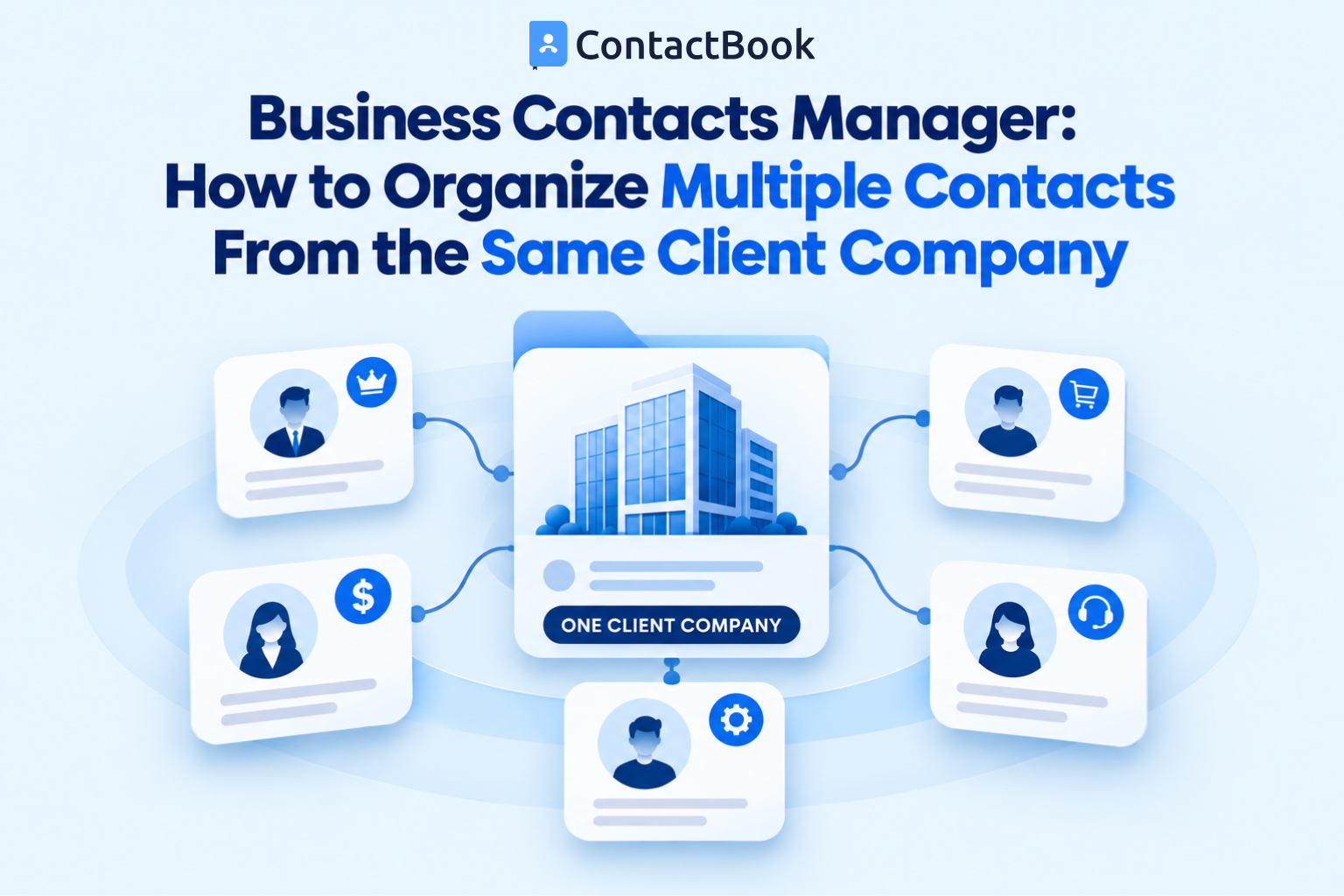
A client company is rarely represented by one person.
The person who uses your service every day may not approve the renewal. The person who signed the agreement may not handle invoices. A technical stakeholder may answer implementation questions, while an executive sponsor steps in only when priorities or budgets change.
When all those people are stored as an undifferentiated list, employees have to remember who does what. That works until someone is unavailable, changes roles, or leaves either organization.
A business contacts manager gives the organization a practical way to keep each person as an individual contact while showing how that person relates to the client account. The goal is not to create more data. It is to make the right person easy to find for the right conversation.
Quick answer: How should multiple contacts from one client company be organized?
Keep a separate contact record for each person, use one consistent company name across those records, and identify each person's relationship role. Common roles include daily coordinator, decision-maker, billing contact, technical stakeholder, escalation contact, and backup.
Use a shared group for the client account, tags for cross-account attributes, and concise shared notes for context that approved colleagues need. Assign an internal relationship owner, control who may edit the records, and review the stakeholder map whenever a role or employment status changes.
Why one contact per client is not enough
Many organizations begin with a single familiar contact. That person becomes the unofficial gateway to the account. Emails, calls, requests, and decisions all seem to flow through them.
The weakness becomes visible when the relationship changes:
- The usual contact takes leave during an urgent issue.
- An invoice is sent to the operational contact instead of accounts payable.
- A technical question waits because nobody knows the implementation owner.
- A renewal reminder reaches a user who cannot approve the budget.
- The main contact leaves, taking important relationship context with them.
- Two employees contact different people with conflicting information.
This is not simply a missing-phone-number problem. It is a relationship-structure problem.
A business contacts manager should help employees answer four questions quickly:
- Who is connected to this client company?
- What role does each person play in the relationship?
- Who inside our organization owns the relationship?
- Who should be contacted if the usual person is unavailable?
If the system cannot answer those questions, the organization still depends on personal memory, inbox history, or private spreadsheets.
What a business contacts manager should represent
In this context, a business contacts manager is not only a place to store names, phone numbers, and email addresses. It is a shared contact layer that gives authorized employees enough context to choose the correct person.
It should represent three separate ideas:
- The person: Maya Chen, with her current work email and phone number.
- The company: Northstar Supplies, written consistently across related contacts.
- The relationship role: Maya is the billing contact and a secondary contract contact.
Keeping these ideas separate matters. A job title describes a person's position inside their employer. A relationship role describes why your organization contacts them.
For example, “Finance Manager” may be the job title. “Invoice approver” may be the relationship role. The title alone does not always tell an employee what the person can decide.
Build a simple client stakeholder map
Before adding more labels, decide which contact roles genuinely matter to your workflow. Most organizations do not need a complicated stakeholder framework.
A useful starting point is:
This is intentionally a short table. Add a role only when it changes how employees communicate or make decisions.
Do not confuse role with seniority
The most senior person is not automatically the best primary contact. A founder may approve the contract, while an operations manager coordinates the work. Calling the founder about every routine request wastes time and weakens the working relationship.
Likewise, a daily coordinator may be central to delivery but unable to approve a renewal. Good client contact management makes both facts visible.
Allow one person to hold more than one role
In some client companies, one person handles billing, coordination, and approvals. Do not create duplicate records to represent those responsibilities. Keep one record and associate the relevant roles or agreed tags with it.
Allow one role to have more than one person
Large accounts may have several technical contacts or regional decision-makers. Do not force every role into a single-person field if the actual relationship is more complex.
The purpose of a business contacts manager is to reflect reality clearly, not to make reality fit an overly rigid template.
Use a consistent company identity
Stakeholder mapping breaks down when employees enter the same company in several ways. “Northstar,” “Northstar Supplies,” and “Northstar Supplies Ltd.” may appear to be separate accounts in search results or exports.
Choose one approved company name and use it across all related contact records. If employees commonly use an abbreviation, keep it in a suitable searchable field or note rather than creating another company identity.
For each person, maintain only the core information the organization needs:
- Full name
- Standard company name
- Current job title
- Work email and phone number
- Relationship role or roles
- Internal relationship owner
- Primary or backup status
- Last verified date
This article does not repeat the complete field framework. For a broader record-design guide, see Company Contact List Format: What Fields Should Your Team Include?.
Choose a clear organization model
The easiest structure is usually one shared group per client account, supported by a controlled set of tags.
Use a Group for the client account
A Group answers: “Which people belong to this working relationship?”
For example:
- Client: Northstar Supplies
- Client: Apex Manufacturing
- Client: Harbor Financial
The group contains the approved contacts associated with that account. Relevant colleagues can then access the client contact set without receiving the organization's entire address book.
Use tags for attributes that cross client accounts
A tag answers: “What characteristic or role helps us find this person?”
Examples include:
- Decision-maker
- Billing
- Technical
- Escalation
- Backup
- Renewal-Q1
Tags should be reusable. Avoid creating near-identical tags such as “Decision Maker,” “Decision-maker,” and “Approver” unless they intentionally mean different things.
ContactBook documents both Groups and Tags, including shared Groups and searchable contact details. This makes it possible to organize people by client account while still finding contacts by company, job title, email, or tag.
Use notes for context, not categorization
A shared note may explain useful context such as:
Coordinates implementation meetings. Include the technical lead when a request affects the integration.
That sentence helps a colleague communicate appropriately. It should not be replaced by a vague label, but it also should not become a long diary of every interaction.
ContactBook supports public notes and lists private notes on eligible plans. Shared notes should contain only work context that authorized colleagues genuinely need. Sensitive personal information, passwords, confidential credentials, and unnecessary personal opinions do not belong in a shared contact record.
Define primary contacts without hiding the wider relationship
Naming one primary contact can simplify routine communication. The mistake is treating “primary” as if it means “only.”
Use three levels where helpful:
- Primary working contact: The usual person for day-to-day coordination.
- Role-specific contact: The right person for billing, technical, legal, or approval questions.
- Backup or escalation contact: The person to involve when the primary contact is unavailable or an issue needs higher attention.
This structure gives employees a normal path without making the account dependent on one person.
Consider a software implementation account:
- Elena manages weekly delivery calls.
- Marcus owns the technical integration.
- Aisha approves invoices.
- Daniel sponsors the project and handles major scope decisions.
If every record simply says “Client contact,” an employee still has to search old emails to decide whom to call. If the relationship roles are visible, the next action becomes obvious.
Assign an internal relationship owner
External stakeholder roles explain whom to contact at the client. Internal ownership explains who is responsible for keeping the relationship map useful.
The owner does not need to edit every record personally. The owner is accountable for ensuring that:
- New stakeholders are added when they become relevant.
- Departed or inactive contacts are marked appropriately.
- Primary and backup roles are current.
- Conflicting details are resolved.
- Access is reviewed when internal responsibilities change.
Ownership may sit with an account manager, customer success professional, project lead, procurement owner, or another responsible employee. What matters is that it is explicit.
Without ownership, shared client contacts often become everyone's resource and nobody's responsibility.
Set access according to responsibility
Not every employee needs the ability to change every client record.
A practical access model separates three needs:
- People who only need to view and use contact details
- People responsible for correcting or adding information
- People responsible for managing the group and its collaborators
ContactBook documents contact-list sharing and permissions that control who can view, edit, or manage contacts. It also supports shared Groups and Spaces for collaboration. Plan limits and availability can change, so check the current ContactBook pricing page before designing a rollout around a specific limit.
Permission controls reduce accidental edits, but they do not replace process. Employees still need to know who may change a relationship role, remove a stakeholder, or rename a client group.
For a deeper access model, use Contact Database Governance: Who Should Be Allowed to View, Edit, or Delete Contacts?.
Handle role changes without losing continuity
People change titles, responsibilities, and employers. A useful company contact database must make those transitions routine.
When a client says, “Priya will handle this from next month,” update the stakeholder map deliberately:
- Add or verify Priya's contact record.
- Record her new relationship role.
- Confirm whether she is the primary contact, a role-specific contact, or a backup.
- Update the former owner's status without deleting useful business context prematurely.
- Check whether any reminders or pending actions need reassignment.
- Tell the relevant internal employees about the change.
Do not copy an old record and overwrite only the person's name. That can attach the previous employee's email, notes, or history to the wrong person.
Also avoid deleting a departing stakeholder immediately if the organization has a legitimate reason to preserve a minimal historical record. Apply the company's retention and privacy policies. The record can be marked inactive or former so employees do not use it for current communication.
Prevent duplicate people and duplicate accounts
Multiple stakeholder records are intentional. Duplicate records are not.
The difference is simple:
- Elena, Marcus, Aisha, and Daniel are four people at the same client company. They need four records.
- “Marcus Lee” and “M. Lee” with the same work email are probably two records for one person. They should be reviewed.
Duplicates often appear when one employee imports contacts and another creates a record manually. They also appear when a person's title or email changes and someone adds a new record instead of updating the existing one.
ContactBook's Features page says its cleanup capability identifies possible duplicate contacts so users can review and merge them. Review is important because two people can share similar names, and two legitimate records should never be merged solely because they look alike.
Before merging, compare the email address, phone number, company, title, and notes. Decide which details are current, preserve useful context, and confirm that the records refer to the same person.
Create a lightweight review routine
A business contacts manager stays useful only when teams review important relationships.
The review frequency should match the account's activity and risk. A highly active client may need a monthly stakeholder check. A stable supplier or partner relationship may need a quarterly or semiannual review.
Ask these questions:
- Is the primary working contact still correct?
- Can the decision-maker still approve the relevant purchase or renewal?
- Are billing and technical contacts current?
- Is there a usable backup contact?
- Has anyone changed company, title, or responsibility?
- Does each active contact use the same approved company name?
- Are duplicate records creating uncertainty?
- Are shared notes still accurate and appropriate?
- Do only the necessary employees have access?
Record a last-verified date if that supports the organization's process. A contact that was correct two years ago should not be treated as current without review.
A practical setup in ContactBook
ContactBook can support this stakeholder model without turning every client relationship into a full CRM implementation.
A practical workflow is:
- Import approved contacts from a connected Google or Microsoft account, or from a CSV or VCF file.
- Standardize the company name across related people.
- Create a Group for the client account.
- Add the relevant stakeholder records to that Group.
- Apply a small, controlled set of role tags.
- Add concise public notes where coworkers need shared context.
- Share the Group only with relevant colleagues.
- Assign appropriate permissions.
- Review possible duplicates before merging.
- Revisit the stakeholder map when roles or responsibilities change.
ContactBook's documented features include imports, Groups, Tags, searchable company and job-title details, shared Groups, permissions, public notes, multiple Spaces, notifications, and mobile applications. Private notes, reminders, attachments, activity history, account limits, and Google Sync availability depend on the selected plan.
ContactBook can act as the shared contact layer in this process. It should not be described as replacing every CRM, help desk, billing system, or project-management tool. Those systems may still own opportunities, tickets, invoices, and delivery tasks. The business contacts manager solves the narrower problem of keeping trusted contact information and relationship context accessible.
Common mistakes to avoid
Storing the company as one generic contact
A record called “Northstar Supplies” with a main phone number does not identify the billing approver, technical owner, or backup.
Creating a separate copy of one person for every role
One person can hold multiple responsibilities. Repeating the record causes updates to drift.
Using job titles as the only role indicator
Titles vary between companies and do not reliably describe your working relationship.
Writing critical context only in private notes
Private notes may help an individual, but approved colleagues cannot use them for continuity. Put appropriate shared context in public notes and keep personal working notes private where the plan supports them.
Giving everyone edit access
Broad editing rights make it harder to understand who changed an important record and why. Match access to responsibility.
Collecting information without a purpose
More fields do not automatically create a better contact database. Keep information relevant, accurate, and appropriate for business use.
Frequently asked questions
What is a business contacts manager?
A business contacts manager is a system for storing, organizing, finding, and sharing business contact information. For client accounts, it should help employees distinguish decision-makers, coordinators, billing contacts, technical stakeholders, escalation contacts, and backups.
Should every person at a client company have a separate contact record?
Each relevant person should have an individual record. Do not create records for people the organization has no legitimate business need to contact, and do not duplicate one person simply because they perform multiple roles.
What is the difference between a job title and a stakeholder role?
A job title describes the person's position at their company. A stakeholder role describes how your organization works with them. For example, “Operations Director” is a title, while “renewal decision-maker” is a relationship role.
Should we create one Group for every client?
It can be a useful model for active client accounts because it keeps related contacts together and enables selective sharing. Organizations with a very large number of accounts should test the structure against their workflow and current plan limits before adopting it broadly.
How many contacts should a client account have?
There is no universal number. Keep the people required for routine work, approvals, specialized questions, billing, escalation, and continuity. Avoid collecting contacts merely to make the account appear complete.
Can ContactBook organize contacts by company and role?
ContactBook supports contact details such as company and job title, organization through Groups and Tags, search across contact details, shared Groups, notes, and permissions. A team can use a client Group plus consistent role tags to create a practical stakeholder map.
Is a business contacts manager the same as a CRM?
No. A CRM usually manages sales opportunities, activities, stages, forecasts, and reporting. A business contacts manager focuses on reliable contact information, organization, access, and sharing. Some organizations use both, with the contact manager serving as the shared address layer.
Final thoughts
A client relationship should not depend on one employee remembering one external contact.
The strongest structure keeps every relevant person as an individual, connects them through a consistent company identity, makes relationship roles visible, identifies primary and backup contacts, and gives the right colleagues controlled access.
That is the practical value of a business contacts manager: not a larger address book, but a clearer map of who matters, why they matter, and who should contact them.
Start a free trial of contactbook.app to organize client stakeholders into shared Groups, add useful context, and give colleagues access to the contacts they need.