Contact Management Software for Multi-Stakeholder Accounts: How to Organize Decision-Makers, Users, Billing and Support Contacts

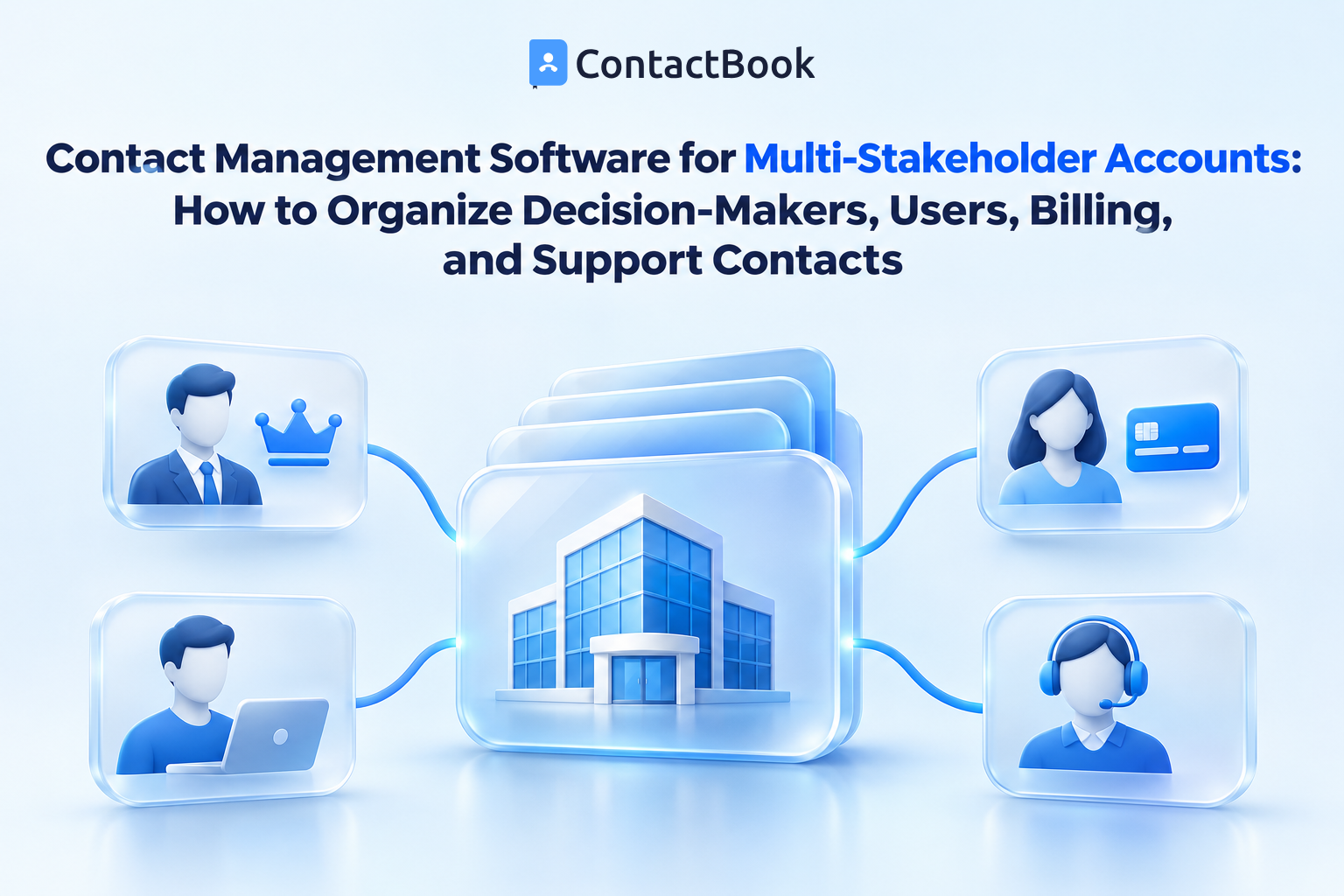
Contact management software becomes especially valuable when one customer account includes several people with different responsibilities. The person who approves a purchase may not use the product. The everyday user may not handle invoices. The technical contact may not have authority to renew. If every employee contacts the same person for every question, communication slows down and the relationship becomes dependent on one individual.
The practical solution is to treat a customer account as a network of people, not a single name.
This guide explains how to record stakeholder roles, assign internal ownership, share appropriate context, and keep customer contacts useful when responsibilities change. It also explains where a shared contact system ends and where a CRM, help desk, billing system, or project platform is still required.
Quick answer
Contact management software helps organizations manage multi-stakeholder accounts by keeping separate records for each person and identifying why each contact matters. A useful account structure normally distinguishes the decision-maker, executive sponsor, operational lead, everyday users, technical contact, billing contact, procurement contact, support contact, and escalation contact.
Each record should contain verified business details, an agreed stakeholder role, an internal relationship owner, appropriate shared context, and a review trigger. The organization should not copy every customer detail into the contact system or give every employee unrestricted access.
What is a multi-stakeholder customer account?
A multi-stakeholder account is a customer, partner, or client organization where several people influence, approve, use, administer, pay for, or support the relationship.
For example, a software customer may include:
- A department head who approved the purchase
- A project manager coordinating implementation
- An administrator managing user access
- Employees using the product each day
- A technical contact reviewing integrations
- A procurement manager handling commercial terms
- A finance contact receiving invoices
- An executive sponsor monitoring business outcomes
These contacts belong to the same customer organization, but they are not interchangeable. Sending a technical incident to the executive sponsor may create unnecessary concern. Sending a renewal proposal to an everyday user may produce no decision. Sending an invoice question to the project lead may delay payment.
A reliable contact management system should help employees find the right person for the task without relying on memory or searching through old email threads.
Why a single customer contact is not enough
Organizations often begin with one primary contact because it is simple. The weakness appears when the account becomes active or more complex.
The primary contact becomes a bottleneck
One person receives sales questions, implementation requests, support updates, invoices, and renewal messages. That person must redirect every request internally, which adds delay and frustration.
Knowledge remains with one employee
An account manager may know the customer’s stakeholder structure but keep it in memory or a private notebook. Other departments see a list of names without understanding who can answer what.
A role change disrupts the relationship
If the only recorded contact changes jobs, takes leave, or leaves the customer organization, the company may lose its route into the account. Several verified contacts provide continuity.
Departments create separate copies
Sales saves the buyer, Support saves the technical administrator, and Finance saves the billing contact. Without a common structure, employees may not realize that the records belong to the same customer relationship.
The wrong person receives sensitive or irrelevant information
Not every stakeholder should receive pricing, technical, billing, or escalation information. Clear roles help employees choose an appropriate audience, although the organization must still apply its privacy and access policies.
The stakeholder roles worth recording
The correct roles depend on the business model. Start with the smallest set that helps employees communicate correctly. Adding twenty labels nobody understands will make the system harder to maintain.
Decision-maker
The decision-maker has authority to approve a purchase, expansion, renewal, or major change. This person may care about cost, risk, business outcomes, and alignment with organizational priorities.
Do not assume that a senior job title automatically makes someone the decision-maker. Confirm the person’s role in the specific relationship.
Executive sponsor
The executive sponsor supports the relationship at a senior level and may help resolve organizational barriers. This person usually needs concise business updates rather than every operational message.
Champion
A champion actively supports the product, service, or partnership inside the customer organization. A champion may influence the decision without holding final authority.
Avoid writing subjective labels such as “loves our product” in a shared record. Use factual context, such as “coordinates the internal rollout and requested the quarterly review.”
Operational lead
The operational lead coordinates everyday work between both organizations. This person may schedule meetings, confirm requirements, collect feedback, or manage deadlines.
Everyday user
Users interact with the product or service regularly. They can provide practical feedback, but they may not control budgets, contracts, or technical approvals.
Technical contact
The technical contact handles integrations, access, infrastructure, security questions, or other technical requirements. Detailed incident records and credentials should remain in the approved technical or support system, not general contact notes.
Billing contact
The billing contact receives or reviews invoices and payment-related communication. Record business contact details and relevant routing information only. Do not place payment card data, bank details, tax documents, or confidential financial records in general notes.
Procurement or legal contact
This stakeholder handles purchasing procedures, vendor onboarding, commercial documentation, or contract coordination. Legal documents should remain in the organization’s approved document or contract system.
Support contact
The support contact is authorized to raise or coordinate service requests. Ticket history should stay in the help desk, while the contact record can identify the correct person and their role.
Escalation contact
The escalation contact is used when an issue requires urgent attention or cannot be resolved through the normal route. Document when this contact should be used so employees do not escalate routine questions unnecessarily.
What information should each stakeholder record contain?
Good customer stakeholder management depends on consistent records. However, more information is not always better. Store only what employees need and what the organization is permitted to maintain.
Core identity details
Record the person’s name, organization, job title, work email, business phone number, and preferred approved contact method. Use a country code for phone numbers where employees work across regions.
Stakeholder role
Record why this person matters to the account. A controlled tag such as Decision-Maker, Billing, or Technical is clearer than expecting employees to infer responsibility from a job title.
One person may hold more than one role. For example, the founder of a customer company may be both the decision-maker and billing contact.
Internal relationship owner
Assign an employee who can verify the contact and maintain the relationship. The owner may differ by stakeholder: Finance may maintain the billing contact while Customer Success maintains the operational lead.
If the software does not provide a dedicated ownership field suited to the process, use an agreed tag or concise shared note consistently.
Account or customer identifier
Use the standard company name and, where needed, an approved account identifier. This helps employees connect several people to the same organization without relying on spelling variations.
Communication responsibility
Document which types of messages the stakeholder should receive. Examples include implementation updates, technical notices, invoices, quarterly reviews, or renewal communication.
Last verified date
Record when someone last confirmed the person’s details and role. A valid email address does not prove that the person still holds the same responsibility.
Appropriate shared context
Add concise, factual context that helps colleagues continue the relationship. For example: “Coordinates monthly service review” or “Receives invoices for the UK entity.”
Avoid personal opinions, unnecessary personal data, passwords, security answers, health information, payment details, or confidential material that belongs elsewhere.
A practical structure for multi-stakeholder accounts
The structure should make the account easy to understand without turning the contact system into a second CRM.
Keep one contact record per person
Do not create one record called “Northstar Customer Contacts” and place several names in its notes. Each person needs a separate record so employees can search, update, share, and review the correct details.
Standardize the company name
Use one agreed display name for the customer organization. Decide how to handle subsidiaries, regional entities, and trading names. Consistent company names improve search and make possible duplicates easier to recognize.
Use groups for meaningful collections
Groups work well when contacts need to be accessed or shared together. Depending on account volume and access requirements, an organization might use groups for strategic accounts, customer segments, regions, implementation portfolios, or other stable workflows.
Creating a separate group for every customer can work for a limited number of high-touch accounts. It may become difficult to maintain across thousands of customers. Choose a structure that matches the scale of the operation.
Use tags for stakeholder roles
Tags can identify roles that cut across groups, such as:
- Decision-Maker
- Executive-Sponsor
- Champion
- Operational-Lead
- Technical
- Billing
- Procurement
- Support
- Escalation
- Renewal
Keep the approved list short. Avoid overlapping tags such as Billing, Accounts, Invoice, and Finance Contact when they all mean the same thing.
Use shared notes for context, not classification
Tags should answer “What role does this person have?” A shared note should answer “What approved context does a colleague need?”
Do not hide a critical stakeholder role in a long note. Employees should be able to find the right contact through search or filtering.
Contact management software vs CRM stakeholder mapping
Contact management software and CRM software can overlap, but they are not identical.
Use contact manager software when employees need a dependable, shared directory of the people connected to an account. Use a CRM when the organization needs opportunity stages, revenue forecasting, sales automation, detailed account hierarchies, or formal stakeholder influence mapping.
The systems can complement each other. The important decision is which system owns each type of information.
How to build a stakeholder contact structure in eight steps
Step 1: Select the accounts that need stakeholder mapping
Not every customer needs the same level of structure. Begin with accounts where several departments communicate with different people, where relationship continuity matters, or where contacting the wrong stakeholder causes delays.
Examples include enterprise customers, managed-service clients, implementation projects, long-term partnerships, and accounts with formal procurement processes.
Step 2: Define an approved role list
Ask Sales, Customer Success, Support, Finance, and Delivery which stakeholder distinctions affect their work. Combine duplicate terms and write a short definition for each role.
For example:
Billing contact: The person who receives or coordinates invoices. This tag does not mean the person approves renewals.
Clear definitions stop departments from interpreting the same label differently.
Step 3: Agree on required fields
Choose the minimum details employees must verify before sharing a contact. The company contact list format guide can help separate required, recommended, and conditional fields.
Do not make every field mandatory. Employees may enter guesses simply to complete a form, which lowers data quality.
Step 4: Find contacts across existing sources
Review approved sources such as company address books, CRM records, support contacts, billing systems, project files, and account-owner knowledge. Decide which system provides the authoritative value for each field.
Before creating a record, search for the person using their name, work email, company, or phone number. This reduces duplicate copies created by different departments.
Step 5: Verify roles with the account owner
The account owner should confirm why each stakeholder is included. When appropriate, verify the contact route with the customer rather than making assumptions from job titles.
Questions may include:
- Who owns the final commercial decision?
- Who coordinates daily work?
- Who should receive technical updates?
- Who handles invoices?
- Who should be contacted if the normal owner is unavailable?
Step 6: Apply groups, tags, and access
Place contacts in the relevant collection and add approved stakeholder tags. Then grant access based on work requirements.
Finance may need the billing contact without access to every relationship note. Support may need the technical and escalation contacts. Senior leadership may require view access but not editing rights.
The contact database governance guide explains how to separate viewers, editors, group owners, data stewards, and administrators.
Step 7: Add the next review trigger
Review stakeholder records when:
- A contract is signed or renewed
- Implementation begins or ends
- A contact changes role
- An email bounces
- An account changes owner
- A support escalation reveals a new stakeholder
- A customer restructures or changes its email domain
- An employee leaves either organization
Important accounts may also require a scheduled review. Choose an interval based on how quickly the relationship changes rather than applying one arbitrary schedule to every record.
Step 8: Test the structure with real questions
Ask employees to complete realistic tasks:
- Find the person who approves a renewal.
- Find the technical contact for an urgent integration issue.
- Identify who should receive an invoice question.
- Find a backup contact if the operational lead is unavailable.
- Confirm who owns each relationship internally.
If employees must read several notes or ask the account manager, improve the role definitions, tags, or record format.
How different departments use the stakeholder structure
Sales
Sales can distinguish the decision-maker, champion, evaluator, procurement contact, and executive sponsor. This prevents the salesperson from treating every meeting participant as a buyer.
Opportunity values, stages, and forecasts should remain in the CRM.
Onboarding and delivery
Delivery employees can find the operational lead, project coordinator, administrator, and technical contact. They do not need unrestricted access to every commercial note.
Customer Success
Customer Success can identify everyday users, champions, decision-makers, and executive sponsors. This helps the department choose the right audience for training, reviews, adoption discussions, and renewal preparation.
Support
Support can locate authorized requesters, technical administrators, and escalation contacts. Ticket content and incident logs should remain in the help desk.
Finance
Finance can maintain the invoice recipient and appropriate billing route. If the billing contact changes, the relationship owner should be informed so the wider account record remains current.
Leadership
Leadership may need the executive sponsor or decision-maker for strategic communication. View access may be enough if leaders are not responsible for routine data maintenance.
How ContactBook supports multi-stakeholder accounts
ContactBook can support the shared-contact layer of this process. Its official pages document the following capabilities.
Centralized contact sources
Users can connect Google and Microsoft accounts or import CSV and VCF files. This can bring approved business contacts from separate address books into one managed location. Account-import limits vary by plan.
Search
ContactBook states that users can search contacts using details such as company, job title, and email address. Tags can provide another way to find people by an agreed stakeholder role.
Groups and Tags
Groups can organize contacts that employees use together, while Tags can describe roles and attributes. An organization could use a stable account or customer group where appropriate and tags such as Billing, Technical, or Decision-Maker.
ContactBook does not claim to provide an automatic stakeholder map. The organization must define and apply the account structure.
Shared Groups, Spaces, and permissions
Shared Groups can make selected contacts available to coworkers. Spaces can separate broader working environments. Adjustable permissions can help organizations decide who may access or modify relevant records.
Public and private notes
Public notes can provide appropriate shared context. Private notes are available on eligible plans and remain visible only to their creator. Information required by other departments should not be stored only in a private note.
Attachments and reminders
Eligible plans provide attachment storage and reminders with plan-based limits. Use attachments only for approved material. Keep contracts, payment information, credentials, support logs, and other restricted records in their designated systems.
Notifications and activity history
Notifications can alert users to collaborator activity. Activity-history availability and duration depend on the plan. These features can support oversight, but they do not replace a documented data-governance process.
Duplicate review and merging
ContactBook states that it can identify possible duplicate contacts so users can review and merge them. Do not treat this as permission to merge people simply because they have similar names. Verify that both records represent the same individual.
Web and mobile access
ContactBook lists Android and iOS applications. Mobile access can help an account owner verify a new stakeholder after a meeting instead of waiting until details are forgotten.
Before rollout, review the current ContactBook Features and Pricing pages because limits and plan availability can change.
A simple stakeholder record template
Use this template as a starting point. Remove fields employees will not maintain.
Identity
- Full name:
- Company:
- Job title:
- Work email:
- Business phone:
- Preferred approved contact method:
Stakeholder role
- Primary role:
- Additional role, if applicable:
- Messages this contact should receive:
- Escalation use, if applicable:
Internal responsibility
- Relationship owner:
- Department responsible for verification:
- Group or account collection:
- Approved stakeholder tags:
Maintenance
- Last verified date:
- Verification source:
- Next review trigger or date:
- Appropriate shared context:
Common stakeholder-management mistakes
Treating the most senior person as the only important contact
Senior leaders may approve a relationship but know little about everyday operations. Record both authority and practical responsibility.
Confusing job titles with account roles
A Finance Manager may not be the billing contact for your relationship. Confirm the role instead of inferring it.
Creating too many tags
An uncontrolled tag list makes search less reliable. Define each role and combine terms that mean the same thing.
Storing the entire account history in contact notes
Use notes for concise relationship context. Keep deal history, tickets, project tasks, contracts, and financial data in their proper systems.
Sharing every contact with everyone
Employees need access based on their work. A shared directory should still use appropriate permissions and purpose-based groups.
Depending on one internal owner
Assign clear ownership, but make approved customer contacts accessible to the colleagues who need continuity. Ownership should create accountability, not another information silo.
Failing to review roles
The contact may still work at the customer organization but no longer approve purchases or manage the project. Review the role as well as the email address.
Frequently asked questions
What is contact management software?
Contact management software is used to store, organize, search, update, and share information about customers, vendors, partners, and other business relationships. It can also hold appropriate notes, classifications, ownership details, and follow-up information.
What is a customer stakeholder?
A customer stakeholder is a person who influences, approves, uses, administers, pays for, supports, or monitors a customer relationship. Several stakeholders can be connected to the same account.
Which customer stakeholder roles should a business track?
Common roles include decision-maker, executive sponsor, champion, operational lead, everyday user, technical contact, billing contact, procurement contact, support contact, and escalation contact. Track only the roles relevant to the business process.
Should every customer have a separate contact group?
Not always. A separate group can work for a manageable number of strategic or high-touch accounts. For a large customer base, broader groups plus consistent company details and stakeholder tags may be easier to maintain.
Can one person have several stakeholder roles?
Yes. One person may be both the decision-maker and billing contact, especially in a smaller customer organization. Record each confirmed role without creating duplicate contact records.
Is stakeholder management the same as CRM account management?
No. A contact management system can organize and share the people connected to an account. A CRM may also track opportunities, account hierarchies, influence, sales activity, forecasts, and automation.
Can ContactBook create a visual stakeholder map?
ContactBook’s public pages document Groups, Tags, search, sharing, permissions, notes, and related contact-management features. They do not clearly claim a dedicated visual stakeholder map or automatic relationship chart. Do not describe that capability as available without product-team confirmation.
How often should stakeholder contacts be reviewed?
Review them after role changes, account-owner changes, bounces, renewals, implementation milestones, escalations, restructures, and departures. Add scheduled reviews for important accounts based on their rate of change.
What should not be stored in shared contact notes?
Avoid passwords, security answers, payment details, unnecessary personal data, confidential legal material, medical data, subjective comments, or information that belongs in a controlled CRM, help desk, billing, legal, or security system.
Final thoughts
Strong account management begins with knowing who does what. A decision-maker, daily user, technical administrator, billing contact, and executive sponsor may belong to one customer, but each requires different communication.
Use contact management software to keep separate, verified records for each person. Apply a controlled role list, assign an internal owner, share only appropriate context, and review the structure when responsibilities change. Then keep sales opportunities, support tickets, project tasks, contracts, and financial records in the systems designed for them.
Start with five important customer accounts. Map their stakeholders, test whether each department can find the right person, and improve the structure before applying it more widely.
If your organization needs a shared place for approved customer contacts, start a free ContactBook trial and build your first multi-stakeholder account structure.