Digital Business Cards vs Business Card Scanner Apps: Which Is Better for Managing New Contacts?

Quick answer: A digital business card helps you share your own professional details through a link or QR code. A business card scanner app helps you capture details from someone else’s printed card. Neither is universally better because they solve different parts of a business introduction. Choose a digital card for fast, paperless sharing; choose a scanner when you regularly receive printed cards. Use both when you need to exchange details and manage the new relationship afterward.
Business introductions now happen across conferences, client visits, stores, professional associations, video calls, and social platforms. One person may offer a printed card. Another may display a QR code. A third may send a link after the meeting.
This creates a practical question for professionals and organizations: should they adopt digital business cards, use business card scanner apps, or combine both?
The answer depends on what must happen at the moment of exchange. Sharing your own information and capturing another person’s information are related actions, but they are not the same workflow. Understanding that distinction makes the choice much easier.
What is a digital business card?
A digital business card is an online version of a professional identity card. It usually contains information such as:
- Name
- Job title
- Company
- Phone number
- Email address
- Website
- Social or professional profile links
- Profile image or company branding
Instead of handing over paper, the owner shares the card through a QR code, web link, message, email, or supported mobile option. The recipient opens the card and can use the available details.
The main job of a digital business card is distribution. It helps one person present and share their own approved information.
This makes it useful for sales representatives, recruiters, consultants, founders, field employees, event teams, and other professionals who introduce themselves frequently.
What is a business card scanner app?
A business card scanner app converts information from a printed business card into a digital contact record. The user photographs or scans the card, and the app attempts to recognize fields such as the person’s name, organization, phone number, email address, and job title.
The main job of a scanner is capture. It reduces the need to type every field manually after receiving a physical card.
However, scanning is not the end of the process. The user still needs to verify the extracted information, decide where the record belongs, add context, and plan the next action.
For example, a scanner may capture “A. Mehta” and a phone number accurately, but it cannot always know:
- Whether the contact is a prospect, supplier, applicant, or partner
- Which employee owns the relationship
- What was discussed during the meeting
- Whether the contact should be shared with colleagues
- When someone should follow up
- Whether the person already exists in the contact database
That is why business card scanning works best as the first step in a contact-management workflow, not as the complete workflow.
The core difference: sharing your details vs capturing theirs
The most useful way to compare the two is by direction.
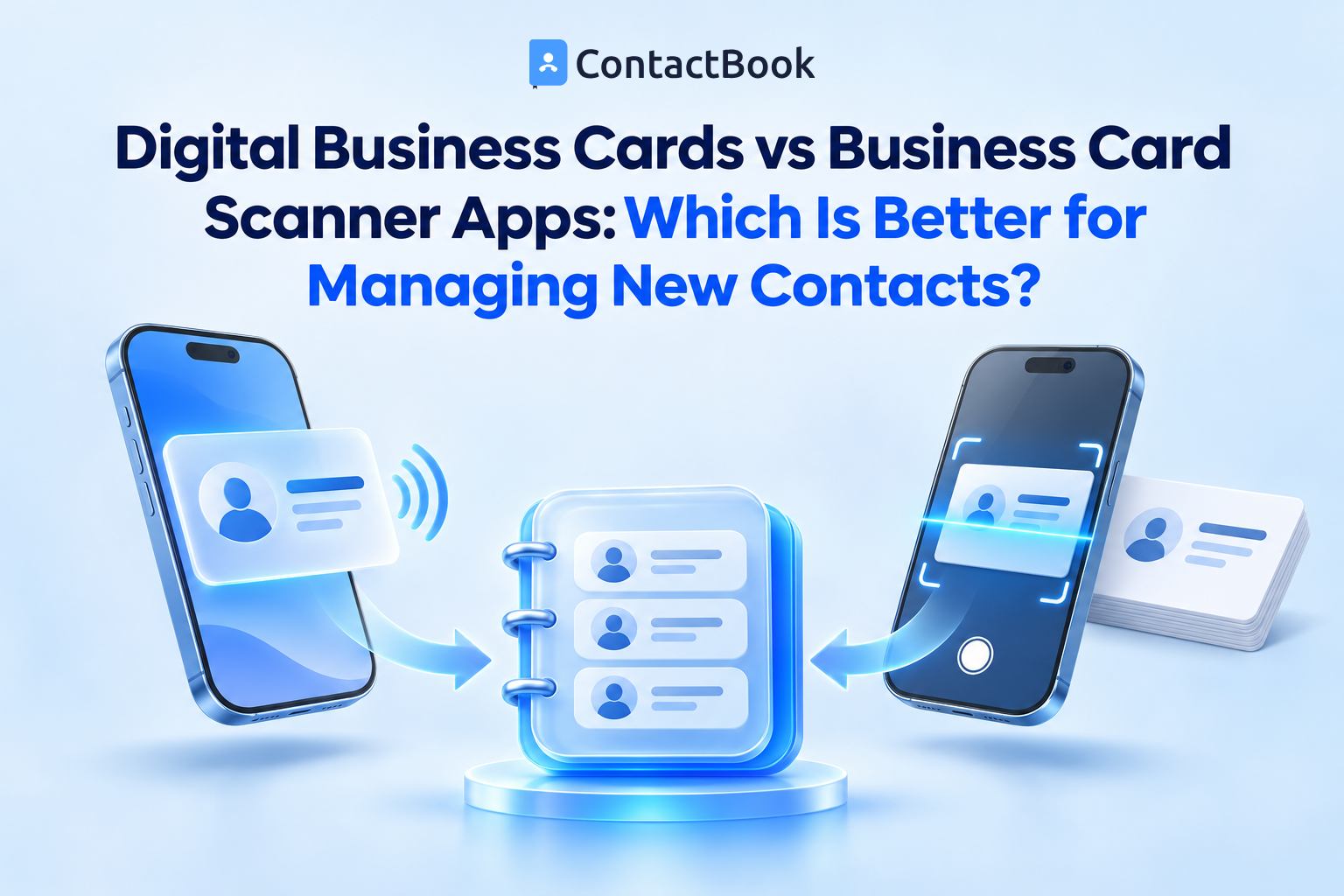
A digital card sends information outward. A scanner brings information inward.
This difference explains why an organization may need both. At a trade event, a representative may share their own digital card with visitors while scanning printed cards received from vendors or prospects.
When is a digital business card the better choice?
A digital business card is generally better when the main goal is to distribute your own information consistently.
1. You frequently share the same professional details
Employees who attend meetings, visit customer locations, recruit candidates, or represent the company at events can share one approved profile instead of typing their information repeatedly.
2. Your information changes regularly
Job titles, phone numbers, websites, and social profiles can change. A digital format is easier to maintain than a box of already printed cards. However, organizations should confirm whether changes update only the shared page or also affect details that recipients have already saved elsewhere.
3. You want a paperless exchange
A QR code or link removes the need to carry and replenish printed cards. This is useful for remote meetings and last-minute events where printing is impractical.
4. You want consistent presentation
An organization can define what employees should share, including approved company names, titles, websites, and contact methods. This reduces inconsistent formatting across personal signatures or manually created cards.
5. The introduction happens online
A printed card is difficult to exchange during a video call or online community conversation. A digital card can be shared through chat, email, or a meeting follow-up.
When is a business card scanner app the better choice?
A scanner app is generally better when professionals receive printed cards and need to turn them into usable records.
1. Your work involves conferences or networking events
An employee may collect dozens of printed cards in one day. Manual entry increases the chance of delayed follow-up and typing errors.
2. Suppliers and customers still use printed cards
Digital sharing is growing, but printed cards remain common in field sales, procurement, trade events, property visits, professional services, and local business networks.
3. You need contact details available quickly
Scanning can place the basic information into a contact system while the interaction is still fresh. The user can then add context before moving to the next meeting.
4. Manual entry creates a backlog
Cards often remain in wallets, desk drawers, or event bags. By the time someone enters them, the relationship context may be forgotten. A scanner reduces that delay.
5. You want a structured capture process
When scanner output flows into an approved contact-management process, employees can verify fields, assign ownership, add tags, and set follow-up reminders consistently.
Which option is better for managing new contacts?
If the phrase “managing new contacts” includes everything after an introduction, neither tool is sufficient by itself.
A digital business card may successfully share your details, but it does not guarantee that the recipient saves them or that your organization records the new relationship.
A scanner app may capture another person’s details, but the new record can still become an isolated entry with no owner, context, or follow-up.
A complete new-contact workflow should answer five questions:
- How are details exchanged?
- Where is the new contact stored?
- Who owns the relationship?
- What context should be recorded?
- What happens next?
Digital cards and scanning address the first question. Contact management addresses the remaining four.
A practical workflow for events and in-person meetings
Consider a sales representative attending an industry conference.
Before the event
The representative checks that their digital card contains the current company name, role, work email, phone number, and approved links. They also decide which shared contact group will hold new event contacts.
During the conversation
The representative shares their digital card using a QR code or link. If the other person provides a printed card, the representative scans it with an approved application.
Immediately after the conversation
The representative verifies the recognized name, company, phone number, and email address. They add a short factual note, such as the product discussed or requested follow-up.
At the end of the day
The representative reviews new records, checks possible duplicates, applies the agreed event or relationship tags, and confirms the responsible employee.
After the event
The contact becomes available to the relevant colleagues according to access permissions. A reminder or task supports the promised follow-up.
The value comes from the entire process, not merely from scanning a card or displaying a QR code.
What to evaluate in a digital business card
Do not choose a digital card based only on appearance. Evaluate how it supports real business use.
Accuracy and editability
Employees should be able to keep their approved details current without rebuilding the card whenever one field changes.
Sharing methods
Confirm whether users can share through a QR code, link, messaging app, email, or other methods appropriate to their work.
Recipient experience
The recipient should be able to open the shared information without a difficult setup process. Test the experience on common mobile devices before rolling it out.
Brand and policy control
Decide whether employees may add personal links, alternate phone numbers, or non-company information. The card should reflect organizational policy as well as individual needs.
Contact-management connection
Determine what happens after someone responds or shares their details. A polished card is less useful if the resulting relationship remains outside the organization’s working contact system.
What to evaluate in a business card scanner app
The right scanner should do more than produce an attractive scan animation.
Field recognition
Test cards with different layouts, fonts, job titles, multiple phone numbers, international country codes, and email formats.
Manual correction
No extraction process should be treated as perfect. Users need a clear way to correct misread names, numbers, or company details before saving.
Duplicate review
The system should help employees check whether the person already exists. A second record can separate important notes and create confusion about which number is current.
Destination control
Users should know where a scanned contact will be saved. Accidentally placing business contacts in a personal address book creates ownership and access problems.
Organization and context
Look for the ability to add groups, tags, notes, and follow-up information. These elements explain why the contact matters.
Sharing and permissions
If colleagues need the new record, the workflow should provide managed access. Sending screenshots or repeatedly forwarding contact cards creates disconnected copies.
Common mistakes when adopting either option
Treating capture as consent for every use
Receiving or scanning contact details does not automatically permit unrestricted marketing or sharing. Organizations should use contact information according to applicable privacy rules, consent, and their own policies.
Skipping verification
QR codes reduce typing, but the source information may still be outdated. Scanner apps can misread stylized text. Verify important fields before using them.
Saving every contact into one unstructured list
New contacts should enter an agreed group or category. Otherwise, event contacts, suppliers, candidates, and customers become difficult to separate.
Allowing personal ownership of business relationships
If an employee saves every new business contact only in a personal account, the organization may lose access when responsibilities change.
Ignoring duplicates
The same person may share a digital card, appear in a scanned printed card, and already exist in Google Contacts. Search before creating a new record and review possible matches afterward.
Collecting details without a follow-up process
A large contact count is not the same as a useful network. Capture the reason for the connection and the promised next action.
How ContactBook supports both sides of the exchange
contactbook.app combines mobile contact capture and sharing with ongoing contact management.
ContactBook’s current mobile-app page documents digital business cards that can be shared through a QR code or link. Its published Terms list business card scanning among the services available through the platform. ContactBook also has published guidance on scanning business cards through its mobile workflow.
After contact details enter ContactBook, its documented features can support the next steps:
- Organize contacts with Groups and tags
- Share relevant Groups with colleagues
- Set view or edit permissions
- Add public or private notes
- Add reminders for follow-up
- Review and merge duplicate contacts
- Access records through mobile and web interfaces
- Connect or import contacts from supported sources
This distinction matters. ContactBook is not only a way to display or scan a card. It provides a place to organize the contact and make it useful to the relevant people afterward.
For a step-by-step scanning workflow, read how to scan business cards directly into Google Contacts. That guide focuses on capture. This article focuses on choosing the right exchange method.
Should an organization use digital cards, scanner apps, or both?
Use a digital business card when employees mainly need to share their own details. Use a business card scanner when they mainly receive printed cards. Use both when introductions happen in mixed formats.
Digital cards only may work when:
- Interactions are mainly online
- Employees rarely receive printed cards
- The priority is consistent personal or company information
- Recipients are comfortable using links or QR codes
Scanner apps only may work when:
- Printed cards remain the main input
- Employees do not need a digital identity-sharing method
- The priority is reducing manual entry
- The organization already has another approved way to share employee details
Both are appropriate when:
- Employees attend events and conduct online meetings
- Customers and partners use mixed sharing formats
- Representatives both give and receive contact information
- New contacts need to enter a shared, structured workflow
The decision should follow actual work patterns, not a general claim that one format has replaced the other.
Frequently asked questions
Is a digital business card the same as a business card scanner?
No. A digital business card shares information that has already been created. A scanner reads information from a printed card and turns it into a digital contact record.
Can a digital business card replace printed cards?
It can replace printed cards in many situations, especially online meetings and QR-friendly events. However, some customers, regions, and industries still prefer printed cards, so the right choice depends on the audience.
Are business card scanner apps accurate?
Accuracy varies with card design, image quality, fonts, languages, and field layout. Users should verify important details before saving or contacting the person.
What should I do after scanning a business card?
Confirm the fields, search for an existing record, add relevant context, place the contact in the correct group, assign relationship responsibility, and set the next follow-up when appropriate.
Can ContactBook create a digital business card?
Yes. ContactBook’s mobile-app page states that users can create a digital card and share it through a QR code or link.
Does ContactBook support business card scanning?
Yes. ContactBook’s current Terms include business card scanning among its services, and its published business-card scanning guide describes using the mobile app to capture and manage card details.
Which is better for sales professionals?
Sales professionals often benefit from both. A digital card helps them share approved details quickly, while a scanner helps capture printed cards received from prospects and partners. The records should then enter a managed follow-up process.
Final thoughts
The comparison between digital business cards and business card scanner apps is not a contest between old and new formats. It is a choice between two directions of information flow.
A digital business card helps you give someone your details. A scanner app helps you capture theirs. Organizations that handle both directions should connect them to one reliable process for verification, ownership, organization, sharing, and follow-up.
With contactbook.app, professionals can share a digital business card, capture new contact details, organize records, add context, review duplicates, and make approved contacts available to the relevant colleagues. Start a free trial and build a more consistent process for every new business introduction.